10 Best Portable Monitors for Remote Work
Last Updated: March 2026 · Independently researched by the TenBESTLY team
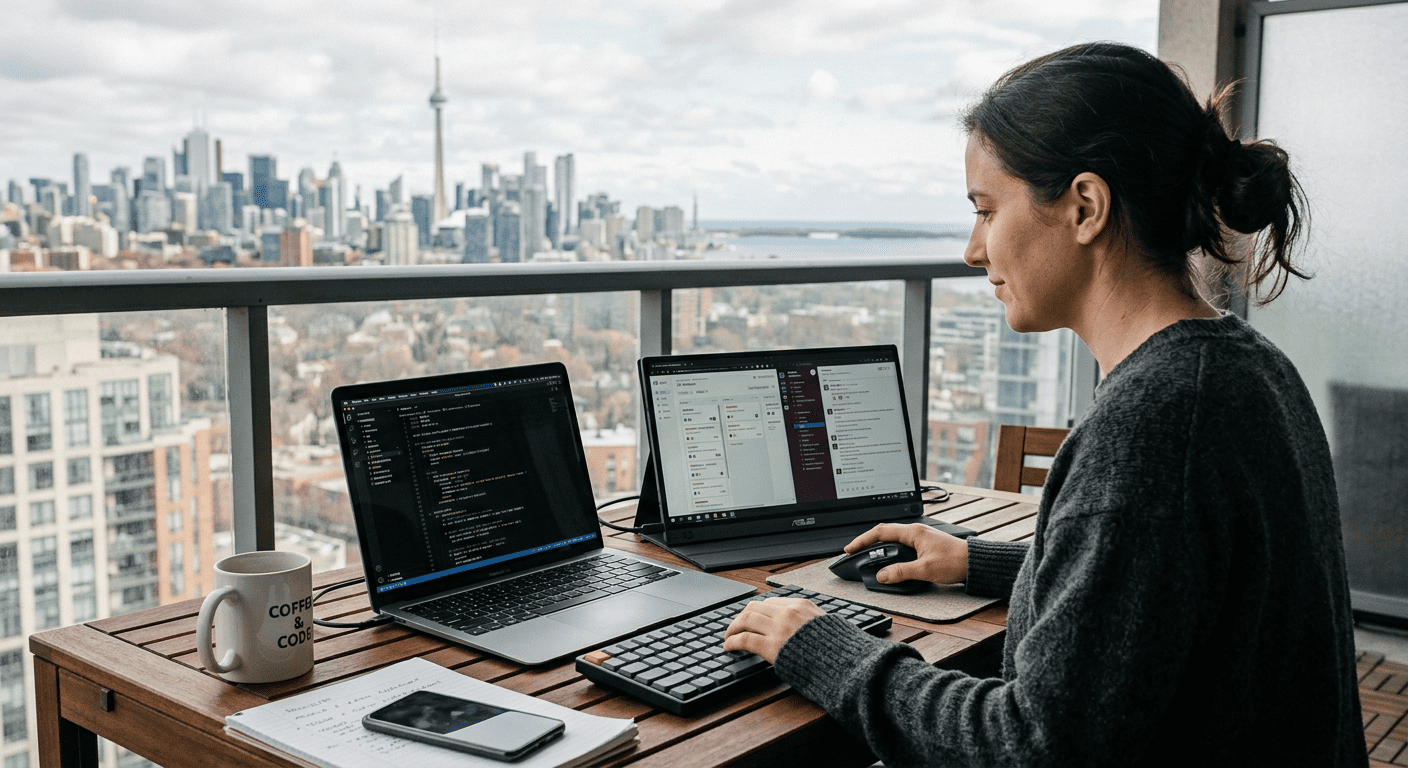
A portable monitor is one of the simplest, most impactful upgrades you can make to your remote work setup. Whether you are working from a coffee shop, a hotel room, a co-working space, or your kitchen table, a second screen eliminates constant window switching, makes video calls more manageable, and gives you the workspace to actually get things done.
We researched over 20 portable monitors, compared independently tested display quality, portability, connectivity, and build quality data from publications like PCWorld, Tom’s Hardware, and TechRadar. Our list covers every need and budget, from $80 entry-level options to $350 professional-grade displays with 4K OLED panels and factory color calibration.
Here are the 10 best portable monitors for remote work in 2026, ranked and reviewed.
Quick Picks
- Best Overall: ASUS ZenScreen MB16ACV – Reliable, lightweight, works with everything
- Best for Business: Lenovo ThinkVision M14t Gen 2 – Touchscreen with stylus and power pass-through
- Best Display: ViewSonic VX1655-4K-OLED – 4K OLED with cinema-grade color
- Best Value: Arzopa Z1FC – 16.1 inch 144Hz for approx. $170
- Best Under $100: InnoView 15.8″ FHD – Complete package with case/stand for approx. $80
Our Top 10 Picks
- ASUS ZenScreen MB16ACV – Best Overall
- Lenovo ThinkVision M14t Gen 2 – Best for Business
- ViewSonic VX1655-4K-OLED – Best Display Quality
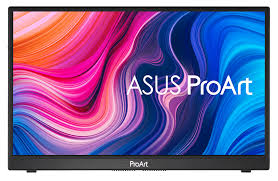
- ASUS ProArt PA148CTV – Best for Creatives
- LG gram +view 16MR70 – Best Large Screen
- HP E14 G4 – Best for HP Laptop Users
- Dell Pro 14 Plus P1425HE – Best Build Quality
- Arzopa Z1FC – Best Value
- Acer PM161Q Abmiuuzx – Best Budget
- InnoView 15.8″ FHD Portable Monitor – Best Under $100
Quick Comparison Table
| Monitor | Best For | Screen | Resolution | Weight |
|---|---|---|---|---|
| ASUS ZenScreen MB16ACV | Best Overall | 15.6″ | 1920×1080 | 0.83 kg (1.83 lbs) |
| Lenovo ThinkVision M14t Gen 2 | Best for Business | 14″ | 2240×1400 | 0.70 kg (1.54 lbs) |
| ViewSonic VX1655-4K-OLED | Best Display Quality | 15.6″ | 3840×2160 | 0.68 kg (1.5 lbs) |
| ASUS ProArt PA148CTV | Best for Creatives | 14″ | 1920×1080 | 0.74 kg (1.63 lbs) |
| LG gram +view 16MR70 | Best Large Screen | 16″ | 2560×1600 | 0.67 kg (1.48 lbs) |
| HP E14 G4 | Best for HP Laptop Users | 14″ | 1920×1080 | 0.64 kg (1.41 lbs) |
| Dell Pro 14 Plus P1425HE | Best Build Quality | 14″ | 1920×1200 | 0.59 kg (1.30 lbs) |
| Arzopa Z1FC | Best Value | 16.1″ | 1920×1080 | 0.77 kg (1.7 lbs) |
| Acer PM161Q Abmiuuzx | Best Budget | 15.6″ | 1920×1080 | 0.86 kg (1.9 lbs) |
| InnoView 15.8″ FHD Portable Monitor | Best Under $100 | 15.8″ | 1920×1080 | Approx. 0.86 kg (1.9 lbs) |
Best Overall
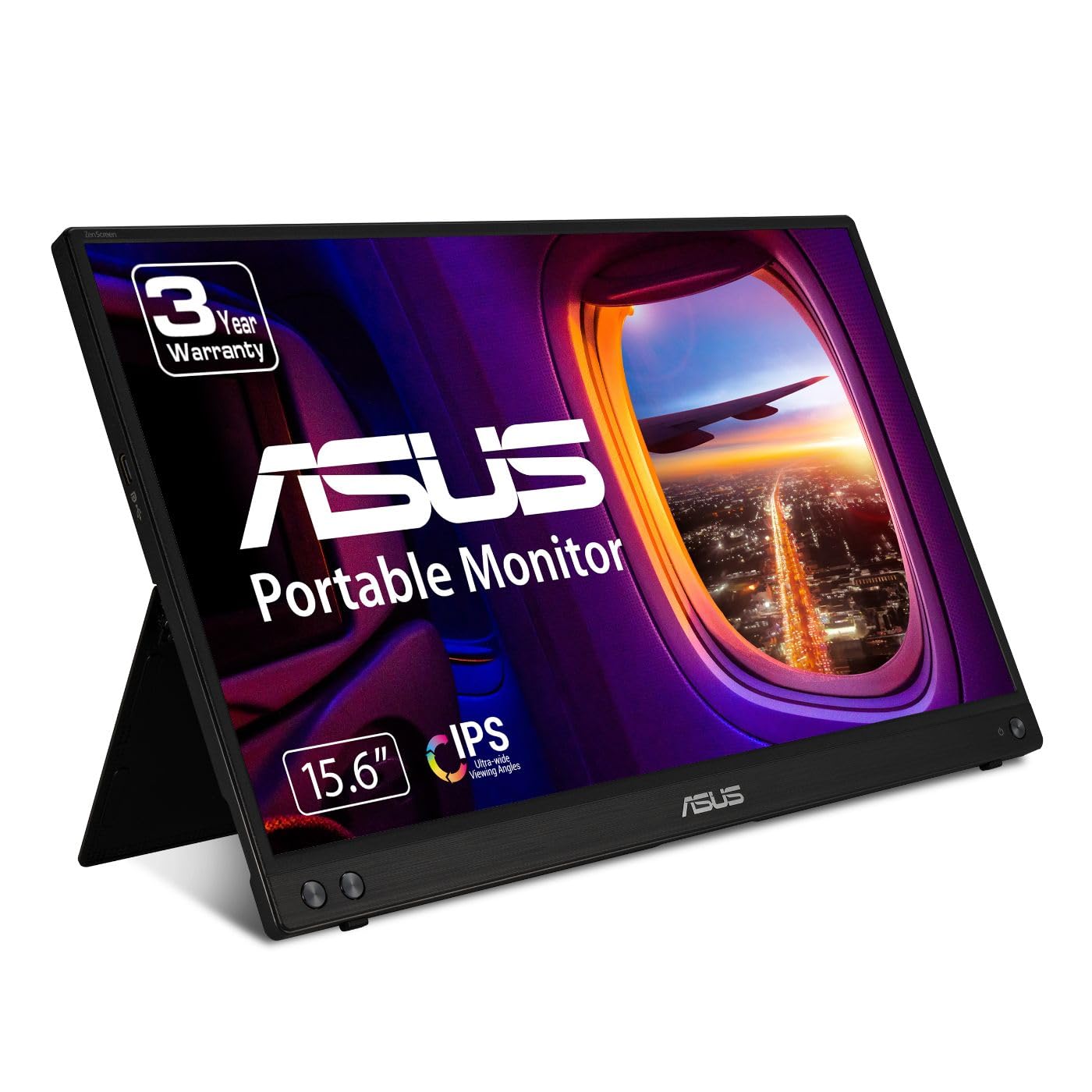
ASUS ZenScreen MB16ACV
Approx. $250
Who Should Buy This
Remote workers who want a reliable, well-built second screen that works with virtually any laptop. The MB16ACV is the most well-rounded portable monitor available, balancing image quality, portability, and ease of use.
Full Specs
| Display | 15.6 inch FHD (1920×1080) IPS |
| Weight | 0.83 kg (1.83 lbs) |
| Ports | USB-C (DP Alt Mode), USB-A (via adapter) |
| Brightness | 250 nits |
| Color | sRGB, antibacterial surface |
| Key Features | Kickstand (portrait/landscape), auto-rotate via DisplayWidget, tripod socket, flicker-free, low blue light, anti-glare, 3-year warranty |
Our Take
The ASUS ZenScreen MB16ACV is the portable monitor we recommend to most people. It checks every box that matters for remote work: a sharp 15.6 inch Full HD IPS panel with anti-glare coating, a built-in kickstand that works in both portrait and landscape orientations, and a single USB-C cable for power and video. At just 0.83 kg, it adds almost no weight to your bag. The hybrid-signal solution also supports USB-A connections via an included adapter, so it works even with older laptops that lack USB-C. ASUS DisplayWidget software enables auto-rotation when switching orientations. The antibacterial treatment on the bezels is a thoughtful touch for shared workspace environments. Image quality is solid for productivity, though creative professionals needing precise color calibration should look at the ProArt PA148CTV instead. The 3-year warranty is the longest of any portable monitor on this list.
Pros
- Built-in kickstand supports both portrait and landscape orientations
- Hybrid-signal solution works with USB-C and USB-A connections
- Ultra-light at 0.83 kg with a slim 10.5 mm profile
- Antibacterial surface treatment on bezels and rear
- Auto-rotate via DisplayWidget software
- 3-year warranty, the longest on this list
Cons
- 250 nits brightness can struggle in direct sunlight
- No built-in speakers
- Color gamut is adequate but not exceptional for creative work
Bottom Line: The best all-around portable monitor for remote work. Reliable, lightweight, and compatible with virtually any laptop.
Best for Business
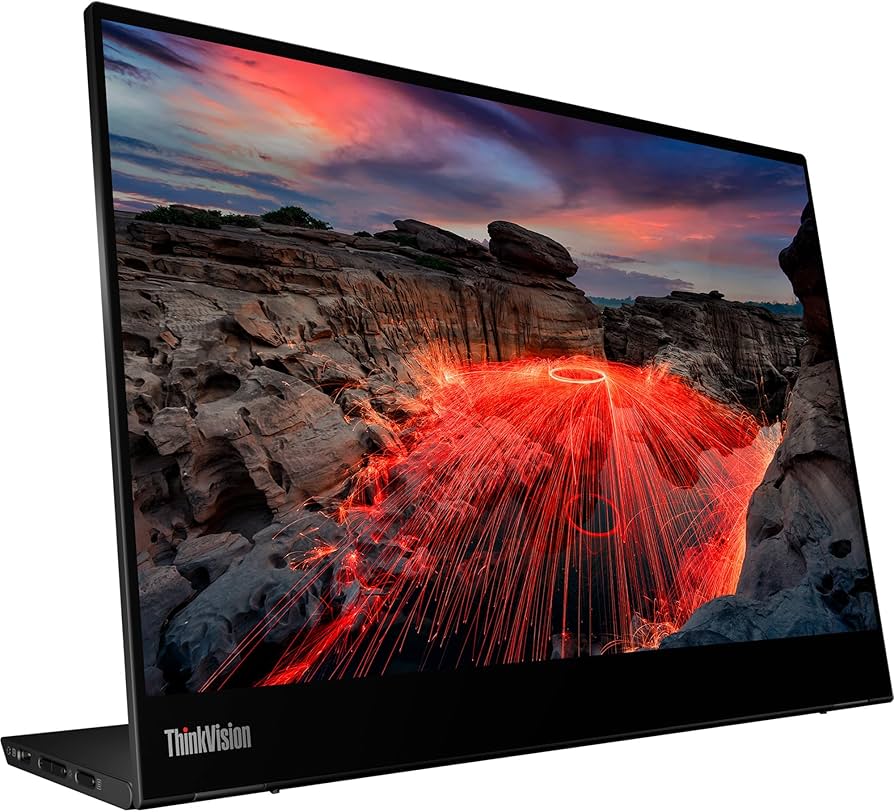
Lenovo ThinkVision M14t Gen 2
Approx. $300
Who Should Buy This
Business professionals who value touchscreen input for annotations, presentations, and document signing. The active pen stylus is excellent for meeting notes and quick sketches.
Full Specs
| Display | 14 inch 2240×1400 IPS (16:10) |
| Weight | 0.70 kg (1.54 lbs) |
| Ports | 2x USB-C (DP Alt Mode, 65W PD pass-through) |
| Brightness | 300 nits |
| Color | 100% sRGB, 1500:1 contrast |
| Key Features | 10-point touchscreen, active pen stylus (4096 pressure levels), adjustable tilt stand (0-90 degrees), 65W USB-C power pass-through, TUV Rheinland Eyesafe, glossy glass display |
Our Take
The Lenovo ThinkVision M14t Gen 2 is the premium choice for business users who need more than just a second screen. The 14 inch display uses a higher-resolution 2240×1400 panel with a 16:10 aspect ratio, giving you more vertical space for documents and spreadsheets. The 10-point touchscreen works smoothly with Windows laptops, and the included active pen stylus supports 4096 levels of pressure sensitivity. Both USB-C ports support 65W power delivery pass-through, meaning you can charge your laptop through the monitor. The adjustable tilt stand positions the display at any angle from flat to fully upright. The tradeoff is price (around $300 to $400), and the glossy glass display creates reflections in brightly lit environments.
Pros
- 10-point touchscreen with included active pen stylus
- 2240×1400 resolution with 16:10 aspect ratio
- 65W USB-C power pass-through charges laptop while running
- Robust adjustable tilt stand from 0 to 90 degrees
- 100% sRGB with 1500:1 contrast ratio
- Ultra-lightweight at just 0.70 kg
Cons
- Glossy glass display creates reflections in bright environments
- Higher price than most portable monitors
- No HDMI port limits compatibility with some devices
- Touchscreen not fully functional on macOS
Bottom Line: The best portable monitor for business professionals. Touchscreen, stylus, and power pass-through make it a true productivity powerhouse.
Best Display Quality
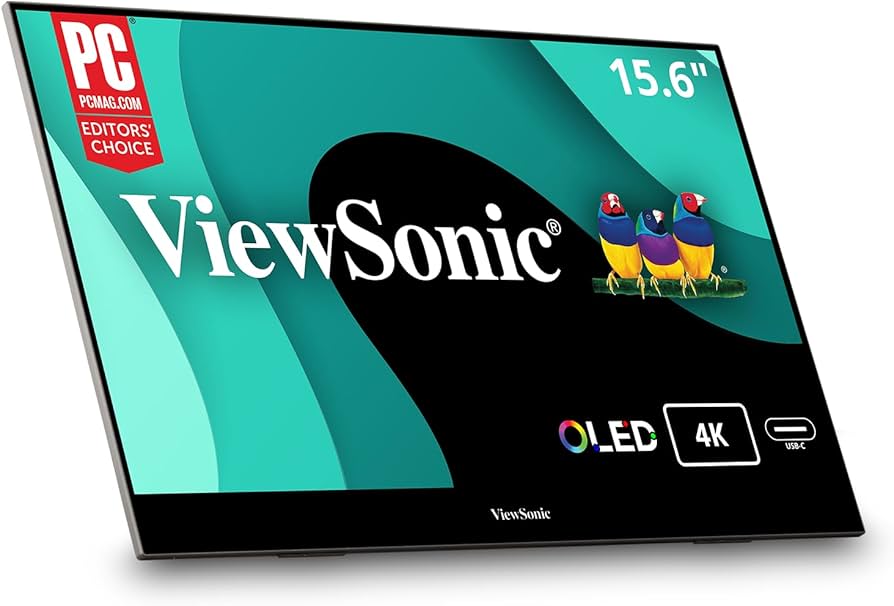
ViewSonic VX1655-4K-OLED
Approx. $350
Who Should Buy This
Photographers, video editors, designers, and anyone who needs the absolute best display quality in a portable format.
Full Specs
| Display | 15.6 inch 4K UHD (3840×2160) OLED |
| Weight | 0.68 kg (1.5 lbs) |
| Ports | 2x USB-C (60W PD), Mini HDMI, 3.5mm jack |
| Brightness | 457 nits peak |
| Color | 100% DCI-P3, 100% sRGB, HDR-10 |
| Key Features | OLED panel with true blacks, built-in kickstand with ports integrated into stand, dual speakers, magnetic cover, 0.6 inch thin, iF Design Award winner |
Our Take
If display quality is your top priority, the ViewSonic VX1655-4K-OLED is in a class of its own. The 4K OLED panel delivers 275 pixels per inch, true blacks, infinite contrast, and 100% DCI-P3 color coverage. Colors are vivid, accurate, and lifelike. The peak brightness of 457 nits makes it usable even in well-lit environments. ViewSonic placed all ports into the built-in kickstand, keeping cables hidden. The iF Design Award-winning chassis measures just 0.6 inches thick. Dual speakers are a welcome addition. The main tradeoffs are higher price and the glossy OLED surface that catches reflections. Also, 4K resolution on a 15.6 inch screen requires display scaling adjustments.
Pros
- 4K OLED panel with true blacks, infinite contrast, and 100% DCI-P3
- 457 nits peak brightness for bright environments
- Ports integrated into kickstand for clean cable management
- Incredibly thin at 0.6 inches and light at 1.5 lbs
- Built-in dual speakers
- HDR-10 support for content creation and media
Cons
- Higher price point at approximately $350 to $500
- Glossy OLED surface catches reflections
- 4K requires display scaling on a 15.6 inch screen
- Higher power draw than IPS alternatives
Bottom Line: The best-looking portable monitor you can buy. 4K OLED with perfect blacks and cinema-grade color accuracy.
Best for Creatives
ASUS ProArt PA148CTV
Approx. $350
Who Should Buy This
Photographers, designers, and video editors who need factory-calibrated color accuracy in a portable format.
Full Specs
| Display | 14 inch FHD (1920×1080) IPS |
| Weight | 0.74 kg (1.63 lbs) |
| Ports | 2x USB-C (DP Alt Mode), Micro HDMI, tripod socket |
| Brightness | 300 nits |
| Color | 100% sRGB, 100% Rec.709, Calman Verified, Delta E < 2 |
| Key Features | 10-point touchscreen, ASUS Dial for OSD control, ProArt Preset color modes, ProArt Palette customization, metal kickstand (15-85 degrees), anti-glare surface |
Our Take
The ASUS ProArt PA148CTV is the portable monitor built specifically for creative professionals. It is the first portable monitor to achieve Calman Verified certification, and every unit ships factory-calibrated with a Delta E less than 2 color accuracy report. The 100% sRGB and 100% Rec.709 coverage means what you see on screen is what your audience will see. ProArt Preset lets you instantly switch between color spaces, while ProArt Palette gives you granular control over color settings. The ASUS Dial is a physical rotary control for intuitive OSD adjustments. The 10-point touchscreen adds another layer of interaction for retouching workflows. The metal kickstand adjusts from 15 to 85 degrees. The tradeoff versus the ViewSonic is resolution: the ProArt uses 1080p versus 4K.
Pros
- Calman Verified with Delta E < 2 factory calibration
- 100% sRGB and 100% Rec.709 color coverage
- ASUS Dial provides physical OSD and creative software control
- ProArt Preset and Palette for deep color customization
- 10-point touchscreen for annotations and retouching
- Metal kickstand with 15 to 85 degree adjustment
Cons
- 1080p resolution limits detail for pixel-level editing
- No built-in battery
- Plastic frame has noticeable flex
- No headphone jack
Bottom Line: The most color-accurate portable monitor available. Factory-calibrated and Calman Verified for professional creative workflows.
Best Large Screen
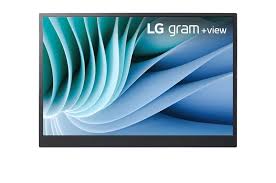
LG gram +view 16MR70
Approx. $350
Who Should Buy This
Anyone who wants maximum screen real estate in a portable format. The 16 inch WQXGA display gives you significantly more workspace than 14 or 15.6 inch models.
Full Specs
| Display | 16 inch WQXGA (2560×1600) IPS, 16:10 |
| Weight | 0.67 kg (1.48 lbs) |
| Ports | 2x USB-C (DP Alt Mode, 45W PD pass-through) |
| Brightness | 350 nits |
| Color | DCI-P3 99% |
| Key Features | Anti-glare IPS, folio cover/stand, auto-pivot, LG Switch app, 45W power pass-through, USB-C on both sides |
Our Take
If you want the biggest possible screen without sacrificing portability, the LG gram +view 16MR70 delivers. The 16 inch display with 2560×1600 WQXGA resolution and a 16:10 aspect ratio provides noticeably more workspace than anything else on this list. Despite the larger screen, it weighs just 0.67 kg. The DCI-P3 99% color coverage is excellent, rivaling much more expensive displays. The anti-glare IPS panel handles bright environments well, and 350 nits brightness is above average. USB-C connections on both sides add flexibility, and 45W power pass-through lets you charge your laptop through the monitor. The main downsides: the folio cover/stand has received mixed reviews for stability, and no HDMI limits connectivity.
Pros
- Largest screen at 16 inches with WQXGA resolution
- 16:10 aspect ratio provides extra vertical workspace
- Remarkably light at 0.67 kg despite larger screen
- DCI-P3 99% color coverage
- USB-C ports on both sides with 45W power pass-through
- 350 nits brightness with anti-glare coating
Cons
- Folio cover/stand has mixed stability reviews
- No HDMI port
- Larger size may not fit smaller laptop sleeves
- No built-in speakers
Bottom Line: The biggest, sharpest portable monitor that still fits in a backpack. Maximum workspace for document-heavy remote work.
Best for HP Laptop Users
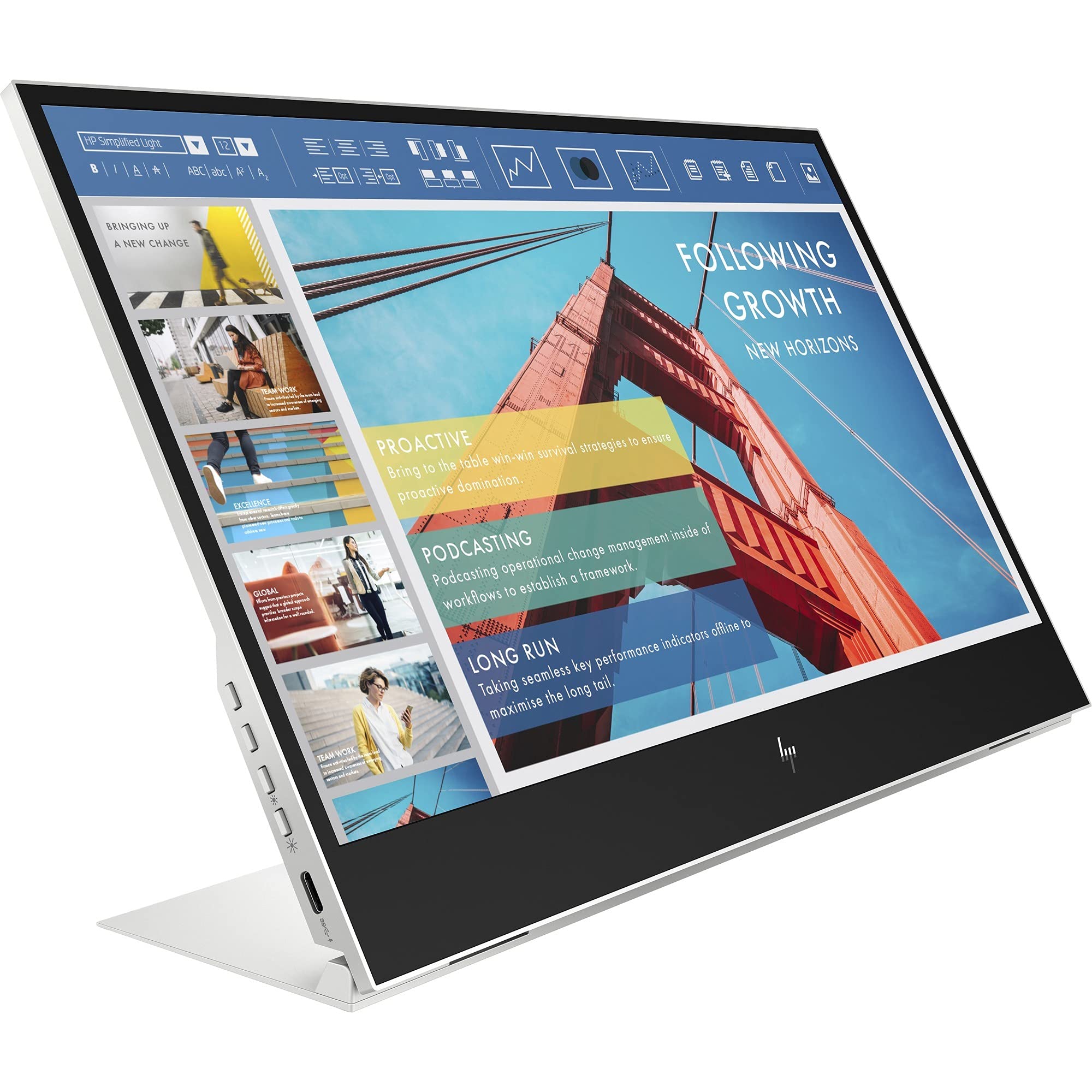
HP E14 G4
Approx. $250
Who Should Buy This
HP laptop users and anyone who prioritizes brightness and screen clarity. At 400 nits, it is the brightest portable monitor on this list.
Full Specs
| Display | 14 inch FHD (1920×1080) IPS |
| Weight | 0.64 kg (1.41 lbs) |
| Ports | 2x USB-C (DP Alt Mode) |
| Brightness | 400 nits |
| Color | sRGB |
| Key Features | Continuous tilt stand (10-90 degrees), anti-glare, Low Blue Light Mode, flicker-free, HP Display Manager software, ultra-slim |
Our Take
The HP E14 G4 stands out in two key areas: brightness and build quality. At 400 nits, it is the brightest portable monitor on this list, making it noticeably easier to use near windows and in well-lit offices. The continuous tilt stand adjusts smoothly from 10 to 90 degrees. The anti-glare display with Low Blue Light Mode and flicker-free technology makes extended use comfortable. At just 0.64 kg, it is among the lightest. The limitations: USB-C only, no speakers, and 1080p on a 14 inch screen is adequate but not spacious.
Pros
- Brightest display at 400 nits
- Among the lightest at 0.64 kg
- Continuous tilt stand from 10 to 90 degrees
- Anti-glare, Low Blue Light, and flicker-free for eye comfort
- Dual USB-C ports on opposite sides
- Seamless HP laptop integration
Cons
- USB-C only (no HDMI or USB-A)
- No built-in speakers
- 1080p on 14 inch screen is functional but compact
- Color gamut below DCI-P3 models
Bottom Line: The brightest and lightest portable monitor for remote work. Best for HP laptop users and anyone in bright environments.
Best Build Quality
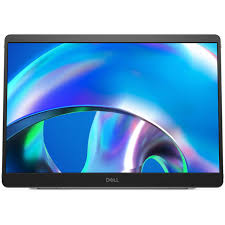
Dell Pro 14 Plus P1425HE
Approx. $340
Who Should Buy This
Dell laptop users and anyone who values premium build quality and excellent warranty support. The 3-year Advanced Exchange warranty means Dell ships a replacement before you send back the faulty unit.
Full Specs
| Display | 14 inch WUXGA (1920×1200) IPS, 16:10 |
| Weight | 0.59 kg (1.30 lbs) |
| Ports | 2x USB-C (DP Alt Mode, 65W PD pass-through) |
| Brightness | 300 nits |
| Color | 100% sRGB |
| Key Features | 16:10 aspect ratio, 65W power pass-through, continuous tilt stand, Dell Display Manager, ComfortView Plus, 3-year Advanced Exchange warranty, ultra-thin |
Our Take
Dell’s Pro 14 Plus feels most like a premium product out of the box. Build quality is exceptional, the continuous tilt stand is smooth and stable, and the 14 inch WUXGA (1920×1200) display uses a 16:10 aspect ratio that gives roughly 10% more vertical space than standard 1080p. The 65W power pass-through means you can run the monitor and charge even demanding laptops through a single cable. The 3-year Advanced Exchange warranty is best-in-class. At 0.59 kg, it is the lightest on this list. The downsides are premium price and USB-C-only connectivity.
Pros
- Lightest on this list at 0.59 kg
- 1920×1200 (16:10) for extra vertical workspace
- 65W USB-C power pass-through
- 3-year Advanced Exchange warranty
- Premium build quality
- ComfortView Plus low blue light
Cons
- Higher price at approximately $340
- USB-C only (no HDMI)
- 300 nits brightness is good but below HP E14 G4
- No speakers or touchscreen
Bottom Line: The best-built portable monitor with the strongest warranty. Ideal for Dell laptop users and enterprise environments.
Best Value
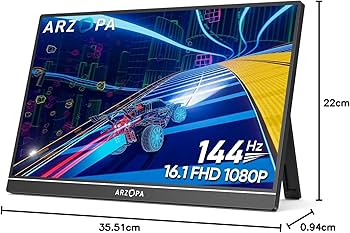
Arzopa Z1FC
Approx. $170
Who Should Buy This
Budget-conscious remote workers who want a larger screen with solid features at a fraction of the price. Also appeals to occasional gamers who want smooth 144Hz visuals.
Full Specs
| Display | 16.1 inch FHD (1920×1080) IPS, 144Hz |
| Weight | 0.77 kg (1.7 lbs) |
| Ports | 2x USB-C (DP Alt Mode), Mini HDMI |
| Brightness | 300 nits |
| Color | 106% sRGB |
| Key Features | 144Hz refresh rate, aluminum kickstand, HDR, anti-glare matte, OSD with joystick, eye care features, all cables and protective sleeve included |
Our Take
The Arzopa Z1FC delivers more screen space and features per dollar than any other monitor on this list. The 16.1 inch IPS display is the largest in our budget picks, and the 106% sRGB color accuracy tested surprisingly close to the much more expensive Dell Pro 14 Plus. The 144Hz refresh rate is a bonus for smooth scrolling. The aluminum kickstand is sturdy, and the matte anti-glare coating handles reflections well. Connectivity is strong with dual USB-C and Mini HDMI. All necessary cables and a protective sleeve come in the box. The tradeoffs are less refined build quality and barely usable speakers.
Pros
- Excellent value at approximately $100 to $170
- Largest screen in the budget category at 16.1 inches
- 106% sRGB color accuracy rivals monitors twice its price
- 144Hz refresh rate for smooth scrolling and gaming
- Aluminum kickstand with adjustable viewing angles
- Mini HDMI for older devices and consoles
Cons
- Build quality is functional but less refined
- Built-in speakers are very weak
- No USB-C power pass-through
- Protective sleeve, not a rigid case
Bottom Line: The best portable monitor under $200. Bigger screen, better color, and more features than you would expect at this price.
Best Budget
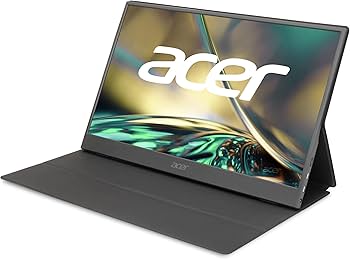
Acer PM161Q Abmiuuzx
Approx. $90
Who Should Buy This
Budget buyers who want a reliable name-brand portable monitor for basic productivity at around $90.
Full Specs
| Display | 15.6 inch FHD (1920×1080) IPS |
| Weight | 0.86 kg (1.9 lbs) |
| Ports | 2x USB-C (USB 3.1), Mini HDMI |
| Brightness | 250 nits |
| Color | sRGB |
| Key Features | AMD FreeSync, dual 1W speakers, anti-glare, slim design, included Mini HDMI and USB-C cables |
Our Take
The Acer PM161Q delivers everything essential for remote work at the lowest name-brand price. A 15.6 inch Full HD IPS display with anti-glare coating, dual USB-C ports, Mini HDMI, and built-in speakers. AMD FreeSync is a nice bonus. Image quality is perfectly fine for email, documents, spreadsheets, and video calls. What you give up: no kickstand (you need a case or separate stand), lower brightness at 250 nits, and basic color accuracy. All required cables are included.
Pros
- Lowest price from a major brand at approximately $90
- 15.6 inch FHD IPS display
- Dual USB-C and Mini HDMI for broad compatibility
- Built-in dual speakers
- AMD FreeSync for casual gaming
- All required cables included
Cons
- No built-in kickstand
- 250 nits brightness is below average
- Color accuracy is basic
- Plastic build feels budget-tier
Bottom Line: The most affordable name-brand portable monitor. Gets the job done for basic remote work without breaking the bank.
Best Under $100
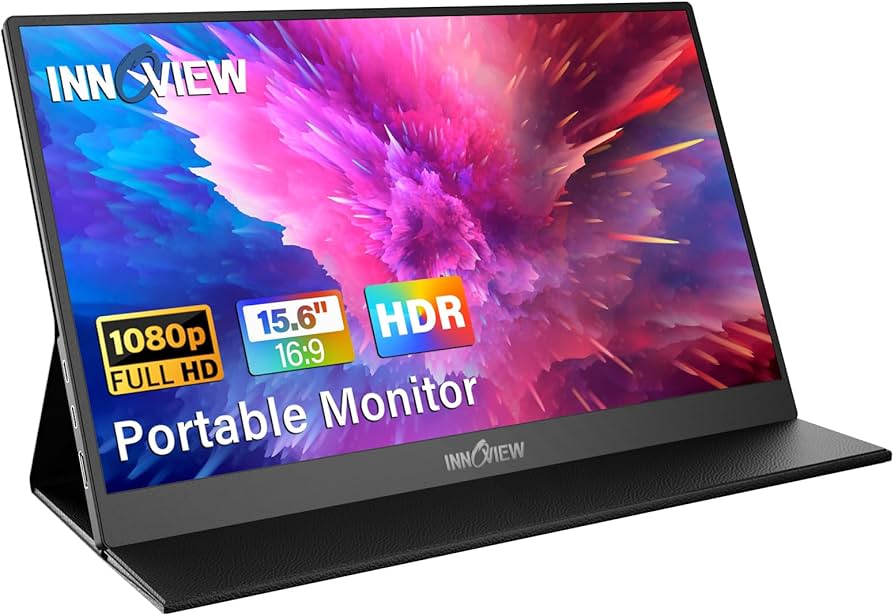
InnoView 15.8″ FHD Portable Monitor
Approx. $80
Who Should Buy This
First-time portable monitor buyers and anyone who wants to try a second screen without significant financial commitment.
Full Specs
| Display | 15.8 inch FHD (1920×1080) IPS |
| Weight | Approx. 0.86 kg (1.9 lbs) |
| Ports | USB-C, Mini HDMI |
| Brightness | 250 nits |
| Color | sRGB, HDR support |
| Key Features | Built-in speakers, protective case/stand included, plug-and-play, HDR mode, wide compatibility, VESA mountable |
Our Take
The InnoView has earned its reputation as one of the best-selling budget portable displays on Amazon. The 15.8 inch FHD IPS panel is slightly larger than standard 15.6 inch models, and the included protective case doubles as a foldable stand. Plug-and-play setup works with laptops, phones, consoles, and tablets without drivers. Built-in speakers are modest but functional. Thousands of Amazon reviews consistently praise the value. The limitations are expected at this price: lower brightness, basic color accuracy, and build quality that won’t withstand rough handling.
Pros
- Lowest price at approximately $80
- Protective case included that doubles as adjustable stand
- 15.8 inch display slightly larger than standard
- Built-in speakers for video calls
- Plug-and-play with laptops, phones, consoles, tablets
- Strong customer support with thousands of positive reviews
Cons
- 250 nits brightness limits outdoor use
- Color accuracy is adequate but not calibrated
- Basic build quality
- Case/stand can feel wobbly at certain angles
Bottom Line: The best entry-level portable monitor. Everything you need to get started with a second screen for under $100.
Buyer’s Guide: How to Choose the Right Portable Monitor
Screen Size and Resolution
Portable monitors range from 14 to 16 inches. Larger screens provide more workspace but are less portable. Resolution matters: 1920×1080 is the minimum for comfortable productivity, while 2560×1600 and higher deliver sharper text and more real estate. On screens under 15 inches, 1080p is perfectly adequate.
Connectivity
USB-C with DisplayPort Alt Mode is the standard, allowing a single cable for video and power. Mini HDMI is useful for older laptops and consoles. Before purchasing, verify your laptop’s USB-C supports video. Power pass-through is a premium feature that lets you charge your laptop through the monitor.
Weight and Portability
Monitors on this list range from 0.59 kg (Dell Pro 14 Plus) to 0.86 kg. If you carry your setup daily, every gram matters. Consider whether the monitor includes a stand or requires a separate one.
Display Quality
For standard productivity, any IPS panel with adequate brightness works well. For creative work, look for 100% sRGB and factory calibration (ASUS ProArt). For the absolute best, OLED panels (ViewSonic) offer true blacks and wider color gamuts. Target 300+ nits for bright environments.
Stand and Ergonomics
Built-in kickstands are the most convenient. Adjustable tilt stands provide the most ergonomic flexibility. Folio cover stands offer screen protection but may be less stable. Budget monitors without stands rely on included cases. A tripod socket is valuable for precise positioning.
Best Monitor by Use Case
| Use Case | Best Pick | Why |
|---|---|---|
| General Remote Work | ASUS ZenScreen MB16ACV | Reliable, lightweight, works with any laptop |
| Business and Presentations | Lenovo ThinkVision M14t Gen 2 | Touchscreen, stylus, power pass-through |
| Photo/Video Editing | ViewSonic VX1655-4K-OLED | 4K OLED, 100% DCI-P3, HDR-10 |
| Graphic Design | ASUS ProArt PA148CTV | Calman Verified, Delta E < 2 calibration |
| Spreadsheets and Data | LG gram +view 16MR70 | Largest screen (16 inch), 2560×1600 |
| Bright Environments | HP E14 G4 | Brightest at 400 nits, anti-glare |
| Enterprise/Corporate | Dell Pro 14 Plus | Best build, 3-year Advanced Exchange warranty |
| Best Value | Arzopa Z1FC | 16.1 inch, 144Hz, great color for approx. $170 |
| Tight Budget | Acer PM161Q | Name-brand for approx. $90 |
| First-Time Buyers | InnoView 15.8″ FHD | Complete package with case for approx. $80 |
Common Mistakes When Buying a Portable Monitor
Assuming your laptop’s USB-C port supports video output. Not all USB-C ports carry DisplayPort signals. Check for “USB-C with DisplayPort Alt Mode” or “Thunderbolt” in your laptop specs before purchasing a USB-C-only monitor.
Ignoring brightness specs. A 250-nit monitor is fine in a dim home office but nearly unusable near a sunny window. Target 300+ nits for bright environments. The HP E14 G4 at 400 nits is the strongest option.
Buying a monitor without a stand. Some budget monitors ship without any stand solution. Check whether a kickstand, case/stand, or cover with stand functionality is included.
Choosing 4K on a small screen without understanding scaling. A 4K display on 15.6 inches makes everything tiny at native resolution. You will need display scaling at 150 to 200%, reducing the workspace advantage.
Overlooking power pass-through. Without it, your monitor draws power from laptop battery, reducing battery life by 15 to 30%. Models with 45 to 65W pass-through solve this problem.
Portable Monitor Trends in 2026
OLED is entering the portable monitor market. The ViewSonic VX1655-4K-OLED represents the leading edge, bringing true blacks and ultra-thin designs previously reserved for smartphones and laptops.
16:10 aspect ratios are becoming standard. Models like the LG gram +view, Dell Pro 14 Plus, and Lenovo M14t Gen 2 have adopted the taller 16:10 ratio, providing more vertical space for documents.
Power pass-through is now expected at mid-range and above. Single-cable setups that handle both video and laptop charging are moving from premium to expected in the $250+ range.
Budget monitors have crossed the quality threshold. Models like the Arzopa Z1FC deliver color accuracy that rivals monitors costing two to three times as much.
Touchscreen and stylus support are growing. The Lenovo M14t Gen 2 and ASUS ProArt PA148CTV show that touch input is becoming meaningful for annotation, presentation, and creative workflows.
Frequently Asked Questions
What is the best portable monitor for remote work in 2026?
The ASUS ZenScreen MB16ACV is the best overall portable monitor for remote work, offering a reliable 15.6 inch Full HD display, built-in kickstand, single-cable USB-C connectivity, and a 3-year warranty. For business professionals who need touchscreen input, the Lenovo ThinkVision M14t Gen 2 is the top choice.
Do I need a portable monitor for working from home?
If you regularly multitask between applications, a second screen can significantly boost your productivity. Research suggests dual-monitor setups can improve workflow efficiency by up to 42%. Common use cases include keeping a video call on one screen while working on documents on the other, referencing data while writing reports, and reducing constant window switching.
Can I connect a portable monitor to a MacBook?
Yes. Most portable monitors connect via USB-C, which works natively with MacBooks. Ensure the monitor supports DisplayPort Alt Mode over USB-C. Monitors with Mini HDMI also work with MacBooks using a USB-C to HDMI adapter. Touchscreen features may have limited functionality on macOS.
How much power does a portable monitor use from my laptop?
Most USB-C portable monitors draw between 5 and 15 watts. This will reduce laptop battery life by approximately 15 to 30%. Models with power pass-through (Lenovo M14t Gen 2, Dell Pro 14 Plus) can charge your laptop while the monitor runs, eliminating battery drain when near a power outlet.
What resolution should I choose for a portable monitor?
For most productivity work, 1920×1080 (Full HD) is perfectly adequate on 14 to 15.6 inch screens. If you need more screen real estate, 2560×1600 or higher provides sharper text and more workspace. Creative professionals who need pixel-level detail should consider the ViewSonic 4K OLED model.
Is HDMI or USB-C better for portable monitors?
USB-C is generally better because it carries both video and power over a single cable. HDMI requires a separate power source. However, Mini HDMI is useful for connecting to older laptops and gaming consoles. The best monitors offer both options.
How do I choose the right screen size?
14-inch monitors are the most portable and pair well with smaller laptops. 15.6-inch is the most popular, balancing screen space with portability. 16-inch models offer the most workspace but are larger to carry. Consider your bag size and whether portability or screen real estate matters more.
Do portable monitors work with phones and tablets?
Many portable monitors work with phones and tablets that support USB-C video output. Samsung Galaxy phones with DeX, recent iPhones with USB-C, and most Android flagships are compatible. Check that your specific phone supports video output over USB-C before purchasing.
How We Research and Select Products
The TenBESTLY team researches dozens of products for every list we publish. For this guide, we analyzed over 20 portable monitors from all major manufacturers, reviewed hands-on evaluations from publications like PCWorld, Tom’s Hardware, TechRadar, and ServeTheHome, compared independently tested display quality, brightness, color accuracy, and real-world portability data, and evaluated each model against the specific needs of remote workers: display quality, weight, connectivity, stand design, and value for money. We update this list regularly as new models launch and prices change. TenBESTLY earns a commission when you purchase through our links, at no additional cost to you. This does not influence our rankings or recommendations.