
10 Best Budget Laptops Under $500
Last Updated: March 2026
Finding a good laptop for under $500 used to mean accepting a slow, clunky machine that struggled with basic tasks. Those days are over. In 2026, budget laptops have improved dramatically thanks to more efficient processors, faster memory, and the rise of Chromebooks that punch well above their price.
We spent weeks researching the best budget laptops under $500, comparing specifications across dozens of models, analyzing professional reviews, and evaluating real-world user experiences. The result is this curated list of 10 laptops that offer the best value, performance, and reliability you can get without breaking the bank.
Whether you need a basic Windows machine for school, a Chromebook for web-based work, a convertible 2-in-1 for flexibility, or a large-screen productivity laptop for your home office, we have a pick that fits your needs and your budget.
Our Quick Picks
- Best Overall Value: Acer Aspire Go 15 (2025) – Best laptop under $300, period
- Best Windows Under $500: Lenovo IdeaPad Slim 3 15 – Ryzen 5 power with 512 GB SSD
- Best Performance: ASUS Vivobook 14 (Snapdragon X) – 16 GB RAM and 19-hour battery
- Best Chromebook: ASUS Chromebook Plus CX34 – Fast, durable, Google AI built in
- Best Under $300: Lenovo IdeaPad 1 15 – Ryzen 5, touchscreen, and 9-hour battery at $280
Table of Contents
- 1. Acer Aspire Go 15 (2025) – Best Overall Value
- 2. Lenovo IdeaPad Slim 3 15 – Best Windows Under $500
- 3. ASUS Vivobook 14 (Snapdragon X) – Best Performance Under $500
- 4. ASUS Chromebook Plus CX34 – Best Chromebook
- 5. Dell Inspiron 15 3520 – Best for Reliability
- 6. Lenovo IdeaPad Flex 5i Chromebook Plus – Best 2-in-1
- 7. HP Laptop 15 – Best Display for the Price
- 8. Acer Chromebook Plus 515 – Best Chromebook for Productivity
- 9. Lenovo IdeaPad 1 15 – Best Under $300
- 10. ASUS Vivobook 16 (AMD) – Best Large Screen Budget Laptop
- Buyer’s Guide: How to Choose a Budget Laptop
- Best Budget Laptop by Use Case
- Common Mistakes to Avoid
- Budget Laptop Trends in 2026
- Frequently Asked Questions
Quick Comparison
| Laptop | Best For | RAM | Storage | OS |
|---|---|---|---|---|
| Acer Aspire Go 15 (2025) | Best Overall Value | 8 GB DDR5 | 128 GB UFS | Windows 11 |
| Lenovo IdeaPad Slim 3 15 | Best Windows Under $500 | 8 GB DDR4 | 512 GB PCIe NVMe SSD | Windows 11 |
| ASUS Vivobook 14 (Snapdragon X) | Best Performance Under $500 | 16 GB LPDDR5x | 512 GB PCIe NVMe SSD | Windows 11 |
| ASUS Chromebook Plus CX34 | Best Chromebook | 8 GB LPDDR5 | 256 GB UFS | ChromeOS |
| Dell Inspiron 15 3520 | Best for Reliability | 8 GB DDR4 | 512 GB PCIe NVMe SSD | Windows 11 |
| Lenovo IdeaPad Flex 5i Chromebook Plus | Best 2-in-1 | 8 GB LPDDR5 | 256 GB SSD | ChromeOS |
| HP Laptop 15 | Best Display for the Price | 8 GB DDR4 | 256 GB PCIe NVMe SSD | Windows 11 |
| Acer Chromebook Plus 515 | Best Chromebook for Productivity | 8 GB LPDDR5x | 256 GB PCIe SSD | ChromeOS |
| Lenovo IdeaPad 1 15 | Best Under $300 | 8 GB LPDDR5 | 256 GB PCIe NVMe SSD | Windows 11 |
| ASUS Vivobook 16 (AMD) | Best Large Screen Budget Laptop | 16 GB DDR5 | 512 GB PCIe NVMe SSD | Windows 11 |
1. Acer Aspire Go 15 (2025)
Best Overall Value
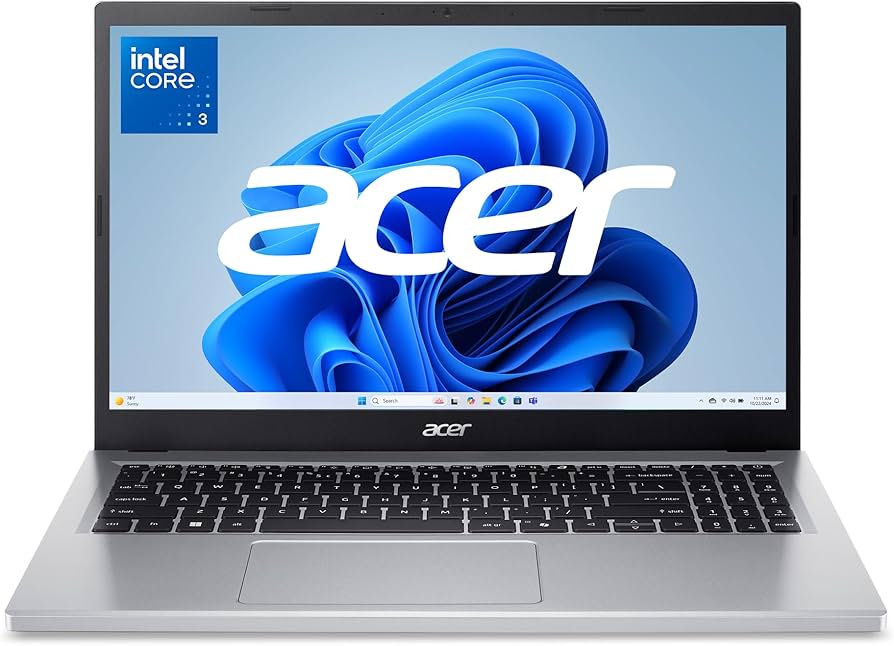
Price: Approx. $300
Who Should Buy This
Budget-conscious buyers who need a reliable Windows laptop for everyday tasks like web browsing, document editing, streaming, and basic school or work duties.
Full Specifications
| Processor | Intel Core 3 N355 (8 cores, up to 3.9 GHz) |
| RAM | 8 GB DDR5 |
| Storage | 128 GB UFS |
| Display | 15.6″ FHD (1920 x 1080) IPS, anti-glare |
| Graphics | Intel UHD Graphics (integrated) |
| Battery | Up to 7 hours (53 Wh) |
| Weight | 3.81 lbs (1.73 kg) |
| OS | Windows 11 Home in S Mode |
| Connectivity | Wi-Fi 6, Bluetooth 5.1 |
| Ports | 2x USB-C 3.2, 2x USB-A 3.2, HDMI 2.1, audio combo jack |
Our Take
The Acer Aspire Go 15 delivers a remarkable value proposition that makes it our top overall pick. The 8-core Intel Core 3 N355 processor handles everyday multitasking without breaking a sweat, and the FHD IPS display delivers clear, vibrant visuals at a price point where many competitors still offer dim TN panels. Battery life hovers around seven hours in real-world use, which is enough for a full workday or school day. The full-size keyboard with number pad is comfortable for extended typing sessions, and the port selection is generous for a sub-$300 machine. The only real compromise is the 128 GB of UFS storage, which fills up fast. You will want an external drive or cloud storage for larger file collections.
Pros
- Exceptional value at under $300 with a capable 8-core processor
- Full HD IPS display is rare at this price, delivering clear and accurate visuals
- Comfortable full-size keyboard with number pad and solid key travel
- Generous port selection including USB-C, USB-A, and HDMI 2.1
Cons
- 128 GB UFS storage fills up quickly and is not a traditional SSD
- 720p webcam produces grainy video for calls
- Speakers are tinny and lack bass for media consumption
2. Lenovo IdeaPad Slim 3 15
Best Windows Under $500
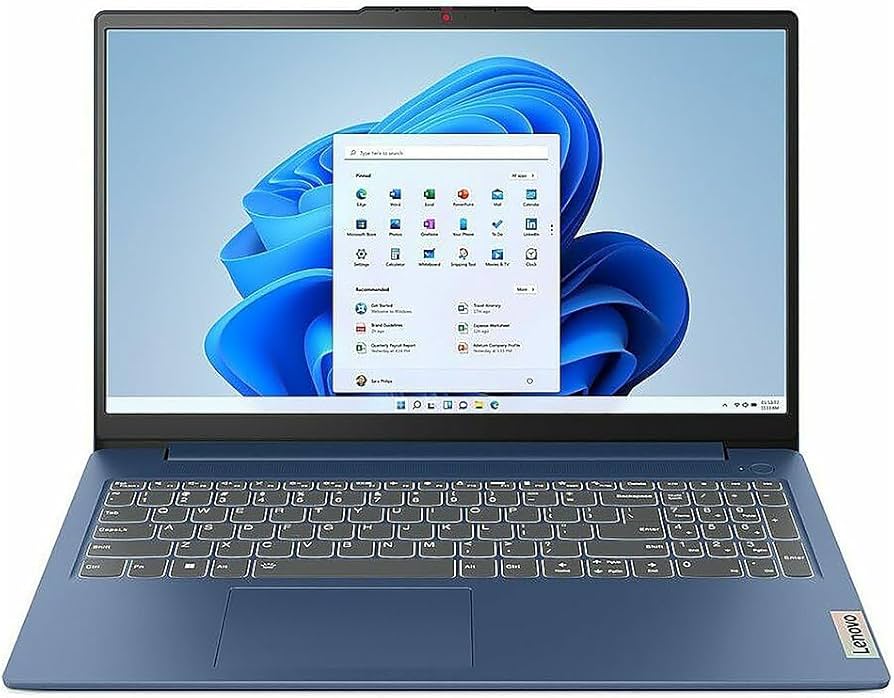
Price: Approx. $450
Who Should Buy This
Users who want a well-rounded Windows laptop with a solid build, reliable performance, and a touchscreen display for everyday productivity, light creative tasks, and media consumption.
Full Specifications
| Processor | AMD Ryzen 5 7530U (6 cores, up to 4.5 GHz) |
| RAM | 8 GB DDR4 |
| Storage | 512 GB PCIe NVMe SSD |
| Display | 15.6″ FHD (1920 x 1080) IPS, touchscreen, anti-glare |
| Graphics | AMD Radeon Graphics (integrated) |
| Battery | Up to 8 hours (47 Wh) |
| Weight | 3.73 lbs (1.69 kg) |
| OS | Windows 11 Home |
| Connectivity | Wi-Fi 6, Bluetooth 5.2 |
| Ports | 1x USB-C 3.2, 2x USB-A 3.2, HDMI, SD card reader, audio combo jack |
Our Take
The Lenovo IdeaPad Slim 3 15 represents the sweet spot in the under-$500 Windows laptop market. The AMD Ryzen 5 7530U processor is significantly more powerful than the entry-level chips found in cheaper machines, handling multiple browser tabs, Office apps, and even light photo editing without noticeable slowdowns. The 512 GB NVMe SSD provides ample storage with fast read and write speeds, and the FHD touchscreen is a welcome bonus for navigating Windows. Build quality feels a step above most budget laptops, with a clean design and minimal flex in the keyboard deck. Battery life lands around eight hours for mixed use, and the SD card reader is a thoughtful addition that many competitors in this range omit.
Pros
- Powerful Ryzen 5 processor handles demanding multitasking smoothly
- 512 GB NVMe SSD provides fast and spacious storage
- Touchscreen display adds versatility for navigating Windows
- Clean build quality with minimal keyboard flex
Cons
- 8 GB RAM is soldered and cannot be upgraded
- Display brightness at 250 nits can be hard to see in direct sunlight
- No backlit keyboard, which is unusual at this price
3. ASUS Vivobook 14 (Snapdragon X)
Best Performance Under $500
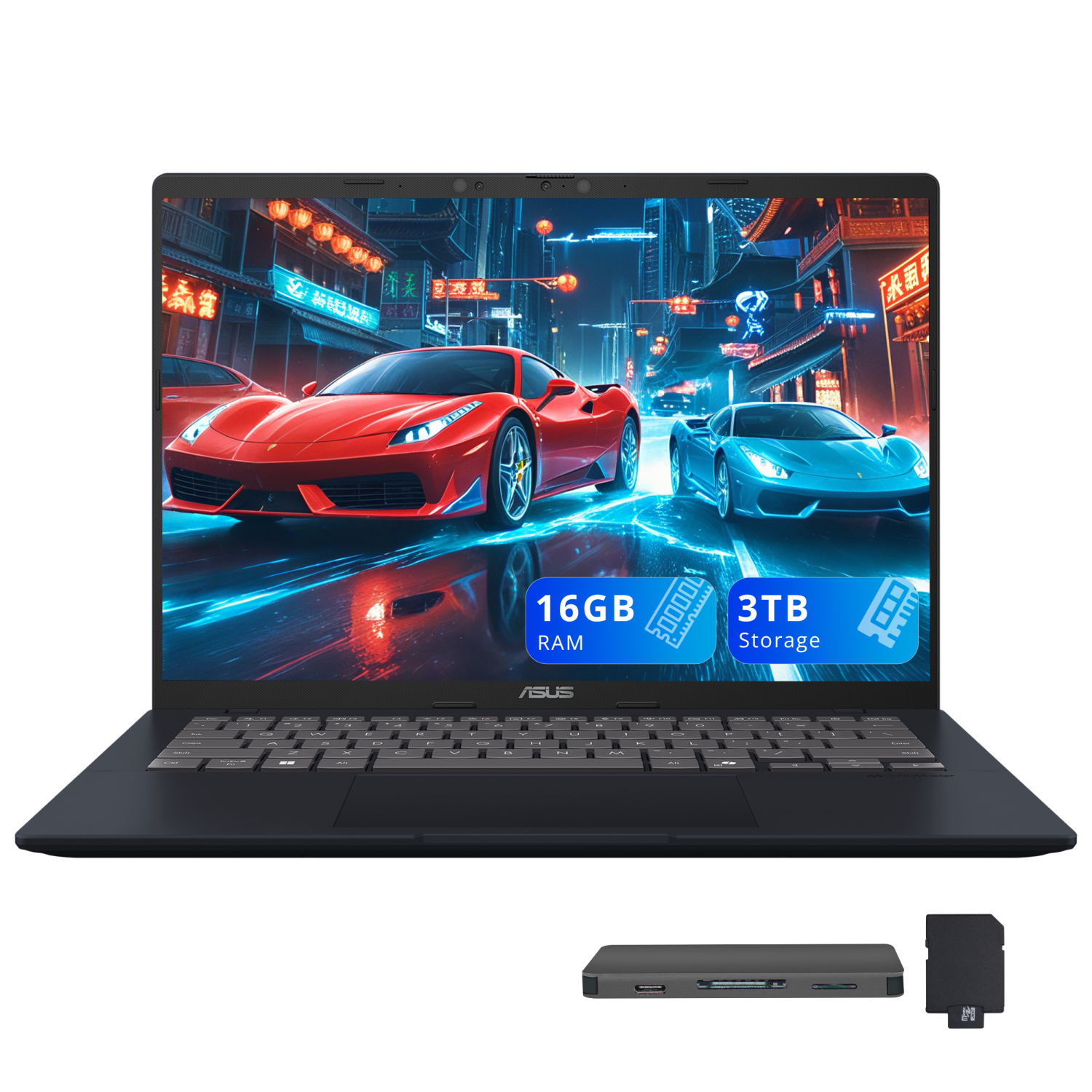
Price: Approx. $499
Who Should Buy This
Power users who want top-tier performance, long battery life, and AI-powered features at the very top of the sub-$500 price range. Ideal for productivity-heavy workflows and extended on-the-go use.
Full Specifications
| Processor | Qualcomm Snapdragon X (8 cores) |
| RAM | 16 GB LPDDR5x |
| Storage | 512 GB PCIe NVMe SSD |
| Display | 14″ WUXGA (1920 x 1200) IPS, 60 Hz |
| Graphics | Qualcomm Adreno GPU (integrated) |
| Battery | Up to 19 hours |
| Weight | 3.28 lbs (1.49 kg) |
| OS | Windows 11 (Copilot+ PC) |
| Connectivity | Wi-Fi 6E, Bluetooth 5.3 |
| Ports | 2x USB-C 4.0, 2x USB-A 3.2, HDMI 2.1, audio combo jack |
Our Take
The ASUS Vivobook 14 with Snapdragon X is the performance champion of this list, and it barely sneaks in under the $500 ceiling. With 16 GB of LPDDR5x RAM and a Snapdragon X processor, this is a Copilot+ PC that can handle serious multitasking and AI-accelerated features that budget laptops typically cannot touch. The 14-inch WUXGA display in a 16:10 aspect ratio provides extra vertical screen space for documents and web pages. Battery life is the standout feature, with up to 19 hours making it one of the longest-lasting laptops at any price. The catch is that some legacy Windows applications may have compatibility hiccups on the ARM-based Snapdragon chip, though this has improved dramatically. If your workflow is mostly browser-based and Office-centric, this laptop delivers a premium experience at a budget price.
Pros
- 16 GB RAM is double what most budget laptops offer
- Exceptional battery life of up to 19 hours on a single charge
- Copilot+ PC with built-in AI acceleration for future-proof features
- Lightweight 3.28-pound design with a compact 14-inch form factor
Cons
- Some legacy x86 Windows apps may run slower through emulation
- At $499 it sits at the very top of the budget range
- No touchscreen option at this configuration
4. ASUS Chromebook Plus CX34
Best Chromebook
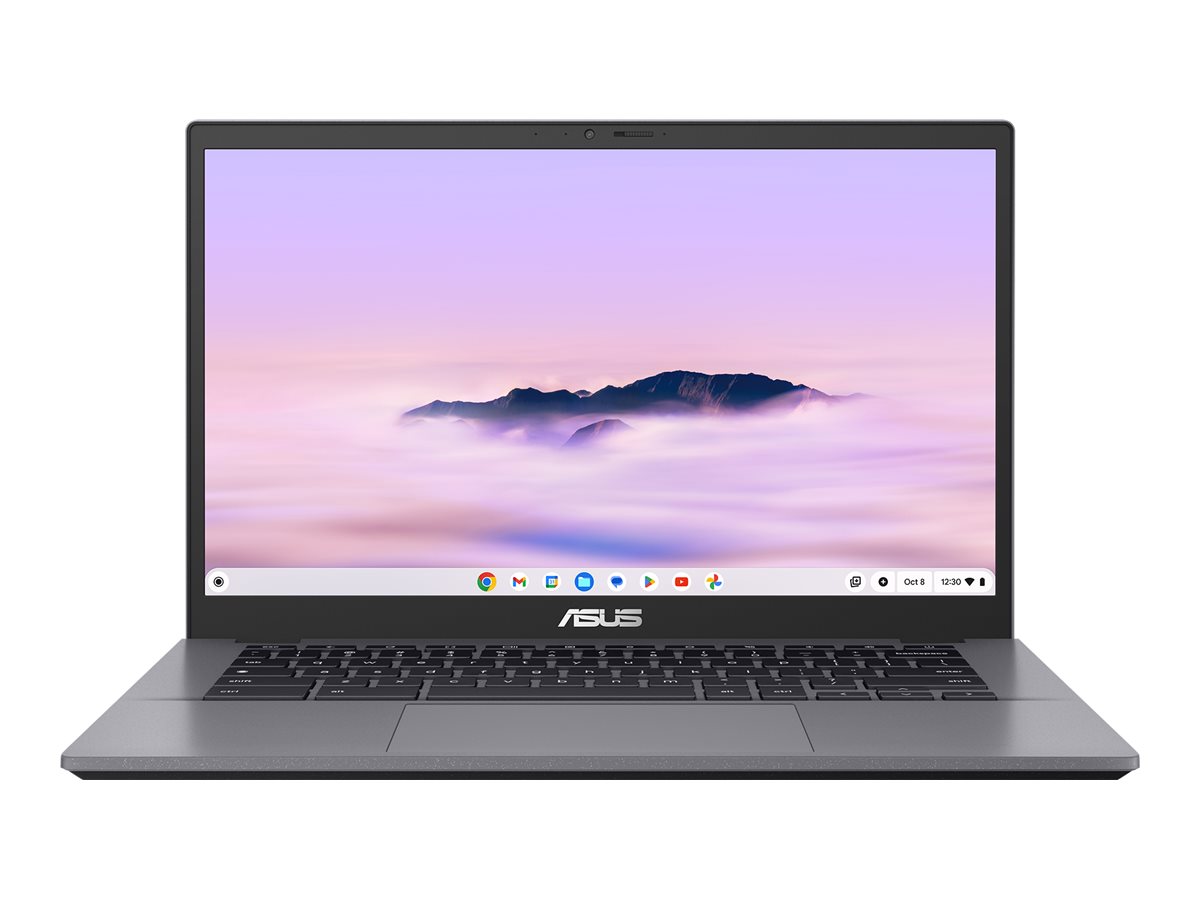
Price: Approx. $350
Who Should Buy This
Users whose computing life revolves around web apps, Google Workspace, email, and streaming. Students and professionals who value speed, security, and simplicity over running desktop software.
Full Specifications
| Processor | Intel Core i3-1215U (6 cores, up to 4.4 GHz) |
| RAM | 8 GB LPDDR5 |
| Storage | 256 GB UFS |
| Display | 14″ FHD (1920 x 1080) IPS, anti-glare |
| Graphics | Intel UHD Graphics (integrated) |
| Battery | Up to 10 hours (50 Wh) |
| Weight | 3.17 lbs (1.44 kg) |
| OS | ChromeOS with Google AI |
| Connectivity | Wi-Fi 6, Bluetooth 5.4 |
| Ports | 2x USB-C 3.2, 2x USB-A 3.2, HDMI, audio combo jack |
Our Take
The ASUS Chromebook Plus CX34 is the best Chromebook you can buy under $500, and it is one of the strongest overall picks on this list. The Intel Core i3-1215U processor is far more capable than the Celeron and MediaTek chips found in basic Chromebooks, delivering snappy performance even with dozens of tabs open and Android apps running simultaneously. ChromeOS boots in seconds, receives automatic security updates, and runs Google AI features including Gemini for writing assistance and photo editing. The 14-inch FHD display is bright and sharp, the keyboard includes a backlight, and the 180-degree lay-flat hinge adds flexibility. Battery life comfortably reaches 10 hours, and the compact 3.17-pound chassis slips easily into any bag. The Chromebook Plus designation also means you get 12 months of Google One AI Premium with 2 TB of cloud storage included.
Pros
- Fast Intel Core i3 processor delivers snappy ChromeOS performance
- Includes 12 months of Google One AI Premium with 2 TB cloud storage
- MIL-STD 810H durability rating for extra peace of mind
- Backlit keyboard and 180-degree lay-flat hinge add flexibility
Cons
- ChromeOS cannot run traditional desktop Windows applications
- 256 GB UFS storage is slower than a true NVMe SSD
- 14-inch display may feel small for users accustomed to 15.6-inch screens
5. Dell Inspiron 15 3520
Best for Reliability
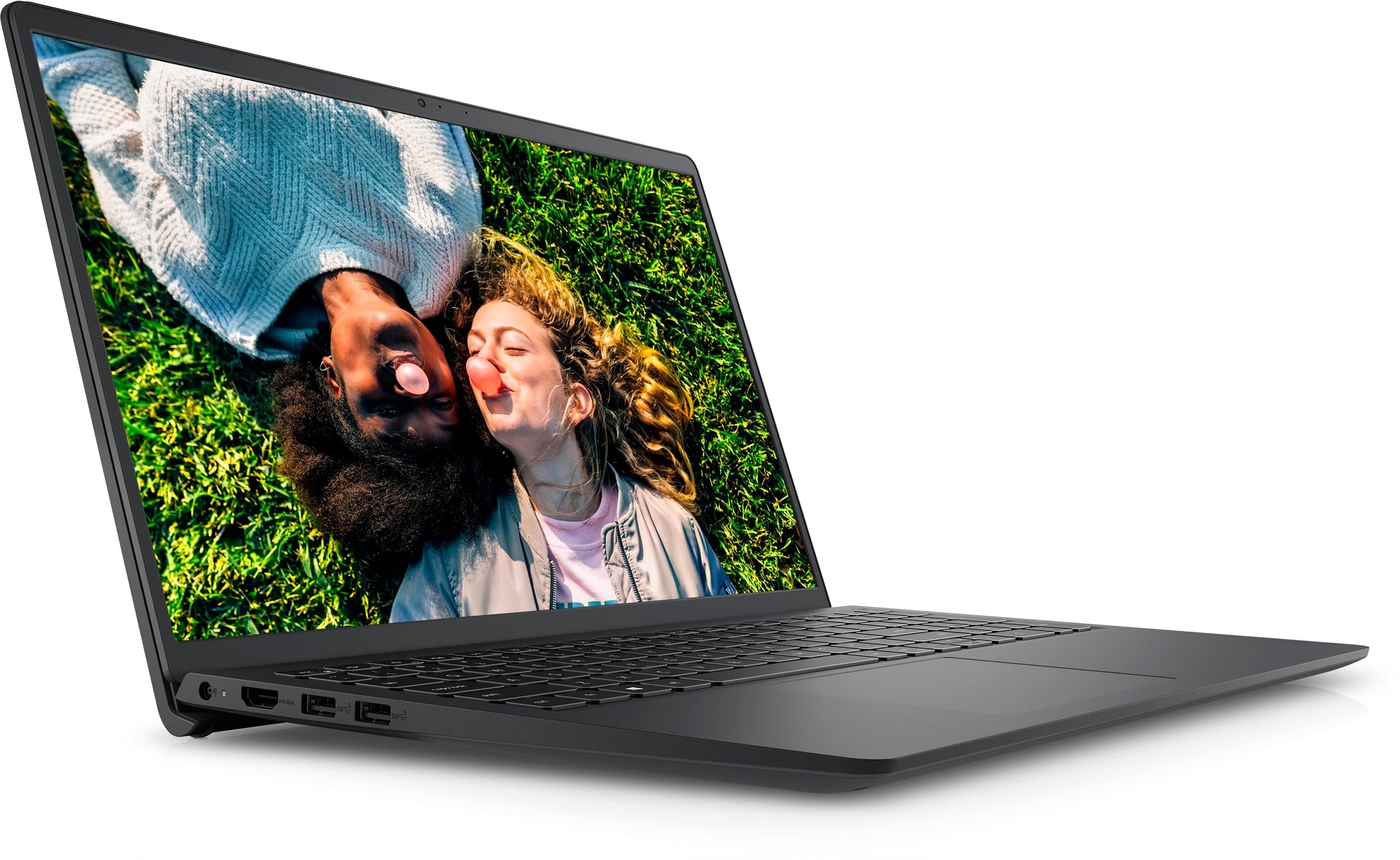
Price: Approx. $450
Who Should Buy This
Users who prioritize brand trust, long-term reliability, and straightforward functionality. Great for families, small business owners, and anyone who wants a dependable Windows workhorse.
Full Specifications
| Processor | Intel Core i3-1215U (6 cores, up to 4.4 GHz) |
| RAM | 8 GB DDR4 |
| Storage | 512 GB PCIe NVMe SSD |
| Display | 15.6″ FHD (1920 x 1080) WVA, anti-glare |
| Graphics | Intel UHD Graphics (integrated) |
| Battery | Up to 7 hours (41 Wh) |
| Weight | 3.76 lbs (1.71 kg) |
| OS | Windows 11 Home |
| Connectivity | Wi-Fi 6, Bluetooth 5.0 |
| Ports | 1x USB-C 3.2, 2x USB-A 3.2, HDMI 1.4, SD card reader, audio combo jack |
Our Take
Dell has been making reliable laptops for decades, and the Inspiron 15 3520 continues that tradition in the budget segment. This is a no-surprises machine: it boots quickly, handles Office and browser workloads without stuttering, and the 512 GB SSD gives you plenty of room for files and applications. The 15.6-inch FHD display uses Dell’s WVA panel technology for decent viewing angles, and the full-size keyboard with number pad is comfortable for all-day typing. What sets the Dell apart is the support ecosystem. Dell’s customer service, widely available replacement parts, and established service network mean you are not on your own if something goes wrong. Battery life is adequate at around seven hours, and the SD card reader is a handy addition for photographers.
Pros
- Dell’s proven reliability backed by strong customer support
- 512 GB NVMe SSD offers fast and spacious storage
- Full-size keyboard with number pad for comfortable productivity
- SD card reader is a useful addition many competitors omit
Cons
- Battery life of about 7 hours is average for this class
- Design is functional but not particularly eye-catching
- HDMI 1.4 limits external display output to older standards
6. Lenovo IdeaPad Flex 5i Chromebook Plus
Best 2-in-1
Price: Approx. $400
Who Should Buy This
Users who want the versatility of a laptop and tablet in one device. Ideal for students who take handwritten notes, content consumers who prefer tent or tablet mode, and anyone who values a touchscreen.
Full Specifications
| Processor | Intel Core i3-1315U (6 cores, up to 4.5 GHz) |
| RAM | 8 GB LPDDR5 |
| Storage | 256 GB SSD |
| Display | 14″ FHD+ (1920 x 1200) IPS, touchscreen, 2-in-1 convertible |
| Graphics | Intel UHD Graphics (integrated) |
| Battery | Up to 10 hours |
| Weight | 3.3 lbs (1.5 kg) |
| OS | ChromeOS with Google AI |
| Connectivity | Wi-Fi 6, Bluetooth 5.1 |
| Ports | 2x USB-C 3.2, 1x USB-A 3.2, HDMI, audio combo jack |
Our Take
The Lenovo IdeaPad Flex 5i Chromebook Plus is the most versatile budget laptop on this list, thanks to its 360-degree hinge that lets you use it as a traditional laptop, a tent for presentations, or a tablet for reading and drawing. The 14-inch FHD+ display in a 16:10 aspect ratio provides extra vertical space and responds well to touch input. Powered by the Intel Core i3-1315U, performance is fast and responsive for ChromeOS tasks. As a Chromebook Plus device, it includes access to Google AI features and 12 months of Google One AI Premium. The keyboard is comfortable with a backlight, and the 10-hour battery life means you can shift between laptop and tablet modes all day without worrying about finding an outlet. Build quality is solid for a budget 2-in-1, with minimal wobble in tent mode.
Pros
- 360-degree convertible hinge enables laptop, tent, and tablet modes
- 16:10 aspect ratio touchscreen provides extra vertical screen space
- Strong battery life of up to 10 hours across all modes
- Includes Google AI features and 12 months of Google One AI Premium
Cons
- No included stylus for handwriting or drawing (sold separately)
- 256 GB storage may feel limiting for heavy users
- Slightly heavier than a dedicated tablet for handheld use
7. HP Laptop 15
Best Display for the Price
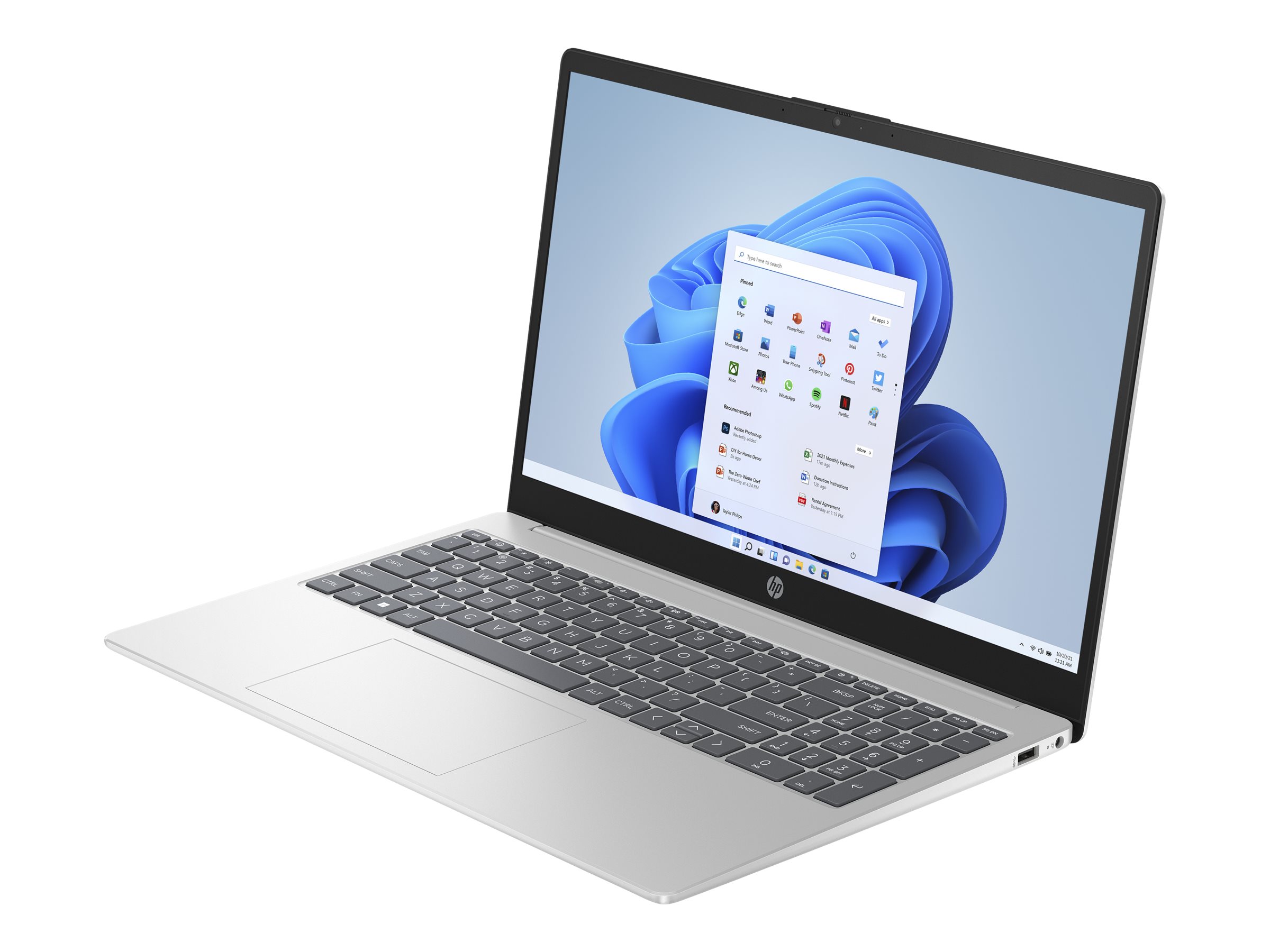
Price: Approx. $400
Who Should Buy This
Users who want a straightforward Windows laptop from a trusted brand with a solid display for everyday productivity, streaming, and light creative work.
Full Specifications
| Processor | Intel Core i3-1215U (6 cores, up to 4.4 GHz) |
| RAM | 8 GB DDR4 |
| Storage | 256 GB PCIe NVMe SSD |
| Display | 15.6″ FHD (1920 x 1080) IPS, micro-edge, anti-glare |
| Graphics | Intel UHD Graphics (integrated) |
| Battery | Up to 7.5 hours (41 Wh) |
| Weight | 3.75 lbs (1.7 kg) |
| OS | Windows 11 Home |
| Connectivity | Wi-Fi 6, Bluetooth 5.2 |
| Ports | 1x USB-C 3.0, 2x USB-A 3.0, HDMI 1.4, audio combo jack |
Our Take
The HP Laptop 15 is a crowd-pleasing budget machine that hits the right notes for most everyday users. The standout feature is the FHD IPS display with micro-edge bezels, which provides a more immersive viewing experience than the thick-bezel displays found on many budget competitors. Colors are accurate enough for casual photo editing, and the anti-glare coating reduces reflections in well-lit rooms. The Intel Core i3-1215U processor keeps things moving smoothly for web browsing, Office tasks, and video streaming. HP’s build quality is dependable, and the slim profile looks more premium than the price suggests. The main trade-off is the 256 GB SSD, which is adequate for a secondary machine or cloud-first workflow but may feel tight if you store a lot of files locally.
Pros
- Micro-edge IPS display delivers an immersive and accurate viewing experience
- Slim, clean design looks more expensive than it is
- Reliable HP build quality with good keyboard and trackpad
- Fingerprint reader adds a convenient layer of security
Cons
- 256 GB SSD fills up quickly for local storage users
- No touchscreen at this configuration
- HDMI 1.4 output limits external display resolution
8. Acer Chromebook Plus 515
Best Chromebook for Productivity
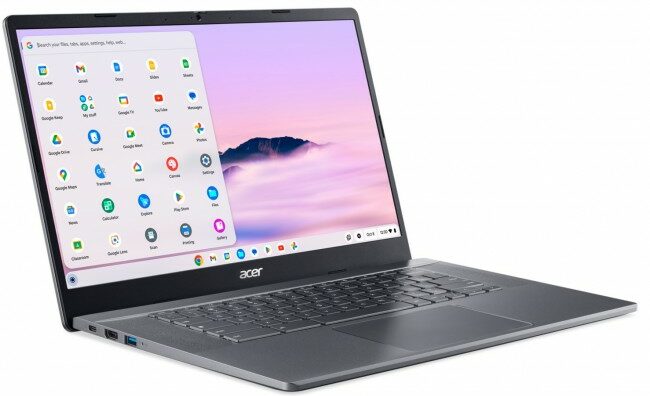
Price: Approx. $400
Who Should Buy This
Professionals and students who prefer ChromeOS but need a larger screen for side-by-side work, spreadsheets, and document editing. Also great for users who want a Chromebook with a touchscreen.
Full Specifications
| Processor | Intel Core i3-1305U (5 cores, up to 3.6 GHz) |
| RAM | 8 GB LPDDR5x |
| Storage | 256 GB PCIe SSD |
| Display | 15.6″ FHD (1920 x 1080) IPS, touchscreen |
| Graphics | Intel UHD Graphics (integrated) |
| Battery | Up to 10 hours |
| Weight | 3.86 lbs (1.75 kg) |
| OS | ChromeOS with Google AI |
| Connectivity | Wi-Fi 6E, Bluetooth 5.2 |
| Ports | 2x USB-C 3.2, 2x USB-A, HDMI, audio combo jack |
Our Take
The Acer Chromebook Plus 515 fills a specific niche that ChromeOS fans have been asking for: a 15.6-inch Chromebook with strong performance and a touchscreen. Most Chromebooks in this price range top out at 14 inches, but the larger display on the 515 makes a real difference for side-by-side multitasking, spreadsheet work, and comfortable content consumption. The Intel Core i3-1305U delivers fast ChromeOS performance, and the 256 GB PCIe SSD provides more storage than the typical Chromebook eMMC drive. Wi-Fi 6E support future-proofs your wireless connectivity, and the FHD camera with auto exposure ensures you look sharp on video calls. As a Chromebook Plus device, it also includes Google AI features and 12 months of Google One AI Premium.
Pros
- Spacious 15.6-inch touchscreen is ideal for productivity multitasking
- Wi-Fi 6E provides faster and more stable wireless connections
- FHD webcam with auto exposure is above average for video calls
- 256 GB PCIe SSD is faster and larger than most Chromebook storage
Cons
- At 3.86 lbs it is the heaviest Chromebook on this list
- No backlit keyboard at this configuration
- Fan noise can become noticeable under sustained workloads
9. Lenovo IdeaPad 1 15
Best Under $300
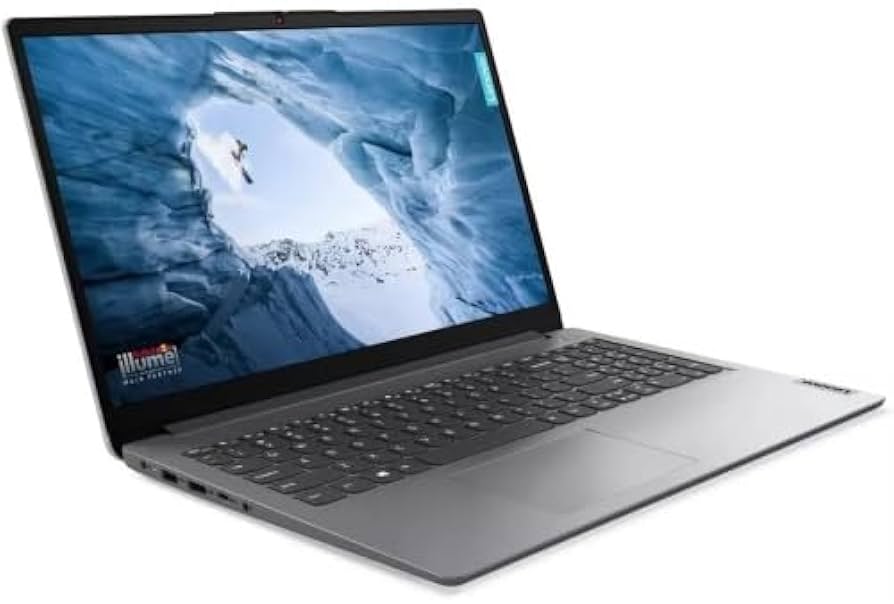
Price: Approx. $280
Who Should Buy This
Extreme budget shoppers who need a functional Windows laptop for basic tasks like web browsing, email, streaming, and simple document editing. Great as a first laptop for kids or a secondary machine.
Full Specifications
| Processor | AMD Ryzen 5 7520U (4 cores, up to 4.3 GHz) |
| RAM | 8 GB LPDDR5 |
| Storage | 256 GB PCIe NVMe SSD |
| Display | 15.6″ FHD (1920 x 1080) IPS, 300 nits, anti-glare, touchscreen |
| Graphics | AMD Radeon 610M (integrated) |
| Battery | Up to 9 hours (42 Wh) |
| Weight | 3.48 lbs (1.58 kg) |
| OS | Windows 11 Home |
| Connectivity | Wi-Fi 6, Bluetooth 5.2 |
| Ports | 1x USB-C 3.2, 1x USB-A 3.2, 1x USB 2.0, HDMI 1.4, SD card reader, audio combo jack |
Our Take
The Lenovo IdeaPad 1 15 is a remarkable value at around $280, offering a feature set that was unthinkable at this price just a couple of years ago. You get a Ryzen 5 7520U processor, 8 GB of LPDDR5 RAM, an FHD IPS touchscreen with 300-nit brightness, and a 256 GB NVMe SSD. The display quality is genuinely impressive for the price, with better brightness and color accuracy than many laptops costing $100 more. Battery life stretches to about nine hours, which is excellent in this price tier. The slim chassis at 3.48 lbs is portable enough for daily commutes. The compromises are minor at this price: the plastic build does not feel as premium as pricier options, and the SD card reader uses the slower standard. But for basic computing needs, this laptop dramatically over-delivers.
Pros
- Outstanding value with Ryzen 5 processor and 8 GB LPDDR5 at under $300
- FHD IPS touchscreen with 300-nit brightness is exceptional for the price
- Up to 9 hours of battery life for all-day portability
- SD card reader and full-size keyboard with number pad included
Cons
- All-plastic build feels less premium than metal-chassis competitors
- 256 GB storage may require supplementing with cloud or external drives
- Webcam is 720p, which is average but not great for video calls
10. ASUS Vivobook 16 (AMD)
Best Large Screen Budget Laptop
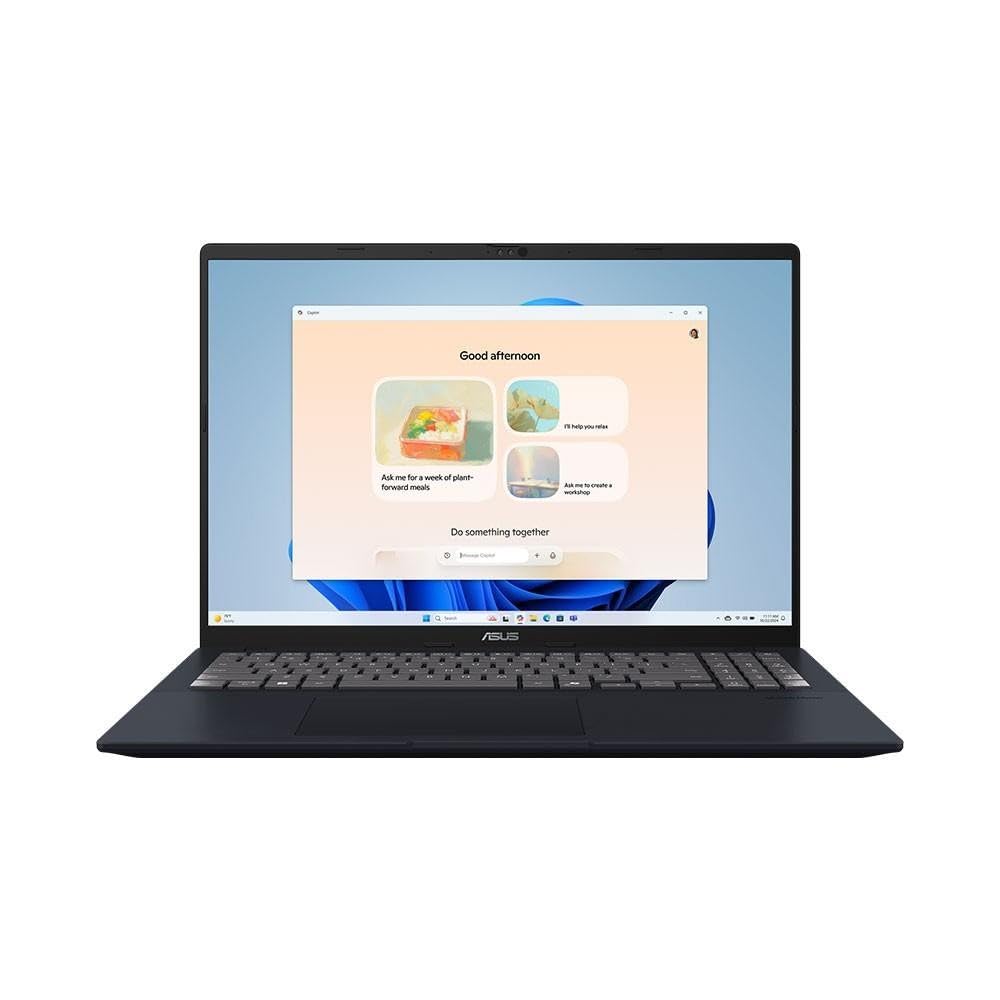
Price: Approx. $450
Who Should Buy This
Users who want maximum screen real estate for multitasking, spreadsheets, media consumption, and general productivity. Ideal for home office setups and anyone who finds 15.6-inch screens too small.
Full Specifications
| Processor | AMD Ryzen AI 5 330 (4 cores, up to 4.5 GHz) |
| RAM | 16 GB DDR5 |
| Storage | 512 GB PCIe NVMe SSD |
| Display | 16″ WUXGA (1920 x 1200) IPS, 300 nits, 16:10 aspect ratio |
| Graphics | AMD Radeon Graphics (integrated) |
| Battery | Up to 8 hours (70 Wh) |
| Weight | 4.14 lbs (1.88 kg) |
| OS | Windows 11 Home |
| Connectivity | Wi-Fi 6, Bluetooth 5.3 |
| Ports | 2x USB-C 3.2, 2x USB-A 3.2, HDMI 2.1, audio combo jack |
Our Take
The ASUS Vivobook 16 closes out our list with the largest and most immersive display in the lineup. The 16-inch WUXGA panel in a 16:10 aspect ratio provides significantly more vertical screen space than a standard 15.6-inch 16:9 display, which makes a real difference when working with documents, spreadsheets, or web pages. The AMD Ryzen AI 5 330 processor includes an NPU for AI acceleration, and the 16 GB of DDR5 RAM paired with a 512 GB SSD means you will not hit performance walls during everyday multitasking. The 70 Wh battery is one of the largest in this price range, delivering around eight hours of use. The 1080p IR camera supports Windows Hello facial recognition for quick and secure logins. The only trade-off is portability. At 4.14 lbs and with a 16-inch footprint, this is more of a desk-to-desk laptop than a throw-it-in-your-bag ultraportable.
Pros
- 16-inch 16:10 WUXGA display offers the most screen space on this list
- 16 GB DDR5 RAM and 512 GB SSD match specs of pricier machines
- AMD Ryzen AI 5 330 with NPU supports AI-powered Windows features
- IR camera enables Windows Hello facial recognition login
Cons
- At 4.14 lbs it is the heaviest laptop on this list
- No touchscreen at this configuration
- Larger footprint makes it less portable than 14 or 15-inch options
Buyer’s Guide: How to Choose a Budget Laptop Under $500
Windows vs. ChromeOS: Making the Right Choice
This is the single most important decision you will make when buying a budget laptop. ChromeOS laptops generally deliver better performance, longer battery life, and stronger security at the same price point compared to Windows laptops. They boot in seconds, update automatically in the background, and are virtually immune to traditional malware. However, they require an internet connection for most tasks and cannot run traditional desktop applications like the full versions of Adobe Photoshop, Microsoft Access, or specialized industry software. If your workflow is primarily browser-based, such as Google Workspace, Microsoft 365 online, Zoom, Slack, and web browsing, a Chromebook will give you a better experience per dollar. If you rely on specific Windows-only applications, a Windows laptop is the clear choice.
Processor: What Actually Matters
In the sub-$500 range, you will encounter processors from Intel, AMD, and Qualcomm. Intel Core i3 and AMD Ryzen 5 chips offer the best balance of performance and efficiency for everyday tasks. The newer Qualcomm Snapdragon X (found in the ASUS Vivobook 14) delivers exceptional battery life with competitive performance. Avoid laptops with Intel Celeron or Pentium processors unless you are buying a Chromebook, where these chips can still deliver a smooth experience thanks to the lightweight operating system. For Windows laptops, aim for at least an Intel Core i3-1215U, Intel Core 3 N355, or AMD Ryzen 5 7520U for a frustration-free experience.
RAM: How Much Do You Really Need?
For 2026, 8 GB of RAM is the minimum you should accept for comfortable everyday use. This handles web browsing with multiple tabs, document editing, video streaming, and light multitasking without major slowdowns. If you frequently run many applications simultaneously or keep 20 or more browser tabs open, 16 GB will make a noticeable difference. Two laptops on our list offer 16 GB under $500: the ASUS Vivobook 14 (Snapdragon X) and the ASUS Vivobook 16 (AMD). Be aware that most budget laptops have soldered RAM, meaning you cannot upgrade it later, so choose wisely upfront.
Storage: SSD Types and Capacity
Storage technology directly impacts how fast your laptop feels in daily use. Here is a breakdown of the storage types you will encounter in budget laptops:
| Storage Type | Speed | Typical Capacity | Found In |
|---|---|---|---|
| NVMe PCIe SSD | Fastest | 256 GB to 512 GB | Mid-range budget laptops |
| UFS | Moderate | 128 GB to 256 GB | Entry-level laptops and Chromebooks |
| eMMC | Slowest | 32 GB to 128 GB | Ultra-budget Chromebooks |
For Windows laptops, aim for at least 256 GB of NVMe SSD storage. For Chromebooks, 128 GB or more is comfortable since most files live in Google Drive cloud storage.
Display: Size, Resolution, and Panel Type
All the laptops on our list feature at least FHD (1920 x 1080) resolution, which is the minimum you should accept in 2026. Avoid any laptop with an HD (1366 x 768) display, as text will look fuzzy and you will have very limited screen space for multitasking. IPS panels provide the best viewing angles and color accuracy in the budget range. Some higher-end budget laptops offer WUXGA (1920 x 1200) in a 16:10 aspect ratio, which provides about 10% more vertical screen space compared to standard 16:9 displays. This is particularly useful for document work and web browsing.
Battery Life: What to Expect
Budget laptops in 2026 typically deliver six to ten hours of battery life in real-world mixed use. Chromebooks tend to last longer than Windows laptops at the same price, thanks to ChromeOS’s lighter resource requirements. The standout performer is the ASUS Vivobook 14 with Snapdragon X, which achieves up to 19 hours thanks to the ARM-based processor’s exceptional power efficiency. If all-day battery life is critical for your workflow, Chromebooks and ARM-based Windows laptops are your best options.
Build Quality and Portability
At this price range, most laptops use plastic chassis. That is perfectly fine for everyday use, and several models on our list meet MIL-STD 810H military-grade durability standards. Weight ranges from about 3.2 to 4.1 pounds. If portability is a top priority, the lighter 14-inch models like the ASUS Vivobook 14 (3.28 lbs) and ASUS Chromebook Plus CX34 (3.17 lbs) are the best choices. If screen size matters more than portability, the 16-inch ASUS Vivobook 16 offers the most screen space but weighs over 4 pounds.
Student Discounts and Deals
Many manufacturers and retailers offer education discounts that can save you an additional 5% to 15% on budget laptops. Check these sources before purchasing: Dell University program, Lenovo Education Store, Best Buy Student Deals hub, Amazon Prime Student pricing, and your school’s bookstore or IT department for institutional pricing. Shopping during back-to-school sales in July through September often yields the best prices of the year.
Best Budget Laptop by Use Case
| Use Case | Our Pick | Why |
|---|---|---|
| Students (General) | Acer Aspire Go 15 | Best value Windows laptop for essays, research, and basic coursework |
| Home Office | Dell Inspiron 15 3520 | Reliable performer with Dell’s proven support network |
| Streaming and Media | ASUS Vivobook 16 (AMD) | Largest display with 16:10 aspect ratio for immersive viewing |
| All-Day Battery | ASUS Vivobook 14 (Snapdragon X) | Up to 19 hours of battery life with strong performance |
| Web-Based Work | ASUS Chromebook Plus CX34 | Fastest ChromeOS experience with Google AI features |
| Note-Taking / Tablet Use | Lenovo IdeaPad Flex 5i Chromebook Plus | 360-degree convertible with touchscreen for handwritten notes |
| Ultra-Tight Budget | Lenovo IdeaPad 1 15 | Best specs you can get for under $300 |
| Spreadsheets / Multitasking | Acer Chromebook Plus 515 | 15.6-inch touchscreen for side-by-side productivity on ChromeOS |
Common Mistakes to Avoid When Buying a Budget Laptop
1. Buying Based on Brand Reputation Alone
A $400 laptop from a premium brand does not perform like that brand’s $1,000 flagship. Budget lineups from every manufacturer involve significant compromises. Judge each laptop on its own specs and reviews, not on your experience with pricier models from the same brand.
2. Ignoring Storage Type
Not all storage is created equal. A laptop with a 256 GB NVMe SSD will feel dramatically faster than one with 256 GB of eMMC storage, even though the number looks the same. Always check whether a laptop uses NVMe SSD, UFS, or eMMC before purchasing.
3. Choosing HD Over FHD to Save Money
Some ultra-cheap laptops still ship with 1366 x 768 (HD) displays. The difference between HD and FHD (1920 x 1080) is substantial. Text looks fuzzy on HD screens, and you get far less usable workspace. Every laptop on our list features at least FHD resolution, and we recommend treating this as a non-negotiable minimum.
4. Skipping Chromebooks Without Considering Them
Many buyers default to Windows without evaluating whether a Chromebook would serve them better. For web browsing, email, Google Workspace, streaming, and basic productivity, a Chromebook typically delivers a faster, smoother, and more secure experience at the same price as a Windows laptop.
5. Overlooking Battery Life
Battery life specifications from manufacturers are often optimistic. Expect real-world battery life to be about 70% to 80% of the advertised figure. If a manufacturer claims 10 hours, plan for 7 to 8 hours of actual mixed use.
6. Buying More RAM Than You Can Use
While 16 GB of RAM is great to have, 8 GB is perfectly adequate for most budget laptop use cases. Do not pay a significant premium for 16 GB unless you know your workflow demands it. That money might be better spent on a larger SSD or a better display.
Budget Laptop Trends to Watch in 2026
ARM Processors Are Changing the Game
The Qualcomm Snapdragon X processor in the ASUS Vivobook 14 represents a major shift in the budget laptop market. ARM-based chips deliver dramatically better battery life and increasingly competitive performance compared to traditional x86 processors. As app compatibility continues to improve, expect more budget laptops to adopt ARM architecture throughout 2026 and beyond.
AI Features Are Reaching Budget Price Points
Copilot+ PCs and Chromebook Plus devices are bringing AI-powered features to the sub-$500 market. From smart writing assistance to photo enhancement tools, AI capabilities that were exclusive to premium devices just a year ago are now accessible in budget laptops. This trend is accelerating as both Microsoft and Google push AI integration deeper into their operating systems.
16:10 Displays Are Becoming Standard
The shift from 16:9 to 16:10 aspect ratio displays is trickling down to budget laptops. This taller format provides about 10% more vertical screen space, which improves productivity for document editing and web browsing. Several laptops on our list already feature 16:10 displays, and this will likely become the default by late 2026.
DDR5 RAM Is Now the Norm
DDR5 memory has become standard even in budget laptops, replacing DDR4 in most new models. DDR5 offers higher bandwidth and better power efficiency, contributing to smoother multitasking and improved battery life. When comparing laptops, DDR5 is preferred over DDR4 at the same capacity.
Frequently Asked Questions
What is the best budget laptop under $500 in 2026?
The Acer Aspire Go 15 (2025) is our top overall pick for budget laptops under $500. It offers an 8-core Intel processor, FHD IPS display, and solid battery life for around $300, making it the best value in this price range. If you can spend more, the ASUS Vivobook 14 with Snapdragon X delivers premium performance with 16 GB RAM and all-day battery life at $499.
Should I buy a Chromebook or Windows laptop under $500?
It depends on your needs. Chromebooks like the ASUS Chromebook Plus CX34 offer faster boot times, better battery life, stronger security, and a simpler experience for web-based tasks. Windows laptops provide access to traditional desktop software like full Microsoft Office, Adobe apps, and specialized programs. If your work is mostly browser-based, a Chromebook will give you better performance per dollar. If you need specific Windows applications, stick with Windows.
Is 8 GB of RAM enough for a budget laptop in 2026?
Yes, 8 GB of RAM is sufficient for most everyday tasks including web browsing, document editing, video streaming, and light multitasking. However, if you regularly keep many browser tabs open or run multiple applications simultaneously, 16 GB is a noticeable upgrade. The ASUS Vivobook 14 (Snapdragon X) and ASUS Vivobook 16 (AMD) both offer 16 GB at under $500.
Can I game on a budget laptop under $500?
Budget laptops in this range can handle very light gaming such as browser-based games, older titles, and less demanding indie games. They use integrated graphics rather than dedicated GPUs, so modern AAA games will not run well. If gaming is a priority, consider saving for a dedicated gaming laptop in the $600 to $800 range instead.
How long do budget laptops typically last?
A well-maintained budget laptop typically lasts three to five years for everyday use. Chromebooks often receive software updates for eight or more years. To maximize longevity, keep your operating system updated, avoid overheating by using the laptop on hard surfaces, and consider models with an SSD rather than eMMC storage for longer-term speed.
What is the difference between UFS, eMMC, and SSD storage?
NVMe SSDs are the fastest storage type and are found in higher-end budget laptops. UFS (Universal Flash Storage) is faster than eMMC but slower than NVMe SSDs. eMMC is the slowest and is typically found in the cheapest Chromebooks and Windows laptops. For the best experience, prioritize laptops with NVMe SSD storage when possible.
Do I need a touchscreen on a budget laptop?
A touchscreen is not essential but can be a nice bonus for navigating Windows, scrolling through web pages, and casual drawing or note-taking. Several laptops on our list include touchscreens, including the Lenovo IdeaPad Slim 3 15, Lenovo IdeaPad 1 15, and Lenovo IdeaPad Flex 5i Chromebook Plus. Touchscreens do use slightly more battery, but the difference is minimal.
Are refurbished laptops a better deal than new budget laptops?
Refurbished laptops can offer excellent value, especially if you find a premium model from a year or two ago at a steep discount. However, battery health is often unknown, warranties are shorter, and cosmetic wear varies. If you go the refurbished route, buy from reputable sellers that offer warranties and verified battery health. For most buyers, the new budget laptops on this list offer strong value with the peace of mind of full warranties.
How We Chose These Laptops
Our selection process involves researching current market availability, comparing specifications, analyzing expert reviews from publications including PCWorld, Tom’s Guide, RTINGS, and CNN Underscored, and evaluating real-world user feedback. We prioritize laptops that are currently available for purchase and offer the best combination of performance, build quality, battery life, and value within the under-$500 price range. We include both Windows laptops and Chromebooks because different users have different needs, and we believe the best choice depends on your specific workflow. Prices are approximate and may vary based on retailer, configuration, and ongoing promotions.
Affiliate Disclosure: TenBESTLY earns commissions from qualifying purchases made through our affiliate links. This does not affect our editorial independence or the price you pay. We recommend products based on research and merit, not commission rates.