10 Best Mechanical Keyboards for Gaming
Last Updated: June 2026 · Independently researched by the TenBESTLY team
The best gaming keyboard can give you a genuine competitive edge, whether through Hall effect switches that let you fine-tune every key, Rapid Trigger that resets the instant you lift a finger, or simply a satisfying, responsive typing feel that makes long sessions a pleasure. In 2026, the gaming keyboard landscape has shifted dramatically toward magnetic Hall effect technology, but traditional mechanical boards still hold strong for players who prefer their feel.
We researched over 30 gaming keyboards, compared independently tested performance and build quality from publications like RTINGS, PC Gamer, Tom’s Guide, and TechRadar, and factored in professional player usage data. Our list covers every budget and need, from $50 budget boards that punch far above their price to $250 flagships used by esports pros.
Here are the 10 best mechanical keyboards for gaming in 2026, ranked and reviewed.
Quick Picks
- Best Overall: Wooting 80HE – The benchmark Hall effect gaming keyboard
- Best for Competitive FPS: Razer Huntsman V3 Pro TKL – The esports pro favorite
- Best with Numpad: ASUS ROG Azoth 96 HE – Wireless Hall effect with number pad
- Best Mechanical: Keychron V1 Ultra 8K – Traditional mechanical value champion
- Best Budget: Gamakay x NaughShark NS68 – Hall effect features under $50
Our Top 10 Picks
- Wooting 80HE – Best Overall
- Razer Huntsman V3 Pro TKL – Best for Competitive FPS
- ASUS ROG Azoth 96 HE – Best with Numpad
- Keychron V1 Ultra 8K – Best Mechanical
- Wooting 60HE+ – Best 60% Compact
- Logitech G515 Lightspeed TKL – Best Low-Profile Wireless
- Razer Huntsman V2 – Best Full-Size
- SteelSeries Apex Pro TKL Gen 3 – Best Premium Adjustable
- Corsair K70 PRO TKL – Best Traditional Mechanical
- Gamakay x NaughShark NS68 – Best Budget
Quick Comparison Table
| Keyboard | Best For | Switch Type | Layout | Polling |
|---|---|---|---|---|
| Wooting 80HE | Best Overall | Hall effect | 80% | 8000Hz |
| Razer Huntsman V3 Pro TKL | Best for Competitive FPS | Analog optical | TKL | 8000Hz |
| ASUS ROG Azoth 96 HE | Best with Numpad | Hall effect | 96% | 8000Hz |
| Keychron V1 Ultra 8K | Best Mechanical | Mechanical | 75% | 8000Hz |
| Wooting 60HE+ | Best 60% Compact | Hall effect | 60% | 8000Hz |
| Logitech G515 Lightspeed TKL | Best Low-Profile Wireless | Low-profile mech | TKL | 1000Hz |
| Razer Huntsman V2 | Best Full-Size | Linear optical | Full-size | 8000Hz |
| SteelSeries Apex Pro TKL Gen 3 | Best Premium Adjustable | Hall effect | TKL | 1000Hz |
| Corsair K70 PRO TKL | Best Traditional Mechanical | Hall effect | TKL | 8000Hz |
| Gamakay x NaughShark NS68 | Best Budget | Hall effect | 65% | 8000Hz |
Best Overall
Wooting 80HE
Approx. $200
Who Should Buy This
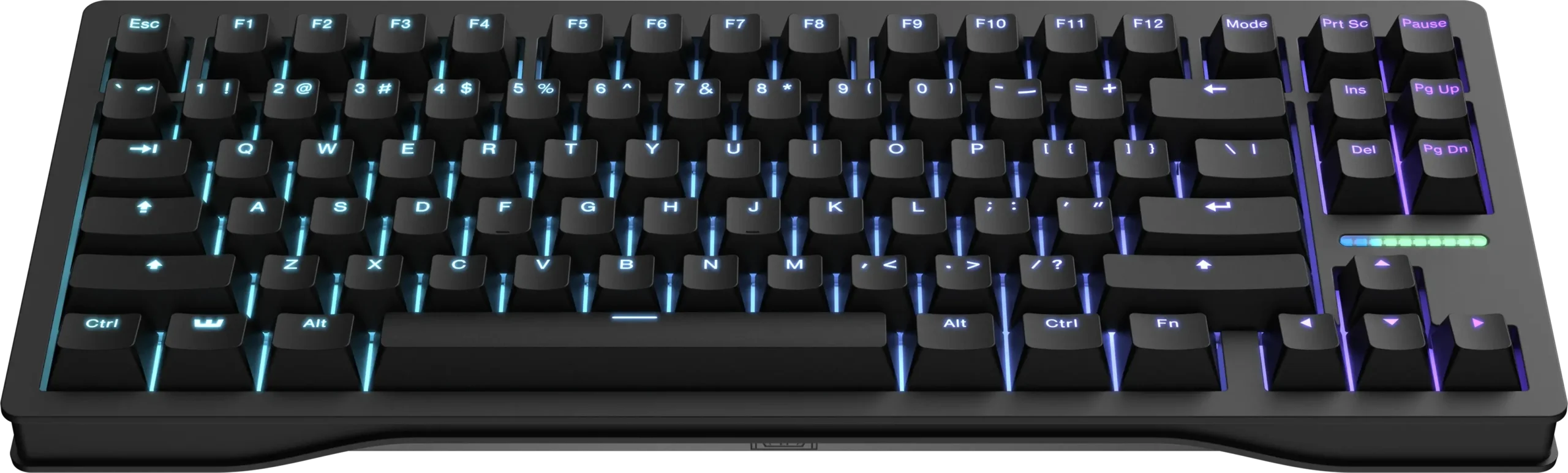
Competitive FPS players and enthusiasts who want the best gaming keyboard available, period. The Wooting 80HE is the keyboard that pros and reviewers consistently rank at the top for its combination of Hall effect performance, build quality, and software.
Full Specs
| Switches | Lekker V2 Hall effect magnetic (hot-swappable) |
| Layout | 80% (TKL-style, compact) |
| Actuation | Adjustable 0.1mm to 4.0mm in 0.1mm steps |
| Polling Rate | 8000Hz (8K) |
| Connection | Wired USB-C |
| Key Features | Rapid Trigger, Rappy Snappy (SOCD), analog input, springless Lekker V2 switches for durability, zinc alloy case, LED status light bar, Wootility software, doubleshot PBT keycaps, screw-in stabilizers |
Our Take
The Wooting 80HE is the best gaming keyboard you can buy in 2026, and it has earned that title across virtually every major review. Its Hall effect magnetic switches let you adjust the actuation point of every key from 0.1mm to 4.0mm, which means you can make keys register with the lightest touch for lightning-fast response or set them deeper to avoid accidental presses. Rapid Trigger resets keys the instant you lift your finger, a genuine competitive advantage in games with counter-strafing like CS2, Valorant, and Apex Legends. The 80% layout keeps the arrow keys and function row while trimming the numpad for more mouse space. Build quality is exceptional with a zinc alloy case that feels premium and dampens sound beautifully. Wooting’s Wootility software is the best in the business: intuitive, powerful, and constantly updated. The springless Lekker V2 switches are rated for extreme durability. The only real drawbacks are that it is wired-only and frequently sells out due to high demand.
Pros
- Hall effect switches with per-key adjustable actuation (0.1-4.0mm)
- Rapid Trigger and Rappy Snappy SOCD for competitive advantage
- 8000Hz polling rate for 0.125ms latency
- Premium zinc alloy case with excellent sound dampening
- Best-in-class Wootility software, intuitive and powerful
- Hot-swappable springless Lekker V2 switches built for durability
Cons
- Wired only (no wireless option)
- Frequently sells out due to high demand
- Premium price compared to traditional mechanical keyboards
Bottom Line: The best gaming keyboard available in 2026. If you want the top Hall effect performance, build quality, and software in one package, this is the one to buy.
Best for Competitive FPS
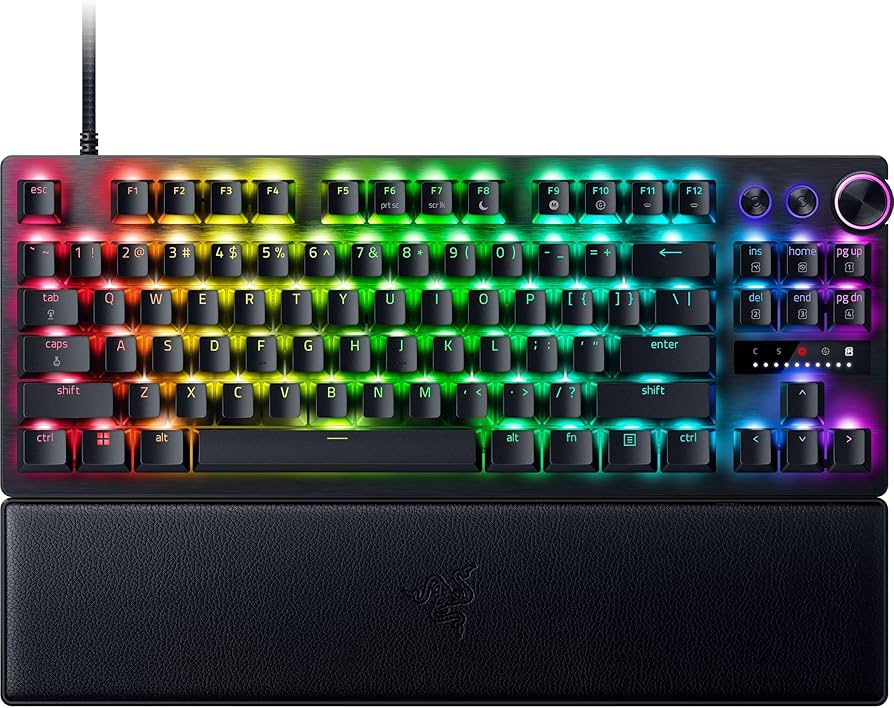
Razer Huntsman V3 Pro TKL
Approx. $200
Who Should Buy This
Serious competitive FPS players who want the keyboard most used by esports pros. According to ProSettings data, the Huntsman V3 Pro TKL is the single most popular keyboard among tracked professional players.
Full Specs
| Switches | Razer Analog Optical Gen-2 |
| Layout | TKL (tenkeyless) |
| Actuation | Adjustable 0.1mm to 4.0mm |
| Polling Rate | 8000Hz (8K) |
| Connection | Wired USB-C |
| Key Features | Rapid Trigger, Razer Snap Tap, analog optical switches, 100-million keystroke lifespan, doubleshot PBT keycaps, dedicated media keys and dial, aluminum top plate, ergonomic wrist rest, Razer Synapse software |
Our Take
The Razer Huntsman V3 Pro TKL is the most popular keyboard in professional esports, used by more tracked pros than any other model. Its analog optical switches deliver adjustable actuation from 0.1mm to 4.0mm and Rapid Trigger for instant key resets, putting it in direct competition with Hall effect boards like the Wooting. Razer Snap Tap (SOCD) gives an edge in movement-based games by prioritizing the most recent input, which is especially useful for counter-strafing. The 8000Hz polling rate ensures near-zero input latency. Build quality is excellent with an aluminum top plate and doubleshot PBT keycaps that resist wear and shine. The dedicated media keys and control dial are a convenience that gaming-focused boards often omit. The included wrist rest adds comfort for long sessions. Razer Synapse software is feature-rich but can feel bloated and requires an account. At around $200, it is priced identically to the Wooting 80HE, and the choice between them often comes down to whether you prefer Razer’s ecosystem and media controls or Wooting’s superior software and build feel.
Pros
- Most popular keyboard among professional esports players
- Analog optical switches with adjustable actuation (0.1-4.0mm)
- Rapid Trigger and Razer Snap Tap for competitive movement
- 8000Hz polling for near-zero input latency
- Dedicated media keys and control dial
- Aluminum top plate with doubleshot PBT keycaps
Cons
- Razer Synapse software can feel bloated and requires an account
- Wired only
- Premium price
- Some users prefer the feel of Hall effect over optical switches
Bottom Line: The esports pro’s choice. If you want the keyboard most competitive players trust, with analog optical switches and Snap Tap, this is it.
Best with Numpad
ASUS ROG Azoth 96 HE
Approx. $250
Who Should Buy This
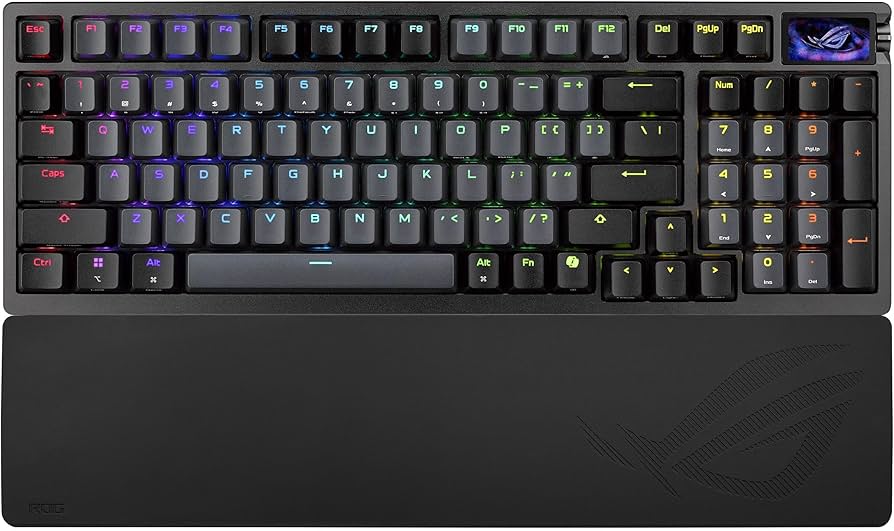
Gamers who need a numpad but still want competitive Hall effect performance and a compact footprint. The 96% layout keeps the number pad while saving desk space, and the wireless connectivity adds flexibility that most gaming keyboards lack.
Full Specs
| Switches | ROG HFX Hall effect magnetic (hot-swappable) |
| Layout | 96% (full-size with numpad, compact) |
| Actuation | Adjustable, Rapid Trigger |
| Polling Rate | 8000Hz (8K) |
| Connection | Tri-mode (2.4GHz SpeedNova, Bluetooth, wired) |
| Key Features | Hall effect switches, Rapid Trigger, Speed Tap (SOCD), color OLED touchscreen, three-way control knob, gasket mount with 6-layer dampening, PBT keycaps, silicone wrist rest, supports up to 5 devices |
Our Take
The ASUS ROG Azoth 96 HE is the best gaming keyboard for players who need a numpad without sacrificing competitive features or desk space. The 96% layout cleverly retains the number pad while eliminating gaps between key clusters, making it significantly more compact than a traditional full-size board and leaving more room for mouse movement. It combines ROG HFX Hall effect switches with Rapid Trigger and Speed Tap (SOCD), so you get the same competitive advantages as TKL gaming boards. The standout feature is the tri-mode wireless connectivity with 8000Hz polling even in wireless mode, which is rare and technically impressive. The gasket mount with six-layer dampening delivers a premium, cushioned typing feel with excellent acoustics. The color OLED touchscreen and control knob add genuine utility for adjusting settings on the fly. PBT keycaps and a silicone wrist rest round out a premium package. At around $250, it is the most expensive keyboard on this list, but it justifies the price with its unique combination of numpad, wireless, Hall effect performance, and build quality.
Pros
- 96% layout keeps the numpad while staying compact
- ROG HFX Hall effect switches with Rapid Trigger and Speed Tap
- Tri-mode wireless with 8000Hz polling even wirelessly
- Gasket mount with 6-layer dampening for premium feel
- Color OLED touchscreen and control knob
- Connects to up to 5 devices simultaneously
Cons
- Most expensive keyboard on this list
- 96% layout still takes more space than TKL or 60%
- ASUS Armoury Crate software can be resource-heavy
- Heavier than compact gaming boards
Bottom Line: The best gaming keyboard with a numpad. If you need number keys but still want Hall effect performance and wireless freedom, the Azoth 96 HE delivers it all.
Best Mechanical
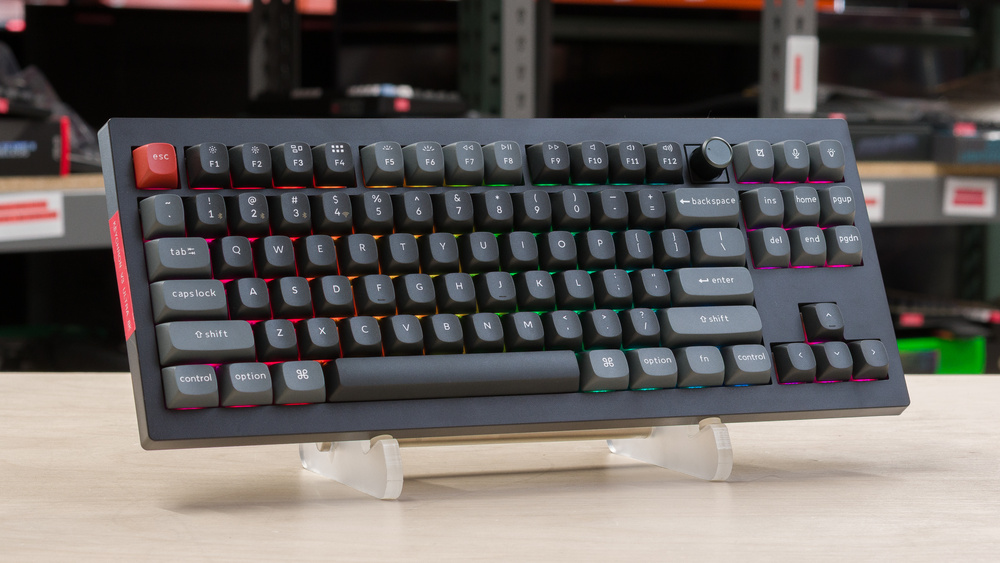
Keychron V1 Ultra 8K
Approx. $115
Who Should Buy This
Gamers who prefer the feel and sound of traditional mechanical switches over Hall effect, and who want excellent value. The V1 Ultra 8K proves you do not need to spend $200 for a fantastic gaming keyboard with 8K polling.
Full Specs
| Switches | Mechanical (hot-swappable, Gateron or Keychron switches) |
| Layout | 75% (compact with function row and arrows) |
| Actuation | Fixed (mechanical, varies by switch) |
| Polling Rate | 8000Hz (8K) |
| Connection | Tri-mode (2.4GHz, Bluetooth 5.3, wired) |
| Key Features | ZMK firmware, 8K polling wireless and wired, 660-hour battery, hot-swappable switches, doubleshot PBT keycaps, gasket mount, dual RGB lighting, QMK/VIA-style customization, Mac and Windows support |
Our Take
The Keychron V1 Ultra 8K is the best traditional mechanical gaming keyboard and offers outstanding value at around $115. While Hall effect boards dominate competitive FPS, many gamers simply prefer the tactile feel and satisfying sound of traditional mechanical switches, and this is where the V1 Ultra excels. It delivers an 8000Hz polling rate over both wireless and wired connections, which is rare for a mechanical keyboard at this price and ensures responsive, lag-free gaming. The 75% layout is compact yet retains the function row and arrow keys. Hot-swappable switches let you customize the feel without soldering. The gasket-mounted design with doubleshot PBT keycaps delivers a premium typing experience that punches well above its price. ZMK firmware provides deep customization for remapping keys and creating macros. Battery life is excellent at up to 660 hours. The main tradeoff versus pricier boards is the absence of adjustable actuation and Rapid Trigger, features that only Hall effect or analog optical switches provide. For casual to mid-level competitive gaming and everyday typing, the V1 Ultra 8K is hard to beat.
Pros
- Excellent value at around $115
- 8000Hz polling over both wireless and wired connections
- Hot-swappable switches for easy customization
- Premium gasket mount with doubleshot PBT keycaps
- Up to 660-hour battery life
- ZMK firmware for deep customization (Mac and Windows)
Cons
- No adjustable actuation or Rapid Trigger (traditional switches)
- Some body flex reported under heavy pressure
- Not ideal for the highest level of competitive FPS
- 75% layout has no numpad
Bottom Line: The best traditional mechanical gaming keyboard and a fantastic value. If you prefer mechanical feel over Hall effect, the V1 Ultra 8K delivers premium quality for half the price of flagship boards.
Best 60% Compact
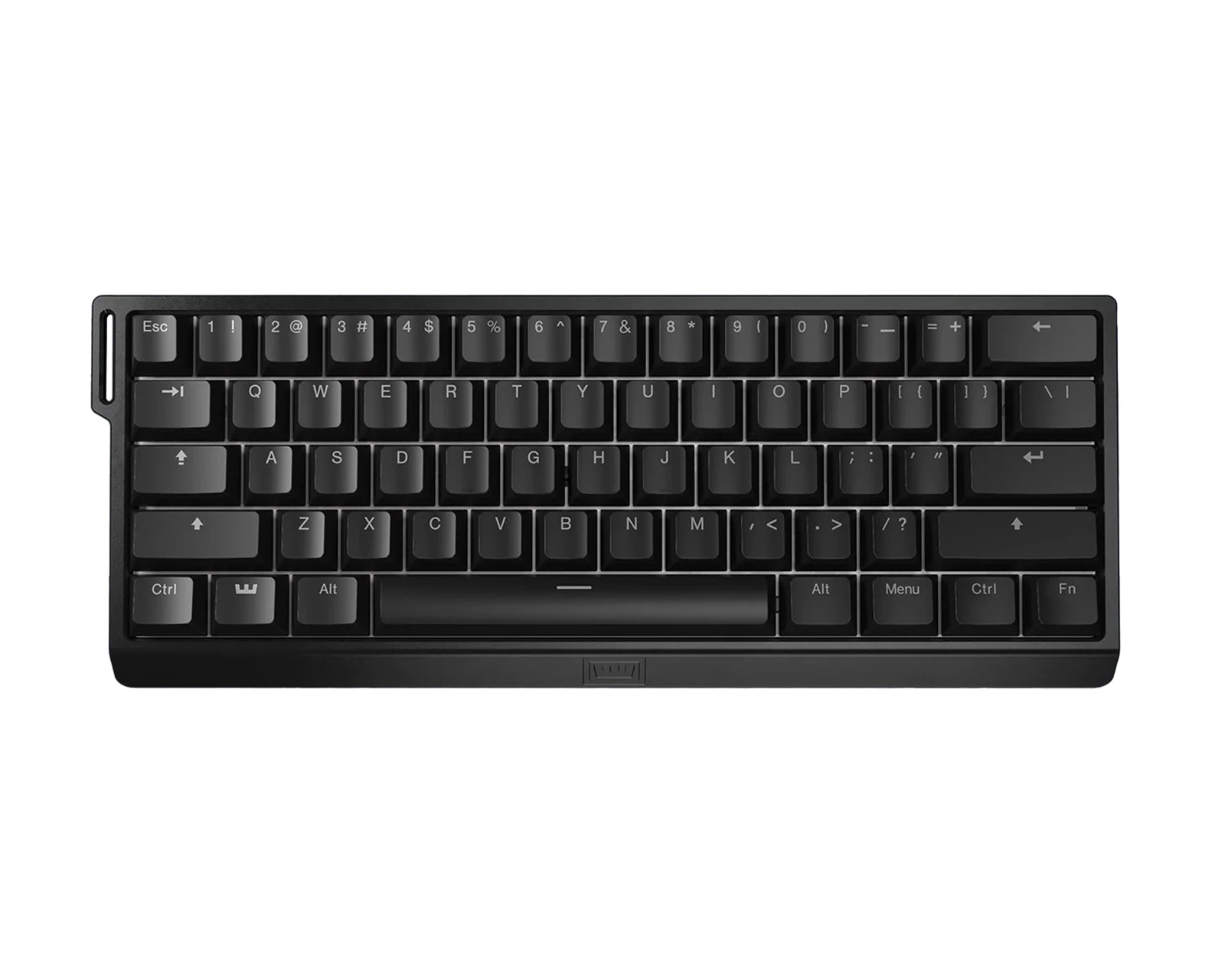
Wooting 60HE+
Approx. $175
Who Should Buy This
Competitive FPS players who want maximum desk space for low-sensitivity mouse movement. The 60% layout removes the arrow keys, function row, and numpad, leaving the most room possible for sweeping mouse motions.
Full Specs
| Switches | Lekker Hall effect magnetic (hot-swappable) |
| Layout | 60% (ultra-compact) |
| Actuation | Adjustable 0.1mm to 4.0mm in 0.1mm steps |
| Polling Rate | 8000Hz (8K) |
| Connection | Wired USB-C |
| Key Features | Rapid Trigger, Rappy Snappy (SOCD), analog input, hot-swappable Lekker switches, Wootility software, compact 60% footprint for maximum mouse space, doubleshot keycaps |
Our Take
The Wooting 60HE+ is the go-to keyboard for serious FPS players who run low mouse sensitivity and need maximum desk space. Its 60% layout is the most compact form factor here, removing everything except the core typing cluster to free up room for wide, sweeping mouse movements. Despite the smaller size, it packs the same Hall effect technology as the 80HE: per-key adjustable actuation from 0.1mm to 4.0mm, Rapid Trigger for instant resets, and Rappy Snappy SOCD for competitive movement. The 8000Hz polling rate delivers minimal latency. It remains one of the most popular keyboards among professional players, ranking in the top three of tracked pro setups. The Wootility software is the same excellent, intuitive tool found on the 80HE. The tradeoff with any 60% board is the loss of dedicated arrow keys and function row, which require holding a function layer to access. This takes adjustment and may frustrate players who use those keys frequently, but for pure FPS gaming where mouse space matters most, the 60HE+ is ideal.
Pros
- Ultra-compact 60% layout maximizes mouse space
- Hall effect switches with adjustable actuation (0.1-4.0mm)
- Rapid Trigger and Rappy Snappy SOCD
- 8000Hz polling for minimal latency
- Top-three most popular keyboard among esports pros
- Excellent Wootility software
Cons
- 60% layout removes arrow keys and function row (requires function layer)
- Wired only
- Takes adjustment for users accustomed to larger layouts
- Not ideal for productivity or tasks needing the numpad or function keys
Bottom Line: The best 60% gaming keyboard for competitive FPS. If you want maximum mouse space and top-tier Hall effect performance, the 60HE+ is a pro favorite for good reason.
Best Low-Profile Wireless
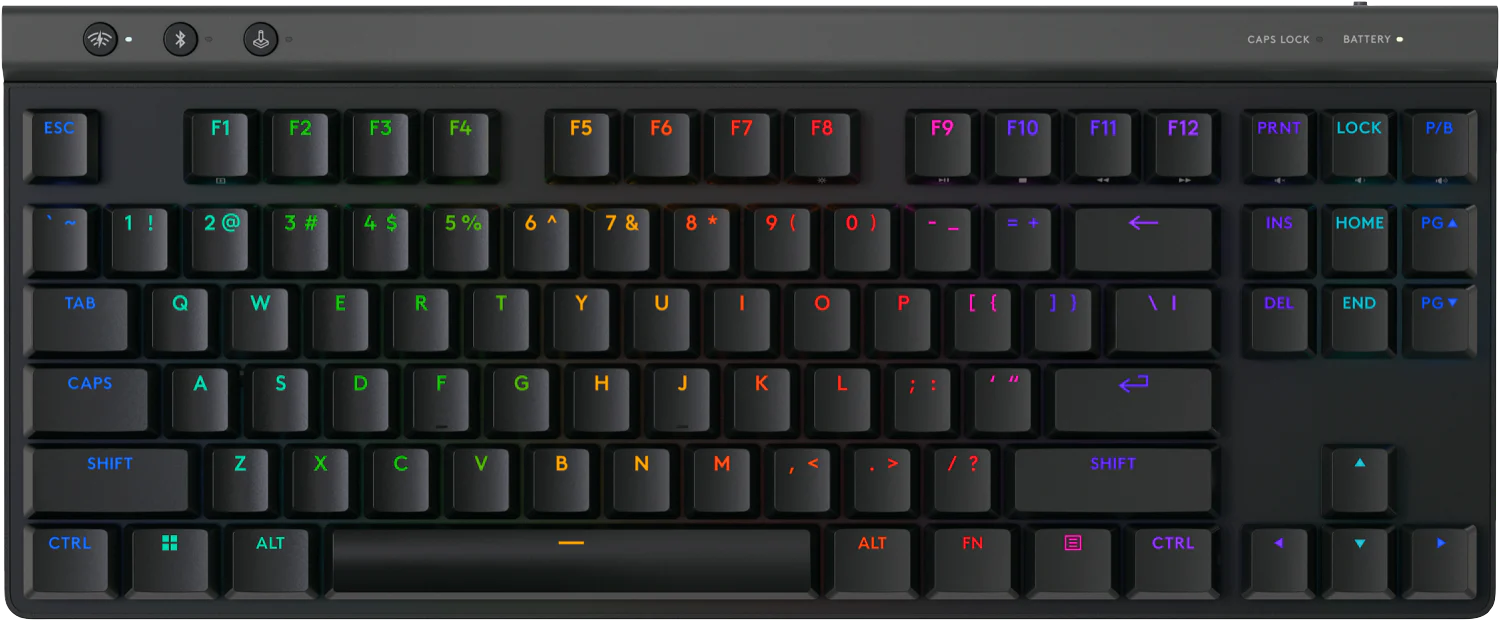
Logitech G515 Lightspeed TKL
Approx. $140
Who Should Buy This
Gamers who prefer a low-profile keyboard with a thin, modern design and want reliable wireless freedom. The G515 is ideal for those who find traditional tall mechanical keyboards uncomfortable or who want a cleaner desk aesthetic.
Full Specs
| Switches | Low-profile GL mechanical (tactile, linear, or clicky) |
| Layout | TKL (tenkeyless), low-profile |
| Actuation | Fixed (mechanical, varies by switch) |
| Polling Rate | 1000Hz |
| Connection | Tri-mode (Lightspeed 2.4GHz, Bluetooth, wired) |
| Key Features | Ultra-thin 22mm low-profile design, factory-lubed GL switches, doubleshot PBT keycaps, LIGHTSYNC RGB, sound-dampening layered construction, long battery life, 2:1 pairing with compatible mice |
Our Take
The Logitech G515 Lightspeed TKL is the best low-profile wireless gaming keyboard, combining a sleek 22mm-thin design with Logitech’s reliable Lightspeed wireless technology. Low-profile keyboards reduce wrist strain for many users by keeping hands closer to the desk surface, and the G515’s factory-lubed GL mechanical switches deliver a satisfying, smooth typing and gaming experience available in tactile, linear, or clicky variants. Lightspeed wireless provides a 1ms report rate that feels indistinguishable from wired for the vast majority of gamers, and tri-mode connectivity adds Bluetooth and wired options. The doubleshot PBT keycaps and sound-dampening construction give it a premium feel that belies its slim profile. Battery life is excellent, and the 2:1 pairing feature lets it share a single USB receiver with a compatible Logitech mouse. The main tradeoffs are the 1000Hz polling rate (lower than the 8000Hz of competitive boards) and the lack of Hall effect adjustable actuation. For most gamers who value comfort, wireless freedom, and a clean aesthetic over the absolute cutting edge of competitive features, the G515 is an outstanding choice.
Pros
- Sleek ultra-thin 22mm low-profile design
- Reliable Lightspeed wireless with 1ms report rate
- Factory-lubed GL switches in tactile, linear, or clicky
- Doubleshot PBT keycaps with sound-dampening construction
- Tri-mode connectivity (Lightspeed, Bluetooth, wired)
- 2:1 pairing shares one receiver with compatible mice
Cons
- 1000Hz polling rate (lower than 8000Hz competitive boards)
- No Hall effect adjustable actuation or Rapid Trigger
- Some body flex reported
- Low-profile feel is not for everyone
Bottom Line: The best low-profile wireless gaming keyboard. If you want a thin, comfortable design with reliable wireless and premium build, the G515 is the standout choice.
Best Full-Size
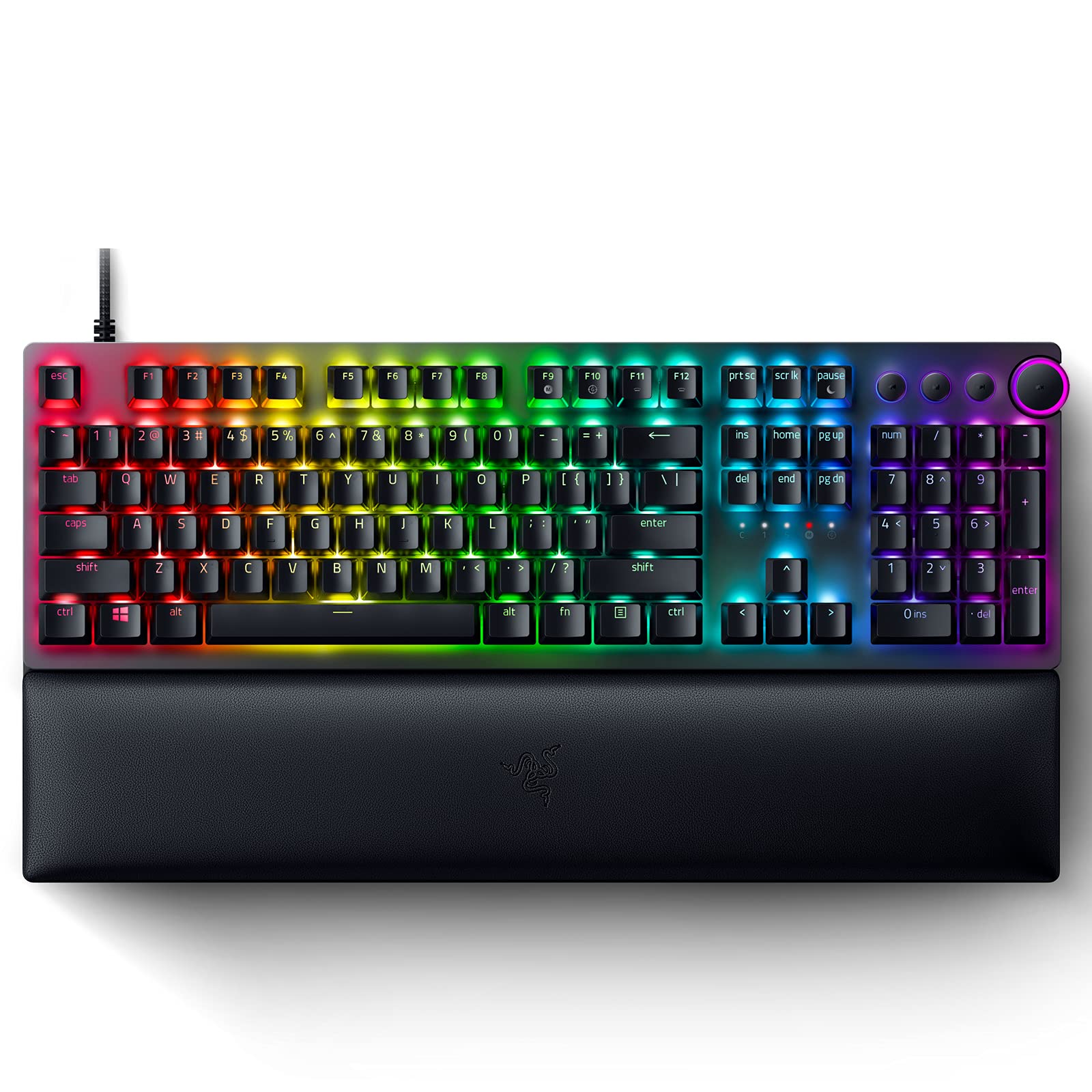
Razer Huntsman V2
Approx. $150
Who Should Buy This
Gamers who want a full-size keyboard with a numpad and fast optical switches at a reasonable price. The Huntsman V2 is ideal for those who use the numpad for productivity, MMOs, or number entry and want proven Razer performance.
Full Specs
| Switches | Razer Linear Optical (Gen-2, with sound dampeners) |
| Layout | Full-size (with numpad) |
| Actuation | Fixed (optical) |
| Polling Rate | 8000Hz (8K) |
| Connection | Wired USB-C (detachable) |
| Key Features | Linear optical switches with sound dampeners, 8000Hz polling, doubleshot PBT keycaps, dedicated media keys and dial, ergonomic wrist rest, Chroma RGB, detachable Type-C cable |
Our Take
The Razer Huntsman V2 is the best full-size gaming keyboard for players who want a numpad without paying flagship prices. Its linear optical switches use light beams to register keypresses, which makes them fast and durable, and the Gen-2 version adds sound dampeners for a quieter, more refined typing experience than earlier optical boards. The 8000Hz polling rate keeps input latency minimal, matching far more expensive boards. The full-size layout includes a numpad, dedicated media keys, and a multifunction dial, making it as useful for productivity and number entry as it is for gaming. Doubleshot PBT keycaps resist wear and shine over time, and the included wrist rest adds comfort. The detachable USB-C cable aids portability and cable management. While it lacks the adjustable actuation and Rapid Trigger of Hall effect boards, the Huntsman V2’s optical switches are still fast and responsive for the vast majority of games. At around $150, it offers a lot of keyboard, including the numpad that compact competitive boards omit.
Pros
- Full-size layout with numpad, media keys, and control dial
- Fast linear optical switches with sound dampeners
- 8000Hz polling rate for minimal latency
- Doubleshot PBT keycaps resist wear and shine
- Included ergonomic wrist rest
- Detachable USB-C cable for portability
Cons
- No adjustable actuation or Rapid Trigger
- Full-size footprint takes more desk space
- Razer Synapse software requires an account
- Wired only
Bottom Line: The best full-size gaming keyboard. If you need a numpad and want fast optical switches with media controls at a fair price, the Huntsman V2 is the pick.
Best Premium Adjustable
SteelSeries Apex Pro TKL Gen 3
Approx. $190
Who Should Buy This
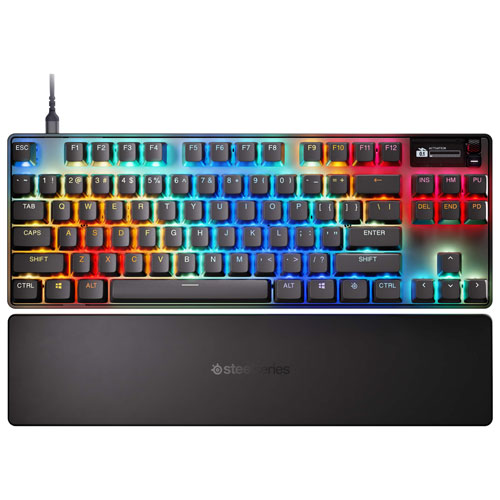
Gamers who want adjustable Hall effect switches from an established brand with the convenience of game-ready presets and an OLED display. The Apex Pro TKL Gen 3 balances competitive features with quality-of-life touches.
Full Specs
| Switches | OmniPoint 3.0 HyperMagnetic (Hall effect) |
| Layout | TKL (tenkeyless) |
| Actuation | Adjustable 0.1mm to 4.0mm |
| Polling Rate | 1000Hz (esports mode available) |
| Connection | Wired USB-C |
| Key Features | Rapid Trigger, Rapid Tap/SOCD (Protection Mode), game-ready presets, OLED smart display, per-key RGB, doubleshot PBT keycaps, aluminum frame, magnetic wrist rest |
Our Take
The SteelSeries Apex Pro TKL Gen 3 is a premium adjustable gaming keyboard that competes directly with the Wooting and Razer flagships. Its OmniPoint 3.0 HyperMagnetic switches offer per-key adjustable actuation from 0.1mm to 4.0mm, Rapid Trigger for instant resets, and Rapid Tap (SOCD) via Protection Mode for competitive movement. What sets SteelSeries apart is the polish and convenience: the OLED smart display shows system info and settings at a glance, game-ready presets let you load optimized configurations instantly, and the SteelSeries GG software is mature and user-friendly. Build quality is excellent with an aluminum frame and doubleshot PBT keycaps, and the magnetic wrist rest adds comfort. The keyboard markets itself as one of the fastest available, with switches that actuate substantially quicker than traditional mechanical switches. The main consideration versus the Wooting 80HE is that SteelSeries focuses on a refined, accessible experience with the OLED and presets, while Wooting offers slightly deeper software customization and an arguably better build feel. Both are excellent; the choice comes down to ecosystem preference.
Pros
- OmniPoint 3.0 Hall effect switches with adjustable actuation
- Rapid Trigger and Rapid Tap (SOCD) for competitive play
- OLED smart display for system info and settings
- Game-ready presets for instant optimized configurations
- Premium aluminum frame with doubleshot PBT keycaps
- Mature, user-friendly SteelSeries GG software
Cons
- Default 1000Hz polling (lower than some 8000Hz rivals)
- Premium price
- Wired only
- Wooting offers deeper software customization
Bottom Line: A premium, polished adjustable gaming keyboard. If you want Hall effect performance with an OLED display and game-ready presets from a trusted brand, the Apex Pro TKL Gen 3 delivers.
Best Traditional Mechanical
Corsair K70 PRO TKL
Approx. $160
Who Should Buy This
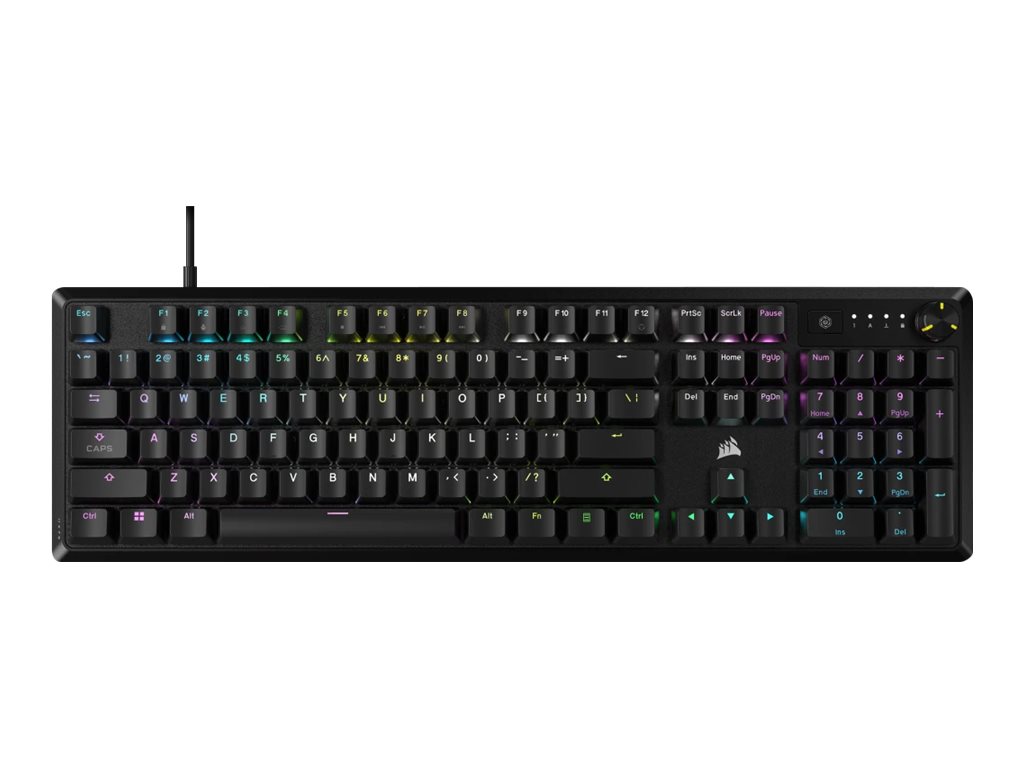
Corsair ecosystem users and gamers who want a well-built TKL Hall effect keyboard with the reliability and software integration of a major brand. The K70 PRO TKL brings Corsair’s iCUE ecosystem and magnetic switch performance together.
Full Specs
| Switches | Corsair MGX Hyperdrive Hall effect magnetic (pre-lubed) |
| Layout | TKL (tenkeyless) |
| Actuation | Adjustable, Rapid Trigger |
| Polling Rate | 8000Hz (8K) |
| Connection | Wired USB-C |
| Key Features | MGX Hyperdrive magnetic switches, Rapid Trigger, FlashTap SOCD, simultaneous SOCD, ABS doubleshot keycaps, sound dampening, aluminum frame, iCUE software, 8000Hz polling |
Our Take
The Corsair K70 PRO TKL brings Hall effect magnetic switch performance to Corsair’s well-established K70 line. Its MGX Hyperdrive magnetic switches are pre-lubed for a smooth feel and offer adjustable actuation with Rapid Trigger, letting keys reset instantly for competitive advantage. FlashTap (Corsair’s SOCD implementation) prioritizes the most recent directional input, useful for counter-strafing in FPS games. The 8000Hz polling rate keeps latency minimal. The TKL layout balances compactness with usability by keeping the arrow keys and function row while dropping the numpad. Build quality is solid with an aluminum frame and sound-dampening materials, though the ABS doubleshot keycaps will eventually develop shine compared to PBT (a minor point at this price). The biggest advantage for many buyers is Corsair’s iCUE ecosystem: if you already own Corsair peripherals, the K70 PRO TKL integrates seamlessly for unified lighting and macro control. The iCUE software is powerful but can be resource-heavy. At around $160, it sits below the Wooting and Razer flagships while offering comparable Hall effect features, making it a strong value for Corsair fans.
Pros
- MGX Hyperdrive Hall effect switches, pre-lubed and smooth
- Adjustable actuation with Rapid Trigger and FlashTap SOCD
- 8000Hz polling rate for low latency
- Solid aluminum frame with sound dampening
- Seamless integration with Corsair iCUE ecosystem
- More affordable than Wooting and Razer flagships
Cons
- ABS keycaps will shine over time (vs PBT)
- iCUE software can be resource-heavy
- Wired only
- Less premium feel than the Wooting 80HE
Bottom Line: A strong Hall effect TKL keyboard, especially for Corsair fans. If you want magnetic switch performance with iCUE ecosystem integration at a fair price, the K70 PRO TKL is a smart pick.
Best Budget
Gamakay x NaughShark NS68
Approx. $50
Who Should Buy This
Budget gamers who want competitive Hall effect features without spending $150 or more. The NS68 brings rapid trigger, adjustable actuation, 8K polling, and Snap Tap into the sub-$50 range, making competitive features accessible to everyone.
Full Specs
| Switches | Outemu Peach Crystal Hall effect magnetic (hot-swappable) |
| Layout | 65% (compact with arrow keys) |
| Actuation | Adjustable 0.1mm to 3.7mm in 0.01mm steps |
| Polling Rate | 8000Hz (8K) |
| Connection | Tri-mode (Bluetooth, 2.4GHz, wired USB-C) |
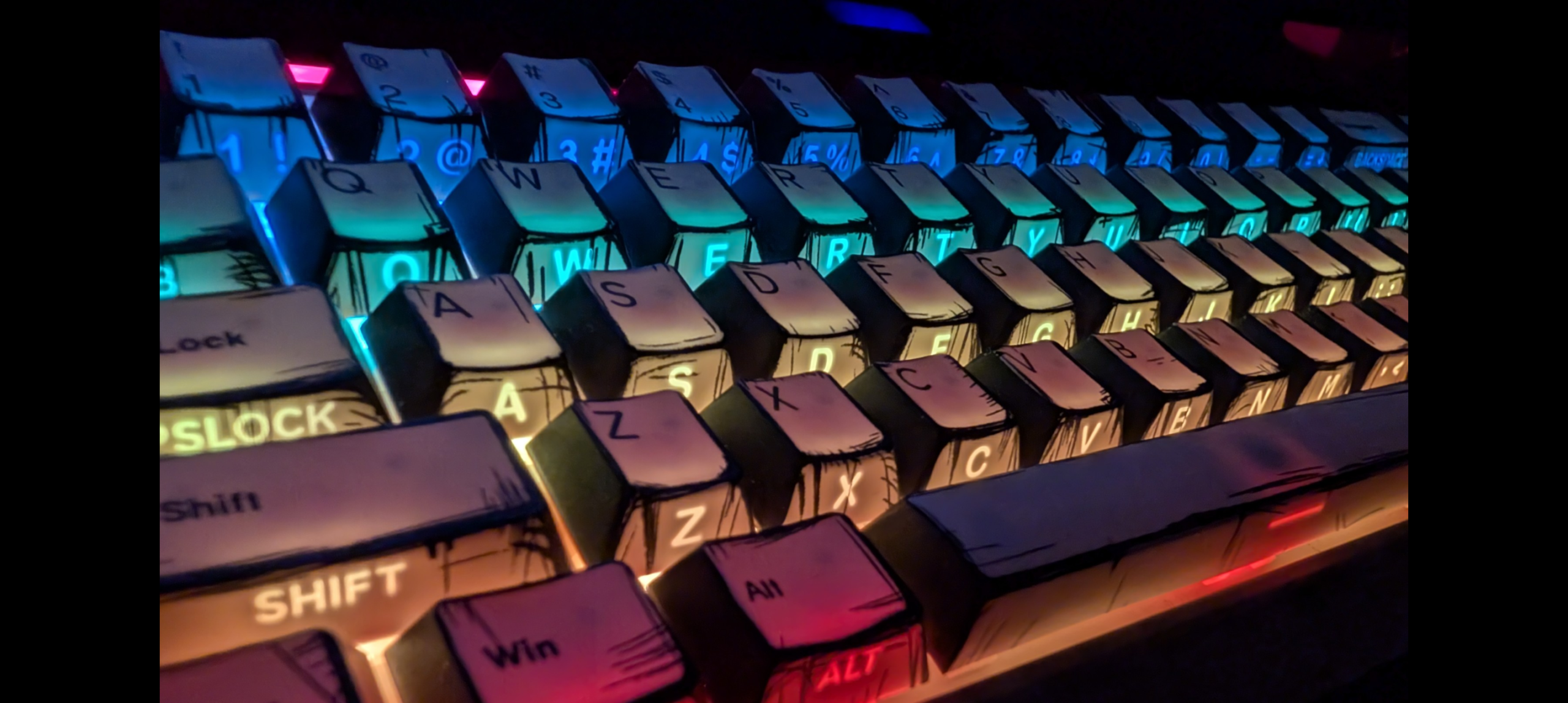
| Key Features | Rapid Trigger (0.01mm), Gamakay Snap Tap (SOCD), Dynamic Keystroke (DKS), hot-swappable magnetic switches, shine-through keycaps, 16.8M RGB, wireless connectivity |
Our Take
The Gamakay x NaughShark NS68 is the best budget gaming keyboard and a genuinely remarkable value, bringing Hall effect features into the sub-$50 range that until recently required spending three to four times as much. It includes adjustable actuation from 0.1mm to 3.7mm in incredibly fine 0.01mm steps, Rapid Trigger with a 0.01mm reset, Gamakay Snap Tap (SOCD), and even Dynamic Keystroke (DKS) for assigning multiple actions to one key. The 8000Hz polling rate matches keyboards costing far more. The 65% layout is compact while retaining arrow keys, and tri-mode wireless connectivity adds flexibility that even some flagship gaming boards lack. Hot-swappable magnetic switches and shine-through keycaps with RGB round out a feature set that reads like a premium board’s spec sheet. The tradeoff is build quality: while the NS68 performs well above its price, the case and overall feel are clearly budget-tier, with more plastic and less refinement than premium options. Gamakay’s software is also less polished than Wootility or SteelSeries GG. But for a gamer who wants to experience Hall effect gaming features for the first time, or who needs a capable competitive keyboard on a tight budget, the NS68 is unbeatable value.
Pros
- Remarkable value with Hall effect features under $50
- Adjustable actuation 0.1-3.7mm in fine 0.01mm steps
- Rapid Trigger, Snap Tap SOCD, and Dynamic Keystroke
- 8000Hz polling rate matches premium boards
- Tri-mode wireless connectivity (rare at this price)
- Hot-swappable magnetic switches and RGB shine-through keycaps
Cons
- Budget build quality with more plastic and less refinement
- Gamakay software is less polished than premium competitors
- 65% layout has no function row or numpad
- Long-term durability less proven than established brands
Bottom Line: The best budget gaming keyboard, period. If you want competitive Hall effect features without spending big, the NS68 delivers an unbeatable feature set for under $50.
Buyer’s Guide: How to Choose a Gaming Keyboard
Switch Type: Hall Effect vs Mechanical vs Optical
This is the most important decision. Hall effect (magnetic) switches let you adjust the actuation point of each key and enable Rapid Trigger, giving a competitive advantage in fast FPS games. Traditional mechanical switches have a fixed actuation point but offer a wide variety of feels (linear, tactile, clicky) and are often preferred for typing. Optical switches use light to register presses and are fast and durable. For competitive FPS, Hall effect is the current standard; for everything else, mechanical or optical work great.
Keyboard Size and Layout
Full-size keyboards include a numpad. TKL (tenkeyless) drops the numpad to free up mouse space and is the most popular gaming size. 65% and 60% boards are even more compact, favored by competitive players who run low mouse sensitivity. 96% boards keep the numpad while staying compact. Choose based on whether you need the numpad and how much desk space you want for mouse movement.
Rapid Trigger and SOCD
Rapid Trigger resets a key the moment you start lifting your finger, rather than waiting for it to pass a fixed reset point. This allows faster repeated inputs and quicker direction changes. SOCD (also called Snap Tap, Rappy Snappy, or FlashTap) prioritizes the most recent directional input when two opposing keys are pressed, aiding counter-strafing. Both require Hall effect or analog optical switches. Note that some games restrict SOCD features, so check current rules.
Polling Rate
Polling rate determines how often the keyboard reports to your PC. 1000Hz (1ms) has been the standard for years and is perfectly fine for the vast majority of gamers. 8000Hz (0.125ms) is now common on competitive boards and offers marginally lower latency. The difference is imperceptible for most players but may matter at the highest competitive levels.
Build Quality and Keycaps
Look for aluminum frames and gasket-mounted designs for premium feel and better sound. Keycap material matters: PBT keycaps resist the shine that develops on cheaper ABS keycaps over time and maintain their texture longer. Doubleshot keycaps have legends that never fade. Sound-dampening foam inside the case improves acoustics and reduces hollow pinging.
Wired vs Wireless
Modern wireless technology (Logitech Lightspeed, ASUS SpeedNova, and others) delivers latency indistinguishable from wired for nearly all players, and some boards offer 8000Hz polling wirelessly. Wireless adds convenience and a cleaner desk. However, many competitive players still prefer wired for absolute consistency and to avoid battery management. Tri-mode keyboards offer wireless, Bluetooth, and wired in one device for maximum flexibility.
Best Gaming Keyboard by Use Case
| Use Case | Best Pick | Why |
|---|---|---|
| Overall Best | Wooting 80HE | Top Hall effect performance, build, and software |
| Competitive FPS | Razer Huntsman V3 Pro TKL | Most popular among esports pros |
| Maximum Mouse Space | Wooting 60HE+ | Ultra-compact 60% layout |
| Need a Numpad | ASUS ROG Azoth 96 HE | 96% layout with Hall effect and wireless |
| Traditional Feel | Keychron V1 Ultra 8K | Best mechanical value with 8K polling |
| Low-Profile Wireless | Logitech G515 Lightspeed TKL | Thin design with reliable wireless |
| Full-Size Gaming | Razer Huntsman V2 | Numpad plus fast optical switches |
| OLED + Presets | SteelSeries Apex Pro TKL Gen 3 | Polished Hall effect with smart display |
| Corsair Ecosystem | Corsair K70 PRO TKL | Hall effect with iCUE integration |
| Tight Budget | Gamakay x NaughShark NS68 | Hall effect features under $50 |
Common Mistakes When Buying a Gaming Keyboard
Assuming you need 8000Hz polling. While 8000Hz sounds impressive, the difference between 1000Hz and 8000Hz is imperceptible to the vast majority of players. Do not pay a premium for polling rate alone if the rest of the keyboard does not suit your needs.
Overlooking switch type. The switch is the heart of the keyboard. Buying a board with switches you do not enjoy is the most common regret. If possible, try different switch types (linear, tactile, Hall effect) before committing, or choose a hot-swappable board so you can change them later.
Buying a layout that does not fit your needs. A 60% board frees up mouse space but removes arrow keys and the function row, which frustrates some users. Conversely, a full-size board takes up desk space you might want for your mouse. Match the layout to how you actually use your keyboard.
Ignoring keycap material. ABS keycaps develop an ugly shine over months of use, while PBT keycaps stay matte and textured for years. For a keyboard you will use daily, PBT is worth prioritizing.
Paying for features you will not use. Rapid Trigger and adjustable actuation are genuine advantages in competitive FPS, but if you mostly play strategy games, RPGs, or do casual gaming, a quality traditional mechanical keyboard at half the price will serve you just as well.
Gaming Keyboard Trends in 2026
Hall effect has taken over competitive gaming. Traditional mechanical switches have almost completely left the pro FPS scene at the top level. Nearly all top esports players now use Hall effect or analog optical switches with Rapid Trigger.
Budget Hall effect boards have arrived. Keyboards like the Gamakay NS68 now bring adjustable actuation, Rapid Trigger, Snap Tap, and 8K polling into the sub-$50 range, making competitive features accessible to everyone.
8000Hz polling is becoming standard. Once a premium feature, 8K polling is now common across mid-range and even budget gaming keyboards, and some boards now offer it wirelessly.
Wireless is closing the gap. Technologies like ASUS SpeedNova now deliver 8000Hz polling wirelessly, eroding the last major advantage of wired keyboards for competitive play.
SOCD features face scrutiny. As Snap Tap and SOCD features have spread, some games and tournaments have moved to ban or restrict them, creating an evolving rules landscape that competitive players must monitor.
Frequently Asked Questions
What is the best mechanical keyboard for gaming in 2026?
The Wooting 80HE is the best gaming keyboard in 2026 for most players, thanks to its Hall effect switches with adjustable actuation, Rapid Trigger, excellent build quality, and best-in-class software. For competitive FPS, the Razer Huntsman V3 Pro TKL is the most popular choice among professional players. On a budget, the Gamakay x NaughShark NS68 brings Hall effect features for under $50.
What is the difference between Hall effect and mechanical switches?
Traditional mechanical switches register a keypress at a fixed point and reset at a fixed point. Hall effect (magnetic) switches use magnets and sensors to detect the exact position of the key, allowing you to adjust the actuation point and use features like Rapid Trigger, which resets the key the instant you lift your finger. For competitive FPS games with movement mechanics, Hall effect switches offer a measurable advantage.
Do I need Hall effect switches or Rapid Trigger for gaming?
It depends on your games and skill level. For competitive FPS games that use counter-strafing (CS2, Valorant, Apex Legends) at a serious level, Hall effect switches with Rapid Trigger offer a genuine advantage. For casual gaming or other genres, traditional mechanical switches work perfectly well. The sub-millimeter reset advantage mainly matters in fast-paced, movement-heavy competitive play.
What size keyboard is best for gaming?
TKL (tenkeyless) is the most popular gaming size, removing the numpad to free up mouse space while keeping arrow keys and the function row. 60% and 65% boards are even more compact and favored by competitive FPS players who run low mouse sensitivity. Full-size and 96% boards keep the numpad, which is useful for productivity, MMOs, and number entry.
What is a good polling rate for a gaming keyboard?
1000Hz (1ms latency) is perfectly adequate for the vast majority of gamers and was the standard for years. 8000Hz (0.125ms latency) is now common on competitive boards and offers marginally lower latency, which may matter to professional and high-level competitive players but is generally imperceptible for casual gaming.
Are wireless gaming keyboards good enough for competitive play?
Yes. Modern wireless technology like Logitech Lightspeed, ASUS SpeedNova, and others deliver latency that is indistinguishable from wired for the vast majority of players. Some wireless boards even offer 8000Hz polling wirelessly. That said, many top competitive players still prefer wired connections for absolute consistency and to avoid battery management.
What are PBT keycaps and why do they matter?
PBT (polybutylene terephthalate) is a durable plastic used for keycaps that resists the shiny wear that develops on cheaper ABS keycaps over time. PBT keycaps maintain their texture and appearance much longer, which is why they are preferred on premium keyboards. Doubleshot PBT keycaps also have legends that never fade because they are molded from two pieces of plastic rather than printed.
Is Snap Tap or SOCD allowed in competitive games?
It varies by game and changes over time. Snap Tap and SOCD (Simultaneous Opposing Cardinal Directions) features prioritize the most recent directional input, which can aid counter-strafing. Some games and tournaments have banned or restricted these features, while others permit them. Always check the current rules for the specific games and competitions you play, as policies have been evolving.
How We Research and Select Products
The TenBESTLY team researches dozens of products for every list we publish. For this guide, we analyzed over 30 gaming keyboards from all major manufacturers, reviewed hands-on evaluations from publications like RTINGS, PC Gamer, Tom’s Guide, TechRadar, and others, factored in professional esports player usage data, and compared switch performance, build quality, software, and value. We evaluated each model against the specific needs of gamers: switch technology, competitive features like Rapid Trigger and SOCD, build quality, layout, and value for money. We update this list regularly as new models launch and prices change. TenBESTLY earns a commission when you purchase through our links, at no additional cost to you. This does not influence our rankings or recommendations.