10 Best Laptops for College Students in 2026
Last Updated: March 2026 · Independently researched by the TenBESTLY team
Your laptop is the single most important tool you’ll use in college. It’s where you’ll write every paper, survive every group project, attend every remote lecture, cram for every exam, and yes, binge every show at 2 AM when you should be sleeping. Picking the wrong one means four years of frustration. Picking the right one means it quietly handles everything you throw at it.
We researched over 40 laptops, compared specs against real student needs, read hands-on reviews from trusted publications, and narrowed it down to these 10. Every laptop on this list was selected based on what actually matters in a college setting: battery life that survives a full day of classes, a weight you can carry without back pain, a keyboard you can type thousands of words on comfortably, and enough performance to handle your coursework without slowing down.
Here are the 10 best laptops for college students in 2026, ranked and reviewed for every budget and major.
⚡ Quick Picks: Don’t Have Time to Read the Full List?
Best for most students: MacBook Air 13″ M4 ($999) – unmatched battery, featherlight, powerful enough for 95% of college needs.
Best on a tight budget: Lenovo IdeaPad Slim 3 (approx. $450) – 16GB RAM and 512GB SSD for under $500. Remarkable value.
Best for gaming + school: ASUS ROG Zephyrus G14 (approx. $1,600) – RTX 5070 GPU in a 3.3 lb body. One laptop for everything.
Best ultra-budget: Lenovo Chromebook Plus 14 (approx. $300) – if your work lives in Google, this is all you need.
Our Top 10 Picks
- Apple MacBook Air 13-inch (M4, 2025) – Best Overall
- Acer Swift 16 AI – Best Battery Life
- Dell XPS 14 (2026) – Best Premium Windows Laptop
- Lenovo IdeaPad Slim 3 14″ – Best Budget Laptop
- ASUS ROG Zephyrus G14 (2025) – Best for Gaming Students
- HP OmniBook X Flip 14 – Best 2-in-1 Convertible
- Apple MacBook Air 15-inch (M4, 2025) – Best Large Screen
- Lenovo Chromebook Plus 14 – Best Chromebook
- Acer Aspire Go 15 – Best Windows Laptop Under $400
- Microsoft Surface Laptop 7 – Best for Note-Taking
Side-by-Side Comparison
Here’s a quick snapshot of all 10 laptops so you can compare the key specs at a glance. Scroll right on mobile to see all columns.
| Laptop | Best For | Screen | RAM | Weight | Battery | Price |
|---|---|---|---|---|---|---|
| MacBook Air 13″ M4 | Overall | 13.6″ Liquid Retina | 16GB | 2.7 lbs | 18 hours | $999 |
| Acer Swift 16 AI | Battery Life | 16″ 3K OLED Touchscreen | 16GB DDR5 | 3.4 lbs | 17.5 hours (tested) | Approx. $900 |
| Dell XPS 14 (2026) | Premium Windows | 14″ 2K LCD or 2.8K Tandem OLED Touch | 16-64GB LPDDR5x | 3.0 lbs | 27 hours (2K LCD model) | From $1,450 |
| Lenovo IdeaPad Slim 3 | Budget | 15.6″ FHD IPS Touchscreen | 16GB DDR4 | 3.6 lbs | 8 hours | Approx. $450 |
| ASUS ROG Zephyrus G14 | for Gaming Students | 14″ 3K OLED 120Hz | 32GB LPDDR5X | 3.3 lbs | 10 hours (light use) | Approx. $1,600 |
| HP OmniBook X Flip | 2-in-1 Convertible | 14″ FHD+ IPS Touchscreen | 16GB LPDDR5x | 3.2 lbs | 22 hours | Approx. $900 |
| MacBook Air 15″ M4 | Large Screen | 15.3″ Liquid Retina | 16GB | 3.3 lbs | 18 hours | $1,199 |
| Lenovo Chromebook Plus | Chromebook | 14″ FHD IPS Touchscreen | 4GB LPDDR4x | 3.1 lbs | 13.5 hours | Approx. $300 |
| Acer Aspire Go 15 | Windows Under $400 | 15.6″ FHD IPS | 8GB LPDDR5 | 3.8 lbs | 11 hours | Approx. $350 |
| Surface Laptop 7 | for Note-Taking | 13.8″ PixelSense Flow Touchscreen | 16-32GB LPDDR5x | 2.96 lbs | 20 hours | Approx. $1,000 |
#1. Apple MacBook Air 13-inch (M4, 2025)
Best Overall
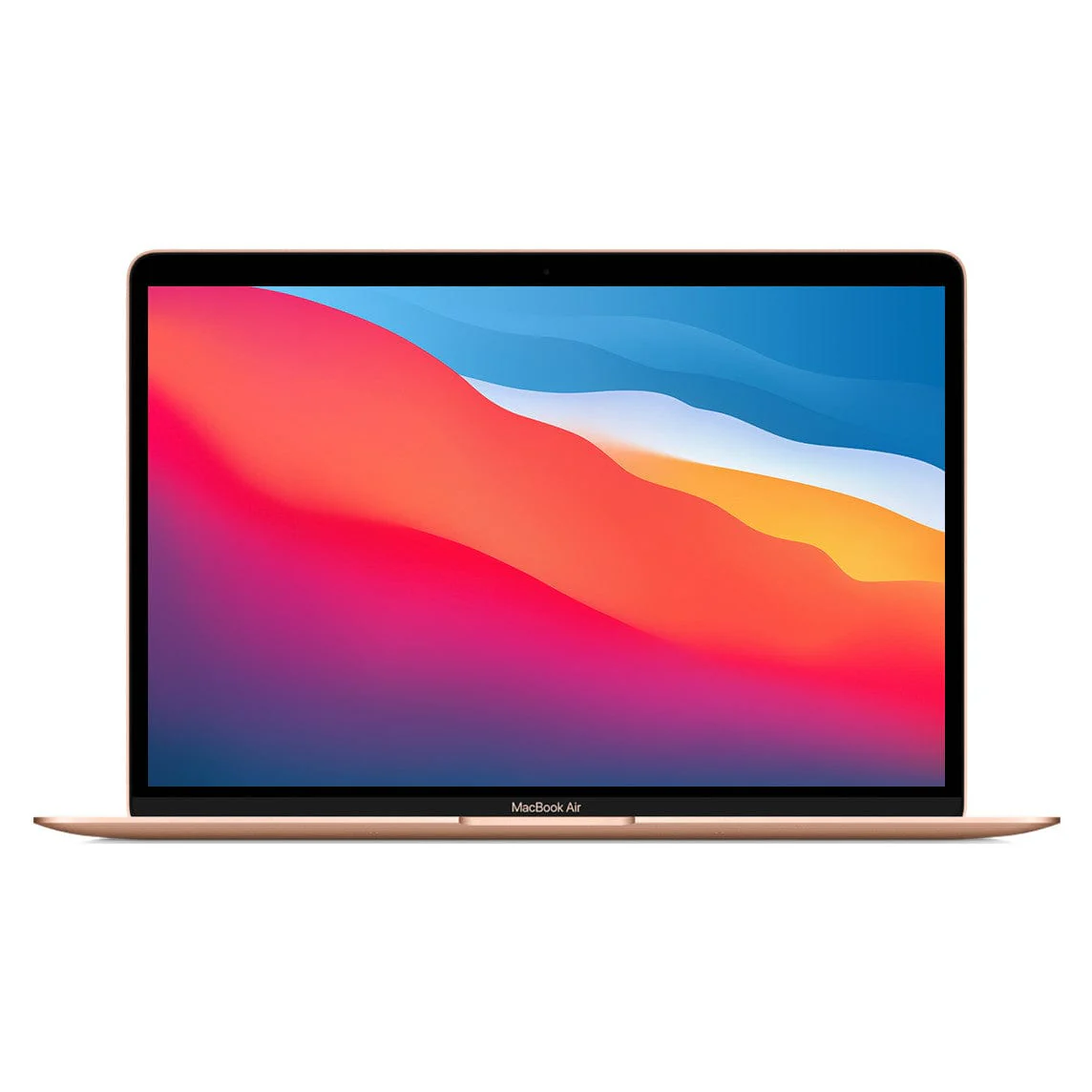
$999
Who Should Buy This
The all-around pick for most college students. Ideal for anyone who values reliability, battery life, and a lightweight build. Especially strong if you already own an iPhone or iPad.
Full Specifications
| Display | 13.6″ Liquid Retina (2560×1664) |
| Processor | Apple M4 (10-core CPU, 10-core GPU) |
| Memory | 16GB unified memory |
| Storage | 256GB SSD (configurable to 2TB) |
| Battery Life | Up to 18 hours |
| Weight | 2.7 lbs (1.24 kg) |
| Operating System | macOS Sequoia |
| Ports | 2x Thunderbolt 4, MagSafe, headphone jack |
Our Take
The MacBook Air M4 is the laptop we recommend to the majority of college students. Apple reduced the starting price to $999 ($899 with education discount), doubled the base RAM to 16GB, and delivered a chip that breezes through papers, presentations, video calls, light video editing, and even some casual gaming. At 2.7 pounds and less than half an inch thin, you barely notice it in your backpack. The 18-hour battery means you can realistically leave the charger at home most days. The new 12MP Center Stage camera tracks your movement during video calls, keeping you centered in the frame. And if you own an iPhone, features like AirDrop, Handoff, Universal Clipboard, and iMessage on your laptop make the ecosystem genuinely useful. The biggest compromise is the 256GB base storage, which fills up quicker than you’d expect. We strongly recommend upgrading to the 512GB model if your budget allows.
What We Like
- 18-hour battery life easily gets through a full day of classes and studying
- Completely silent, fanless design with zero noise
- M4 chip handles everything from writing papers to editing 4K video
- 12MP Center Stage camera automatically keeps you in frame during Zoom calls
- Supports two external displays with the lid open
- Education pricing drops it to $899, making it a serious value
What Could Be Better
- 256GB base storage fills up quickly (budget for the 512GB upgrade)
- No touchscreen functionality
- Limited to two Thunderbolt 4 ports plus MagSafe charging
Bottom Line: If you only read one entry on this list, this is it. The MacBook Air M4 is the safest, most reliable pick for the widest range of college students.
#2. Acer Swift 16 AI
Best Battery Life
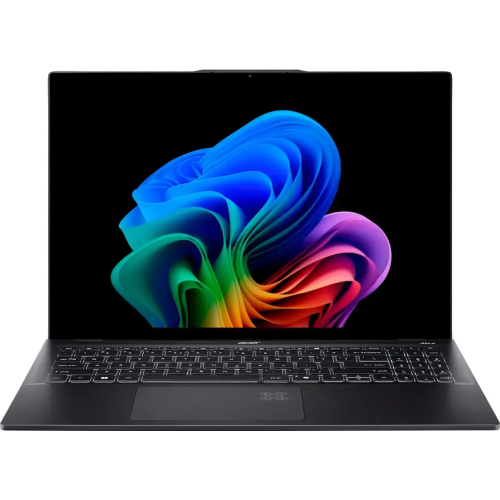
Approx. $900
Who Should Buy This
Students who want a big, vibrant display for media, research, and studying, combined with the longest battery life in a Windows laptop at this price. Great for students who watch a lot of content or need color-accurate screens for creative coursework.
Full Specifications
| Display | 16″ 3K OLED Touchscreen (2880×1800) |
| Processor | Intel Core Ultra 7 256V (8-core) |
| Memory | 16GB DDR5 |
| Storage | 1TB SSD |
| Battery Life | Up to 17.5 hours (tested) |
| Weight | 3.4 lbs (1.54 kg) |
| Operating System | Windows 11 |
| Ports | 2x Thunderbolt 4, 2x USB-A 3.2, HDMI 2.1, headphone jack |
Our Take
If battery life is your number one priority and you want a gorgeous screen for everything from Netflix to research papers, the Acer Swift 16 AI delivers on both fronts. The 16-inch OLED display is genuinely stunning. Colors pop, blacks are deep, and text is razor-sharp at the 3K resolution. It tested at 17.5 hours of real-world battery life in independent reviews, which is remarkable for a 16-inch OLED. The Intel Core Ultra 7 256V chip includes a dedicated NPU for AI tasks and handles heavy multitasking without breaking a sweat. At around $900 with a 1TB SSD included, the value proposition is hard to argue with. You also get a full port selection including HDMI and USB-A, so you won’t need dongles. The only real downsides are the slightly small touchpad relative to the screen size, and the lack of a dedicated GPU for gaming.
What We Like
- Breathtaking 16-inch OLED display with 100% DCI-P3 color accuracy
- 17.5 hours of independently tested battery life
- 1TB SSD included at this price (most competitors offer 256-512GB)
- Wi-Fi 7 and dual Thunderbolt 4 for future-proof connectivity
- Full port selection: USB-A, USB-C, HDMI, all without a dongle
- Only 3.4 lbs for a 16-inch machine
What Could Be Better
- Touchpad feels cramped for a 16-inch laptop
- No dedicated GPU for gaming or 3D work
- 16-inch body takes up more desk space in small lecture halls
Bottom Line: The best combination of display quality and battery life in any Windows laptop under $1,000. A fantastic screen for studying, creating, and streaming.
#3. Dell XPS 14 (2026)
Best Premium Windows Laptop
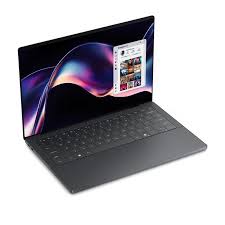
From $1,450
Who Should Buy This
Students who want the absolute best Windows ultrabook available and are willing to pay a premium. Excellent for anyone studying design, computer science, business, or engineering who wants a machine that feels genuinely premium.
Full Specifications
| Display | 14″ 2K LCD or 2.8K Tandem OLED Touch |
| Processor | Intel Core Ultra 7 355 / Ultra X7 358H (Panther Lake) |
| Memory | 16-64GB LPDDR5x |
| Storage | 512GB to 4TB SSD |
| Battery Life | Up to 27 hours (2K LCD model) |
| Weight | 3.0 lbs (1.36 kg) |
| Operating System | Windows 11 |
| Ports | 3x Thunderbolt 4, headphone jack |
Our Take
Dell completely reimagined the XPS 14 for 2026 and the result is the best Windows ultrabook on the market right now. The CNC-machined aluminum chassis weighs just 3 pounds (half a pound lighter than its predecessor), and it packs Intel’s latest Panther Lake processors. The 2K LCD model delivers a staggering 27 hours of battery life in Dell’s testing. If you opt for the 2.8K tandem OLED touchscreen, you get one of the most color-accurate displays available on any laptop. Dell listened to criticism and brought back a physical function row and added visible touchpad borders, resolving the two most common complaints about previous models. The entry price of $1,450 is steep, and you only get USB-C ports (no USB-A, HDMI, or SD card), but for students who can afford it, this laptop is worth every dollar. It feels more polished and refined than anything else in the Windows ecosystem.
What We Like
- Stunning redesigned aluminum body, thinner than a MacBook Air 13
- Up to 27 hours of battery life on the 2K LCD configuration
- Physical function row is finally back after years of touch-sensitive keys
- Three Thunderbolt 4 ports with charging on both sides
- 2.8K tandem OLED touch option is visually spectacular
- Intel Panther Lake chip delivers a significant leap in performance and efficiency
What Could Be Better
- Starting price of $1,450 is a big investment for students
- No USB-A, HDMI, or SD card reader (dongles required)
- Keyboard feedback is shallower than some students may prefer
- Only available through Dell.com and select retailers
Bottom Line: The most refined Windows ultrabook ever made. If you want premium build quality, class-leading battery life, and don’t mind the price, this is the one.
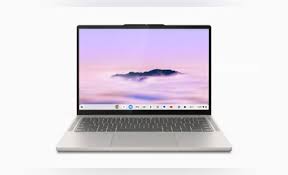
#4. Lenovo IdeaPad Slim 3 14″
Best Budget Laptop
Approx. $450
Who Should Buy This
Budget-conscious students who still need a capable Windows machine. Perfect for general coursework: papers, presentations, web browsing, video calls, and streaming.
Full Specifications
| Display | 15.6″ FHD IPS Touchscreen (1920×1080) |
| Processor | AMD Ryzen 7 5825U (8-core) |
| Memory | 16GB DDR4 |
| Storage | 512GB NVMe SSD |
| Battery Life | Up to 8 hours |
| Weight | 3.6 lbs (1.63 kg) |
| Operating System | Windows 11 |
| Ports | 1x USB-C 3.2, 2x USB-A 3.2, HDMI 1.4, headphone jack, card reader |
Our Take
Not every college student has $1,000 to spend on a laptop, and the IdeaPad Slim 3 proves you absolutely don’t need to. For around $450, you’re getting 16GB of RAM, a 512GB SSD, a touchscreen, and an 8-core AMD Ryzen 7 processor. Those are specs that cost twice as much just a few years ago. It handles everything a typical student needs: writing essays in Word or Google Docs, managing spreadsheets, running Zoom, streaming shows, and browsing with dozens of tabs open. The touchscreen at this price is a nice surprise, and the full port selection (including USB-A and HDMI) means you won’t need adapters. The tradeoffs are real but reasonable: battery life is about 8 hours (you’ll want to bring your charger for long days), the webcam is only 720p, and the screen isn’t the brightest for outdoor use. But for what you’re paying, the Slim 3 punches way above its weight.
What We Like
- Outstanding value with 16GB RAM and 512GB SSD under $500
- Touchscreen display at a budget price point
- Full-size keyboard with dedicated number pad for spreadsheets
- USB-C with Power Delivery, USB-A, HDMI, and SD card reader
- Solid build quality that doesn’t feel cheap despite the price
What Could Be Better
- Battery life averages around 8 hours (bring your charger on long days)
- 720p webcam quality is below average for video calls
- Display brightness tops out at 300 nits, not ideal for bright environments
- 3.6 lbs is slightly heavier than premium ultrabooks
Bottom Line: Proof that you can get a genuinely capable college laptop for under $500. Not flashy, but incredibly smart money.
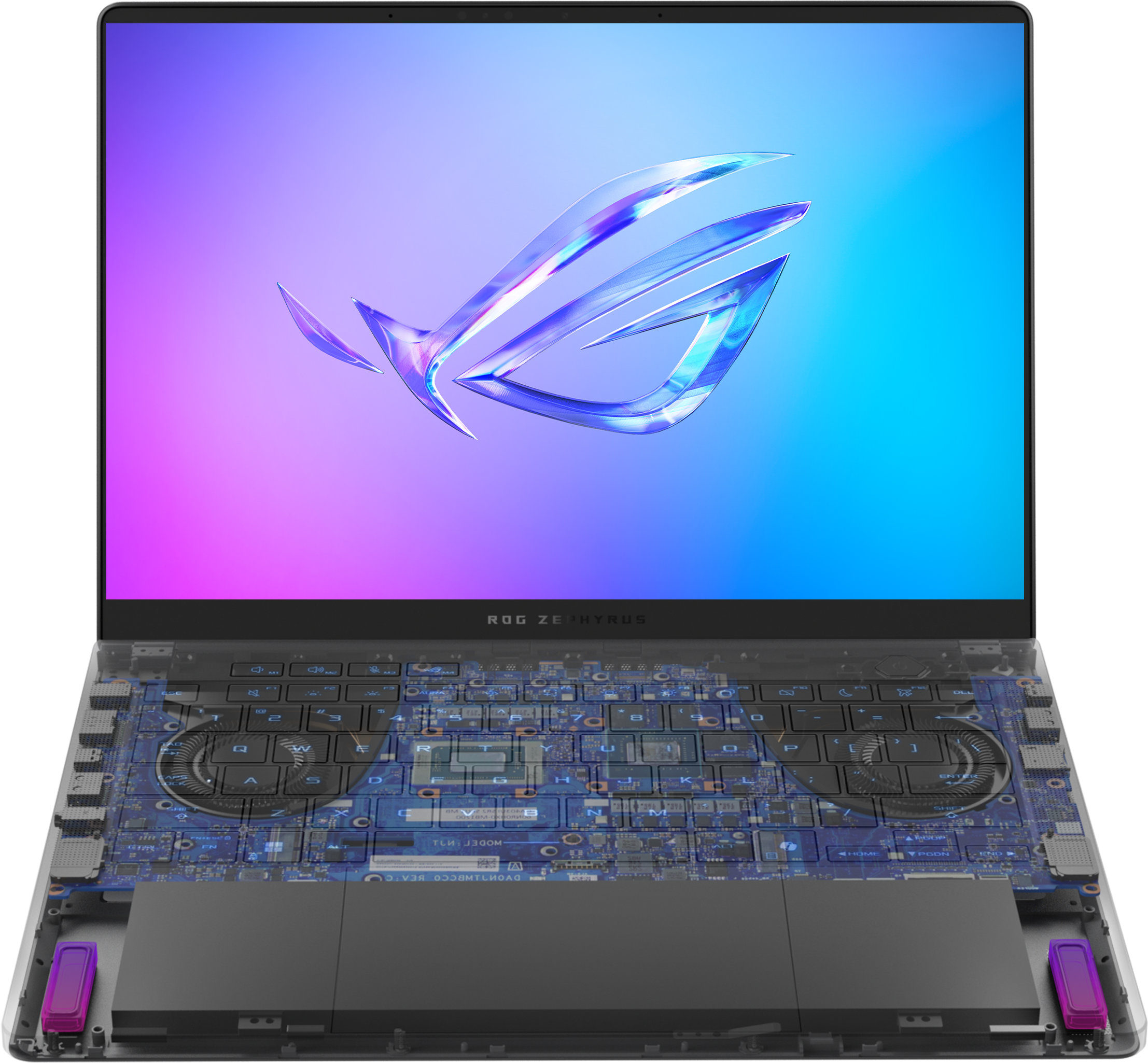
#5. ASUS ROG Zephyrus G14 (2025)
Best for Gaming Students
Approx. $1,600
Who Should Buy This
Students who game seriously and want one machine that handles both AAA titles and demanding coursework. Also excellent for video editing, 3D modeling, and any major that needs real GPU horsepower.
Full Specifications
| Display | 14″ 3K OLED 120Hz (2880×1800) |
| Processor | AMD Ryzen 9 270 (8-core) |
| Memory | 32GB LPDDR5X |
| Storage | 1TB PCIe 4.0 SSD |
| Battery Life | Up to 10 hours (light use) |
| Weight | 3.3 lbs (1.5 kg) |
| Operating System | Windows 11 |
| Ports | 2x USB-C (one TB4), 2x USB-A 3.2, HDMI 2.1, microSD, headphone jack |
Our Take
The Zephyrus G14 is the rare gaming laptop you can actually carry around campus without feeling self-conscious. At just 3.3 pounds with a 14-inch form factor, it fits in most standard backpacks. But don’t let the thin profile fool you: the NVIDIA RTX 5070 GPU and Ryzen 9 270 processor inside deliver serious performance for AAA gaming at high settings, video editing in Premiere Pro, 3D modeling in Blender, and machine learning workloads. The 3K OLED display at 120Hz is one of the best panels on any laptop this size, with gorgeous colors and inky blacks that make both games and movies look phenomenal. The six-speaker setup with Dolby Atmos is surprisingly good for a machine this compact. Battery life is around 10 hours for light tasks (far less when gaming), and the fans will spin up noticeably under heavy load. But if you need one laptop that does both classwork and serious creative or gaming work, the G14 is the gold standard.
What We Like
- RTX 5070 GPU handles AAA gaming, 3D rendering, and video editing with ease
- Stunning 3K 120Hz OLED display with deep blacks and vivid colors
- Only 3.3 lbs, making it one of the lightest gaming laptops ever made
- 32GB RAM comes standard, ready for demanding multitasking
- Premium CNC aluminum build with customizable Slash lighting on the lid
- Comprehensive port selection including HDMI 2.1 and microSD
What Could Be Better
- Starting price around $1,600 is a significant investment
- Battery life drops sharply under gaming or heavy GPU workloads
- Fan noise becomes noticeable during intense tasks
- No built-in webcam privacy shutter
Bottom Line: The only laptop on this list that can seriously game AND survive as a daily campus carry. One machine, zero compromises.
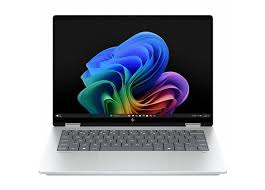
#6. HP OmniBook X Flip 14
Best 2-in-1 Convertible
Approx. $900
Who Should Buy This
Students who want the versatility of a laptop and tablet in one device. Perfect for note-takers who prefer handwriting, art and design students who sketch, or anyone who enjoys tablet mode for reading and media.
Full Specifications
| Display | 14″ FHD+ IPS Touchscreen (1920×1200) |
| Processor | Intel Core Ultra 7 256V (8-core) |
| Memory | 16GB LPDDR5x |
| Storage | 1TB SSD |
| Battery Life | Up to 22 hours |
| Weight | 3.2 lbs (1.45 kg) |
| Operating System | Windows 11 (Copilot+ PC) |
| Ports | 1x Thunderbolt 4, 1x USB-C 3.1, 2x USB-A 3.1, HDMI 2.1, headphone jack |
Our Take
If you like the idea of flipping your laptop into tablet mode for handwritten notes during lectures, then folding it into tent mode for a Netflix session in your dorm, the OmniBook X Flip is the best way to do it in 2026. The 360-degree hinge feels smooth and secure in every position. The 22-hour battery life is remarkable, giving you more than a full day on a single charge. HP’s AI-powered features are genuinely practical for students: automatic framing keeps you centered during video calls, noise cancellation cleans up audio in noisy dorms, and the walk-away lock secures your laptop when you step away from it. The port selection is generous for a convertible, with Thunderbolt 4, USB-A, and HDMI all built in. The main tradeoff is the FHD+ resolution, which looks good but not as sharp as the OLED options on this list. And the stylus (HP Pen) is sold separately, which is a minor frustration.
What We Like
- 360-degree hinge for laptop, tent, stand, and full tablet modes
- Outstanding 22-hour battery life on a single charge
- Intel Core Ultra 7 with built-in NPU for AI-assisted features
- Full port lineup: Thunderbolt 4, USB-A, HDMI, no dongles needed
- Walk-away lock and approach-to-wake for automatic security
- 5MP webcam with IR for Windows Hello facial recognition
What Could Be Better
- FHD+ resolution is solid but less sharp than OLED competitors
- Stylus is sold separately (approximately $80 extra)
- Slightly heavier than non-convertible options at 3.2 lbs
Bottom Line: The most versatile form factor on this list. Flip it, fold it, draw on it, or just use it as a traditional laptop with epic battery life.
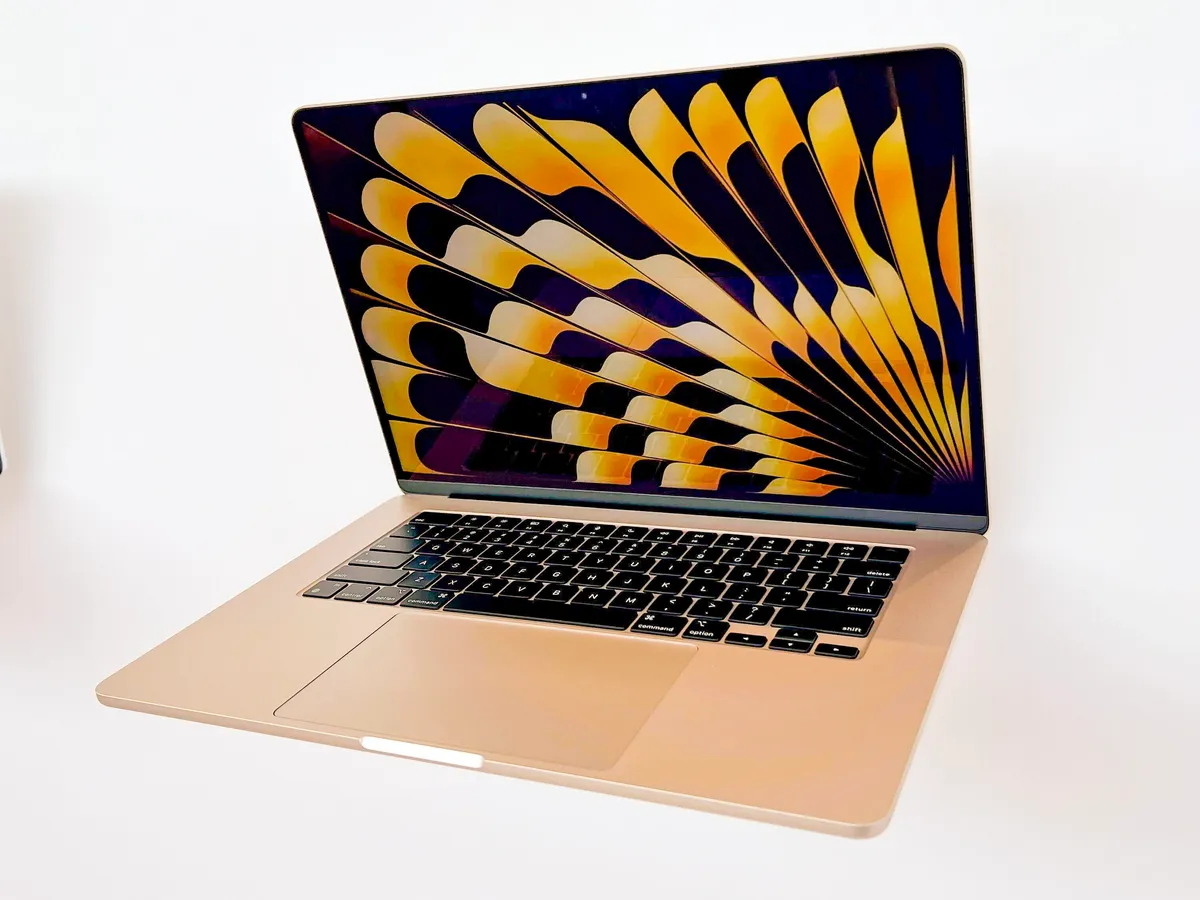
#7. Apple MacBook Air 15-inch (M4, 2025)
Best Large Screen
$1,199
Who Should Buy This
Students who want the biggest screen possible without the weight. Great for multitasking with multiple windows, watching media, or anyone who finds 13-inch screens too cramped for extended work sessions.
Full Specifications
| Display | 15.3″ Liquid Retina (2880×1864) |
| Processor | Apple M4 (10-core CPU, 10-core GPU) |
| Memory | 16GB unified memory |
| Storage | 256GB SSD (configurable to 2TB) |
| Battery Life | Up to 18 hours |
| Weight | 3.3 lbs (1.51 kg) |
| Operating System | macOS Sequoia |
| Ports | 2x Thunderbolt 4, MagSafe, headphone jack |
Our Take
The 15-inch MacBook Air M4 gives you significantly more screen real estate for multitasking without the weight penalty you’d expect. At 3.3 pounds, it’s actually lighter than many 14-inch Windows laptops. The 15.3-inch Liquid Retina display makes side-by-side document work, coding with a preview pane, or watching lectures much more comfortable than a 13-inch screen. You get the exact same M4 chip, 18-hour battery life, and build quality as the smaller model. The six-speaker system with Spatial Audio and force-cancelling woofers is a genuine upgrade over the 13-inch model’s four-speaker setup, making this a surprisingly good media machine for dorm room movie nights. The $200 premium over the 13-inch is worth it if you have the budget, but keep in mind the 256GB base storage is still too small. Budget for the 512GB upgrade.
What We Like
- Spacious 15.3-inch display makes multitasking and media consumption a joy
- Six-speaker sound system with Spatial Audio that fills a room
- Same class-leading 18-hour battery life as the 13-inch model
- Remarkably lightweight at just 3.3 lbs for a 15-inch laptop
- M4 chip with 10-core GPU comes standard on this model
- $1,099 with education pricing
What Could Be Better
- Base model still starts with just 256GB storage
- $200 more expensive than the 13-inch version
- Larger footprint can feel cramped on small lecture hall desks
- Only two Thunderbolt 4 ports (same as 13-inch model)
Bottom Line: Everything great about the MacBook Air 13, but with a bigger screen and better speakers. Worth the upgrade if you have the budget.
#8. Lenovo Chromebook Plus 14
Best Chromebook
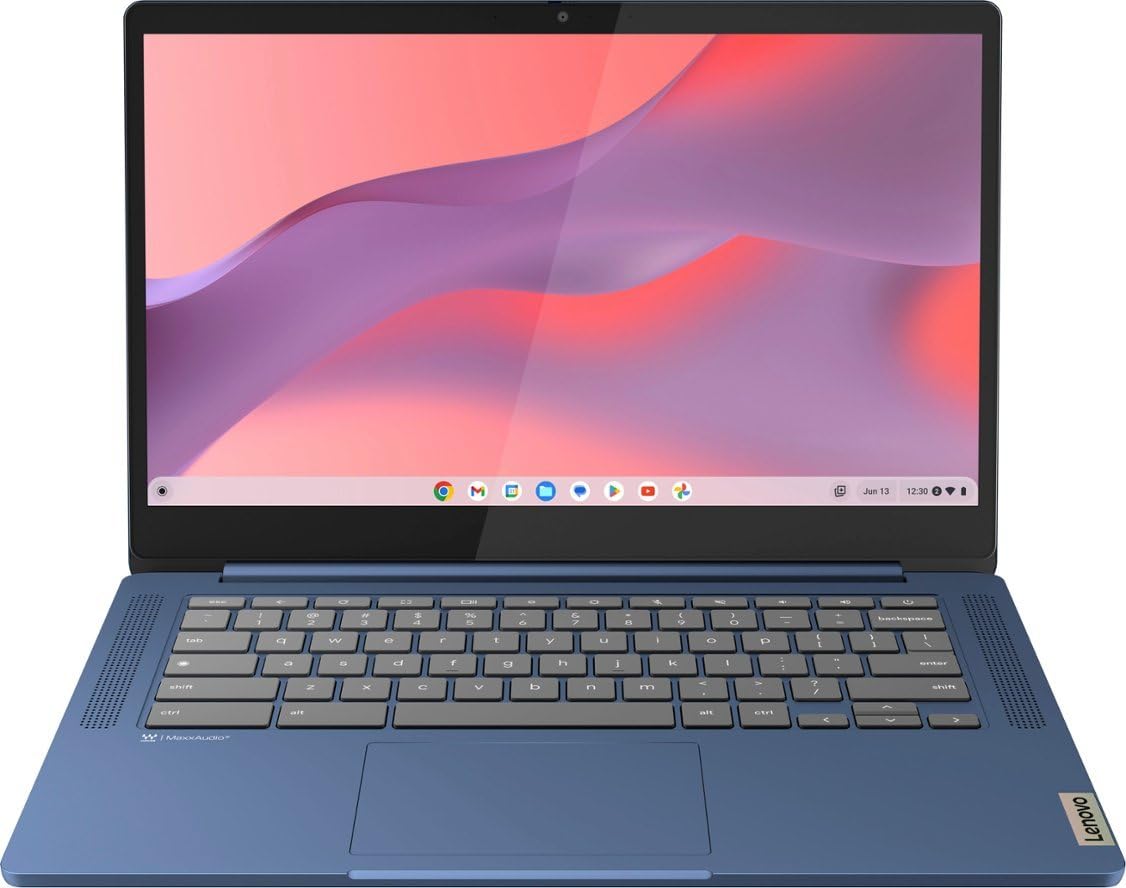
Approx. $300
Who Should Buy This
Students whose coursework is primarily web-based: Google Workspace, email, research, video conferencing. Also excellent as a secondary, ultra-affordable laptop for students who do most heavy lifting on a desktop.
Full Specifications
| Display | 14″ FHD IPS Touchscreen (1920×1080) |
| Processor | MediaTek Kompanio 520 (8-core) |
| Memory | 4GB LPDDR4x |
| Storage | 64GB eMMC |
| Battery Life | Up to 13.5 hours |
| Weight | 3.1 lbs (1.4 kg) |
| Operating System | ChromeOS (auto-updates until June 2032) |
| Ports | 1x USB-C 3.2, 1x USB-A 3.2, microSD reader, headphone jack |
Our Take
If your entire academic life runs through Google Docs, email, and a web browser (and for many students it does), a Chromebook is all you actually need. This Lenovo is the best one for the money. ChromeOS boots in under 10 seconds, runs smoothly with minimal maintenance, and stays secure with automatic updates guaranteed through 2032. The 14-inch FHD touchscreen with anti-glare coating is comfortable for extended reading and typing sessions. You also get 12 months of free Google AI Pro, which includes Gemini 2.5 Pro for research assistance and NotebookLM for organizing your study materials. At around $300, it leaves serious budget for textbooks, supplies, or a nice pair of headphones. The key limitation is software: Chromebooks cannot natively run desktop applications like the full version of Microsoft Office, MATLAB, AutoCAD, or Adobe Photoshop. If your program requires any of those tools, you’ll need a Windows or Mac machine instead.
What We Like
- Extremely affordable at approximately $300
- 13.5-hour battery life lasts well beyond a full school day
- Touchscreen with anti-glare coating for comfortable reading
- ChromeOS boots in seconds and stays fast without maintenance
- Google AI Pro included free for 12 months (Gemini, NotebookLM)
- Automatic security updates guaranteed through June 2032
What Could Be Better
- 4GB RAM limits heavy multitasking (keep tabs under control)
- 64GB eMMC storage fills up fast, cloud storage is essential
- Cannot run traditional desktop applications (no Office desktop, MATLAB, etc.)
- MediaTek processor handles basics well but struggles with demanding tasks
Bottom Line: The smartest choice if your entire workflow runs through Google. Fast, affordable, and completely hassle-free.
#9. Acer Aspire Go 15
Best Windows Laptop Under $400
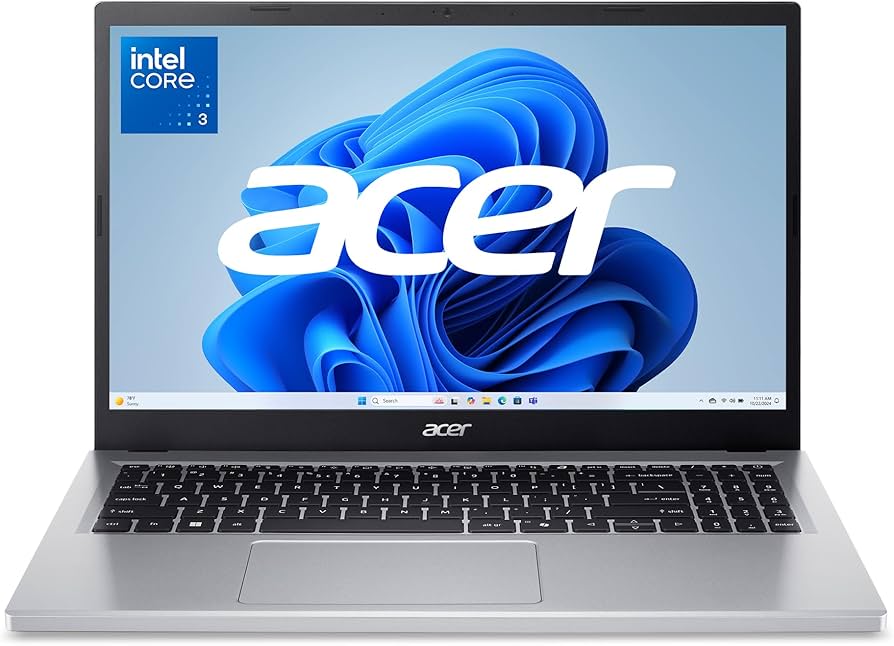
Approx. $350
Who Should Buy This
Students on the tightest budgets who need a full Windows experience. Good for basic coursework, browsing, email, word processing, and streaming.
Full Specifications
| Display | 15.6″ FHD IPS (1920×1080) |
| Processor | Intel Core i3-N305 (8-core) |
| Memory | 8GB LPDDR5 |
| Storage | 128GB UFS |
| Battery Life | Up to 11 hours |
| Weight | 3.8 lbs (1.72 kg) |
| Operating System | Windows 11 Home (S Mode) |
| Ports | 2x USB-A 3.2, 1x USB-C 3.2, HDMI, headphone jack |
Our Take
The Acer Aspire Go 15 is proof that you can get a functional Windows laptop for under $400 in 2026. The Intel Core i3-N305 is an efficient 8-core chip that handles everyday tasks smoothly: writing papers, browsing the web with a reasonable number of tabs, video calls, and streaming. The 15.6-inch FHD IPS display gives you plenty of workspace, and the 11-hour battery life is solid for a machine at this price. Acer also deserves credit for the eco-friendly approach: the back cover uses 30% recycled plastic, and it’s both Energy Star certified and EPEAT Silver registered. The main compromise is the 128GB storage, which is genuinely tight. Plan on using Google Drive, OneDrive, or a cheap external drive. The 8GB RAM handles basic multitasking but will strain if you push it hard. For students who just need a reliable, affordable workhorse for the basics, this gets the job done without drama.
What We Like
- Full Windows 11 experience for under $400
- 15.6-inch FHD display provides plenty of working space
- 11-hour battery life is impressive for the price
- Wi-Fi 6 for fast, reliable connectivity
- Eco-friendly build with 30% recycled materials and Energy Star certification
What Could Be Better
- 128GB storage is genuinely tight (external or cloud storage recommended)
- 8GB RAM is adequate but not generous for heavy multitasking
- 720p webcam produces mediocre video quality
- Build quality feels plasticky compared to premium options
- Comes in Windows 11 S Mode by default (can be switched to full Windows for free)
Bottom Line: The lowest-cost path to a real Windows laptop. It won’t win any beauty contests, but it handles the essentials without complaints.
#10. Microsoft Surface Laptop 7
Best for Note-Taking
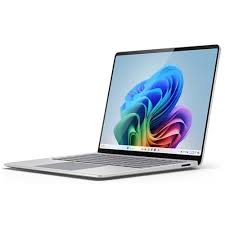
Approx. $1,000
Who Should Buy This
Students who prefer handwritten notes, digital sketching, or frequently annotate PDFs and documents. Excellent for art students, pre-med students who draw diagrams, and anyone who finds pen input faster than typing.
Full Specifications
| Display | 13.8″ PixelSense Flow Touchscreen (2304×1536, 120Hz) |
| Processor | Qualcomm Snapdragon X Elite (12-core) |
| Memory | 16-32GB LPDDR5x |
| Storage | 256GB to 1TB SSD |
| Battery Life | Up to 20 hours |
| Weight | 2.96 lbs (1.34 kg) |
| Operating System | Windows 11 (Copilot+ PC) |
| Ports | 2x USB-C (USB4), Surface Connect, headphone jack |
Our Take
Microsoft’s Surface Laptop 7 is the go-to choice for students who love taking handwritten notes directly on their laptop. The 13.8-inch PixelSense Flow touchscreen at 120Hz has one of the best pen-input experiences on any laptop. Pair it with the Surface Pen and your handwriting feels natural, responsive, and precise with virtually no lag. The Snapdragon X Elite processor delivers outstanding 20-hour battery life, and the entire package weighs under 3 pounds, making it one of the most portable options on this list. The 120Hz refresh rate makes scrolling and interactions feel buttery smooth, and the 3:2 aspect ratio gives you extra vertical space for documents and web pages. Copilot+ AI features are integrated for research assistance and writing help. The primary consideration is app compatibility: because this runs on an ARM-based Snapdragon chip rather than traditional x86, some older or niche Windows apps might not run perfectly. Most major apps work fine, but check compatibility if your program uses specialized software.
What We Like
- Best-in-class touchscreen and pen experience for handwritten notes
- 20-hour battery life keeps you going well beyond a full day
- Under 3 pounds with an ultra-slim profile for maximum portability
- 120Hz display refresh rate makes everything feel smooth and responsive
- 3:2 aspect ratio provides extra vertical space for documents and web pages
- 1080p HD webcam with AI-powered Studio Effects for great video calls
What Could Be Better
- Some niche Windows applications have compatibility issues on the ARM chip
- Surface Pen is sold separately (approximately $80)
- Limited to USB-C and Surface Connect ports (no USB-A or HDMI)
- Fewer third-party case and accessory options compared to MacBooks
Bottom Line: The best laptop for students who think and work better with a pen in hand. Digital note-taking doesn’t get better than this.
College Laptop Buyer’s Guide: Everything You Need to Know
With hundreds of laptops on the market, it’s easy to feel overwhelmed. This section breaks down the factors that actually matter for college students, so you can make a confident decision.
Battery Life: The Non-Negotiable Factor
Battery life is arguably the most important spec for a college laptop. You’ll be moving between classrooms, libraries, coffee shops, and study spaces all day. Outlets aren’t always available, and nobody wants to be the person crawling under a desk looking for a plug mid-lecture. Aim for at least 10 hours of real-world battery life. Several laptops on our list exceed 15 hours, and the Dell XPS 14 (2K LCD) reaches a remarkable 27 hours. Keep in mind that manufacturer battery claims are usually tested under ideal conditions. Real-world usage with Wi-Fi, brightness at 50%, and a mix of tasks typically delivers 70-80% of the advertised number.
Weight and Portability: Your Back Will Thank You
You’ll carry this laptop in a backpack every single day, often alongside textbooks, notebooks, chargers, and other gear. Every ounce adds up over a 10-minute walk across campus. Our recommendation: aim for under 3.5 pounds. The 13-to-14-inch range hits the sweet spot between portability and screen size. If you prioritize a bigger screen (15-16 inches), modern ultrabooks like the MacBook Air 15 and Acer Swift 16 keep the weight surprisingly low for their size.
Performance: How Much Power Do You Actually Need?
The honest answer for most students: not as much as you think. A modern mid-range processor paired with 16GB of RAM handles the vast majority of college workloads. Here’s a general guide based on what you’ll be doing:
| What You’re Doing | Minimum Specs | Recommended Pick |
|---|---|---|
| Writing papers, browsing, email, streaming | 8GB RAM, any modern CPU | Acer Aspire Go 15 or Chromebook Plus |
| General coursework + multitasking | 16GB RAM, Intel Core Ultra / M4 / Ryzen 5+ | MacBook Air 13 M4 or Lenovo IdeaPad Slim 3 |
| Programming, data analysis, photo editing | 16GB RAM, fast SSD, good CPU | Dell XPS 14 or MacBook Air 15 M4 |
| Video editing, 3D modeling, gaming, ML | 32GB RAM, dedicated GPU, fast storage | ASUS ROG Zephyrus G14 |
Storage: Why 256GB Isn’t Enough Anymore
In 2026, applications are bigger, files are larger, and operating systems take up more space than ever. A 256GB drive sounds reasonable until you install your OS (30-50GB), a few applications, download some lecture recordings, and save a semester’s worth of projects. Suddenly you’re running low. Our recommendation: 512GB is the sweet spot for most students. If you end up with 128-256GB (common on budget laptops), commit to cloud storage from day one and consider a portable SSD for larger files.
Display: You’ll Stare at This Screen for Thousands of Hours
Don’t overlook display quality. You’ll spend enormous amounts of time reading, writing, and watching on this screen. At minimum, look for a 1080p (Full HD) IPS panel with decent brightness (300+ nits). If your budget allows, OLED panels deliver dramatically better contrast, deeper blacks, and more vivid colors. Touchscreens are valuable for note-taking and creative work, but not essential for everyone. Regarding size: 13-14 inches works well for most students. If you frequently work with multiple windows or need extra room for code/design, consider 15-16 inches.
Operating System: macOS vs. Windows vs. ChromeOS
macOS (MacBooks) offers a polished, consistent experience with excellent battery optimization and tight integration with iPhones and iPads. It’s the top choice for creative work and general productivity.
Windows 11 provides the widest range of hardware options at every price point and is required for many engineering, business, and IT programs. It also supports the broadest range of software.
ChromeOS is the simplest and most affordable option. It’s fast, secure, and maintenance-free, but limited to web-based applications and Android apps. Best for students whose work lives entirely in Google Workspace.
Student Discounts: Don’t Pay Full Price
Almost every major manufacturer offers student discounts. Here’s a quick reference:
- Apple: $100 off MacBooks through the Apple Education Store, plus free AirPods during back-to-school promotions
- Dell: Student discount portal with percentage-based savings on XPS and Inspiron lines
- Lenovo: Academic discount program with ID.me verification, often 10-20% off
- HP: Student Store with discounts on OmniBook and Pavilion models
- Microsoft: Up to 10% off Surface devices through the Education Store, plus Office 365 free for students
- Best Buy: Student Deals hub with rotating savings across all brands
Always check for active promotions before purchasing. Back-to-school season (July through September) typically offers the deepest discounts of the year.
How to Make Your Laptop Last All Four Years
A few habits will keep your laptop performing well through graduation and beyond:
- Don’t drain the battery to 0% regularly. Modern lithium batteries last longest when kept between 20% and 80% charge most of the time.
- Keep your storage below 85% capacity. SSDs slow down significantly when nearly full.
- Use a laptop sleeve or case. A $20 sleeve can prevent a $1,000 repair.
- Run software updates promptly. They patch security vulnerabilities and often improve performance.
- Clean your keyboard and vents periodically. Compressed air every few months prevents dust buildup that causes overheating.
Best Laptop for Your College Major
Different majors place very different demands on a laptop. Here’s a breakdown of what works best for the most common fields of study.
| Major / Field | Key Requirements | Our Top Pick |
|---|---|---|
| Business / Finance / Economics | Excel, PowerPoint, multitasking, portability | MacBook Air 13″ M4 or Dell XPS 14 |
| Computer Science / Software Engineering | 16GB+ RAM, good keyboard, Linux support | MacBook Air 13″ M4 or Dell XPS 14 |
| Engineering (Mechanical, Civil, EE) | Windows required, dedicated GPU for CAD | ASUS ROG Zephyrus G14 |
| Graphic Design / Fine Arts | Color-accurate display, stylus support, Adobe apps | HP OmniBook X Flip or MacBook Air 15″ |
| Film / Video Production | Dedicated GPU, 32GB RAM, fast storage | ASUS ROG Zephyrus G14 |
| Pre-Med / Biology / Chemistry | Reliable, portable, long battery, note-taking | Surface Laptop 7 or MacBook Air 13″ |
| English / History / Political Science | Great keyboard, light weight, long battery | MacBook Air 13″ M4 or Acer Swift 16 |
| Data Science / Statistics | 16-32GB RAM, good CPU, Python/R support | Dell XPS 14 or MacBook Air 15″ |
| General Studies / Undecided | Versatile, good value, no overkill specs | MacBook Air 13″ M4 or IdeaPad Slim 3 |
If you’re unsure about your major or plan to switch, go with a versatile all-rounder like the MacBook Air 13 M4 or Dell XPS 14. Both handle a broad range of tasks and won’t leave you stranded if your coursework shifts direction.
Common Mistakes to Avoid When Buying a College Laptop
We’ve seen students make these mistakes over and over. Save yourself the regret:
1. Buying based on brand loyalty alone. Just because you had a great Dell in high school doesn’t mean the cheapest Dell today is the right choice. Compare specs within your budget, regardless of brand.
2. Overspending on specs you’ll never use. A 64GB RAM, RTX 5090 gaming beast sounds impressive, but if you’re an English major writing essays, you’re paying $2,000+ for power that will go completely untapped. Match the laptop to your actual workload.
3. Ignoring battery life. A laptop with 4 hours of battery is a desktop with a keyboard. College life is mobile. You need at least 8 hours, and 12+ is ideal.
4. Choosing 8GB RAM in 2026. It was fine in 2020. In 2026, 8GB is the bare minimum and will increasingly feel limiting as apps and browser tabs demand more memory. Aim for 16GB whenever possible.
5. Forgetting to check your school’s software requirements. Some engineering and business programs require Windows-only applications. Some design programs work best on Mac. Check before you buy, not after.
6. Skipping the student discount. You’re leaving $50 to $200 on the table. Every major manufacturer offers education pricing. Five minutes of verification can save you real money.
Laptop Trends in 2026: What’s New This Year
The laptop market in 2026 looks quite different from just a year ago. Here’s what changed and why it matters for your purchase.
AI-Powered Laptops (Copilot+ PCs and Apple Intelligence)
Nearly every new laptop in 2026 includes a dedicated Neural Processing Unit (NPU) for on-device AI tasks. On Windows, these are marketed as “Copilot+ PCs” and enable features like real-time translation, AI-assisted writing, smart image editing, and enhanced video call quality. Apple calls their equivalent “Apple Intelligence,” which powers writing tools, photo editing, and Siri improvements across macOS. For students, the most practical AI features today include noise cancellation during video calls, automatic meeting transcription, and AI-assisted research and writing. These features are helpful but not yet essential. Don’t pay a significant premium just for AI capabilities.
ARM Processors Go Mainstream
Qualcomm’s Snapdragon X chips and Apple’s M-series processors have proven that ARM-based architectures can deliver outstanding performance and battery life. The Surface Laptop 7 and several HP models run on Snapdragon, while all MacBooks use Apple Silicon. The advantage is dramatically better battery life and cooler, quieter operation. The tradeoff for Windows ARM laptops is that some older or niche x86 applications may not run perfectly, though compatibility improves rapidly with each update.
OLED Screens at Lower Prices
OLED displays, once reserved for $2,000+ premium laptops, have trickled down to the $800-$1,000 range. The Acer Swift 16 AI at around $900 includes a stunning 3K OLED panel. If you care about display quality (and you should, since you’ll stare at it for thousands of hours), OLED is more accessible than ever.
Battery Life Keeps Getting Better
Thanks to more efficient processors and larger batteries in thinner designs, battery life across the board has improved substantially. Multiple laptops on our list deliver over 15 hours of real-world use, and the Dell XPS 14 claims 27 hours on its LCD model. The days of needing to carry a charger everywhere are fading fast for premium machines.
Essential Accessories for College Students
Your laptop is the foundation, but a few key accessories can make a meaningful difference in your daily experience.
- A good pair of headphones or earbuds. You’ll use them every day for lectures, study sessions, video calls, and blocking out noisy dorms. Noise-canceling models are worth the investment.
- A USB-C hub or dock. If your laptop has limited ports (especially MacBooks and the XPS 14), a compact USB-C hub adds HDMI, USB-A, SD card, and Ethernet connectivity for under $30.
- A laptop sleeve or case. Protects your investment from scratches, bumps, and the occasional accidental drop. Budget $15-$30 for something with decent padding.
- An external SSD (if you have limited storage). A 500GB portable SSD costs around $40-$60 and gives you a huge amount of backup space for files, projects, and media.
- A laptop stand. Raising your screen to eye level improves posture during long study sessions. Even a basic stand for $20 makes a noticeable difference in comfort.
- A compact wireless mouse. Optional, but many students find a mouse more comfortable than a trackpad for extended work sessions, especially with spreadsheets or design tools.
Frequently Asked Questions
How much should a college student spend on a laptop?
The $600 to $1,200 range works for most students. Budget options under $500 handle basics like writing, browsing, and streaming. STEM and creative students may need $1,200 to $1,800 for additional processing power, more RAM, and a dedicated GPU. Don’t overspend on specs you won’t use, but also don’t underspend on a machine you’ll rely on for four years.
Is a MacBook or Windows laptop better for college?
Both platforms handle general coursework equally well. MacBooks tend to offer better battery life, build quality, and a cleaner user experience. Windows laptops provide more options at every price point and are required for programs that use Windows-only software (like certain engineering, IT, and business applications). If you already use an iPhone, the Apple ecosystem integration is a genuine advantage.
How much RAM does a college student need in 2026?
16GB is the standard for comfortable performance in 2026. It handles dozens of browser tabs, video calls, document editing, and most academic software without slowdowns. Students working with video editing, 3D modeling, large datasets, or virtual machines should consider 32GB. Avoid 8GB if your budget allows, as it’s increasingly limiting for modern multitasking.
Do college students need a dedicated graphics card?
Most don’t. Integrated graphics in modern chips (Intel Arc, AMD Radeon, Apple M4 GPU) handle web browsing, video playback, light photo editing, and even some casual gaming. You only need a dedicated GPU from NVIDIA or AMD if your coursework involves 3D rendering, video editing, machine learning, or you want to play AAA games at high settings.
What laptop screen size is best for college students?
13 to 14 inches is the most popular choice and fits comfortably in most backpacks and on most desks. Students who regularly work with code, spreadsheets, or design software often prefer 15 to 16 inches for the extra workspace. Just keep in mind that larger screens mean slightly more weight and a bigger footprint.
Is a Chromebook good enough for college?
Yes, for many students. If your academic work lives in Google Workspace (Docs, Sheets, Slides, Gmail) and your program doesn’t require specialized desktop software, a Chromebook is fast, secure, affordable, and practically maintenance-free. Just verify that your courses don’t require Windows or Mac applications before committing. Software like MATLAB, AutoCAD, SolidWorks, and the full desktop version of Microsoft Office won’t run on ChromeOS.
How long should a college laptop last?
With proper care, a well-chosen laptop should last all four years of college and potentially 1-2 years beyond. To maximize longevity, buy a model with at least 16GB of RAM and 512GB of storage so it stays capable as software grows more demanding. MacBooks and premium Windows ultrabooks typically age the best due to superior build quality and optimized software support.
Should I buy a laptop with an OLED screen for college?
OLED screens deliver noticeably better contrast, deeper blacks, and more vibrant colors than standard LCD panels. They make media consumption, creative work, and even general reading more enjoyable. The tradeoff is usually a slightly higher price and, in some models, a minor impact on battery life. If your budget has room for it, OLED is a worthwhile upgrade, especially if you plan to use your laptop for creative courses or media.
How We Research and Select Products
The TenBESTLY team researches dozens of products for every list we publish. For this guide, we analyzed over 40 laptops from all major manufacturers, reviewed hands-on evaluations from publications like PCWorld, Tom’s Guide, Tom’s Hardware, Notebookcheck, and RTINGS, compared independently tested battery life and performance benchmarks, and evaluated each model against the specific needs of college students: portability, battery endurance, keyboard quality, value for money, and long-term reliability. We update this list regularly as new models launch and prices change. TenBESTLY earns a commission when you purchase through our links, at no additional cost to you. This does not influence our rankings or recommendations.